
The Examples page lists shipped workflows, apps, storyboards, timelines, sketches, 3D models, and games you can copy into your project. Open it from More → Examples or Browse examples on the new-project surface.
Tabs
| Tab | What a card does |
|---|---|
| Apps | Add to your apps installs the app and the workflows it runs |
| Workflows | Click a card to copy the workflow into your project |
| Storyboards | Adds an editable copy of the board |
| Timelines | Open editable timeline adds a copy |
| Sketches | Open sketch creates your own copy and opens it in the sketch editor |
| 3D models | Open model saves the model as an asset in your project and opens it in the 3D editor |
| Games | Play and edit adds a copy |
Sketches are 1200 × 900 with five vector layers each, and a category row filters them (All, NodeTool, Ads, Movies, Art studies). The 3D models tab groups low-poly glTF models into packs: Adventure, Dungeon, Platformer, Seaside, Sci-fi, and Sci-fi outpost. Neither tab needs a model or API key. See Sketch Editor for editing sketches.
Opening a Template
Clicking a card creates a private copy named after the template, tagged example, in your current project, and opens it in a workspace tab. The original is never modified, so you can edit and save the copy freely.
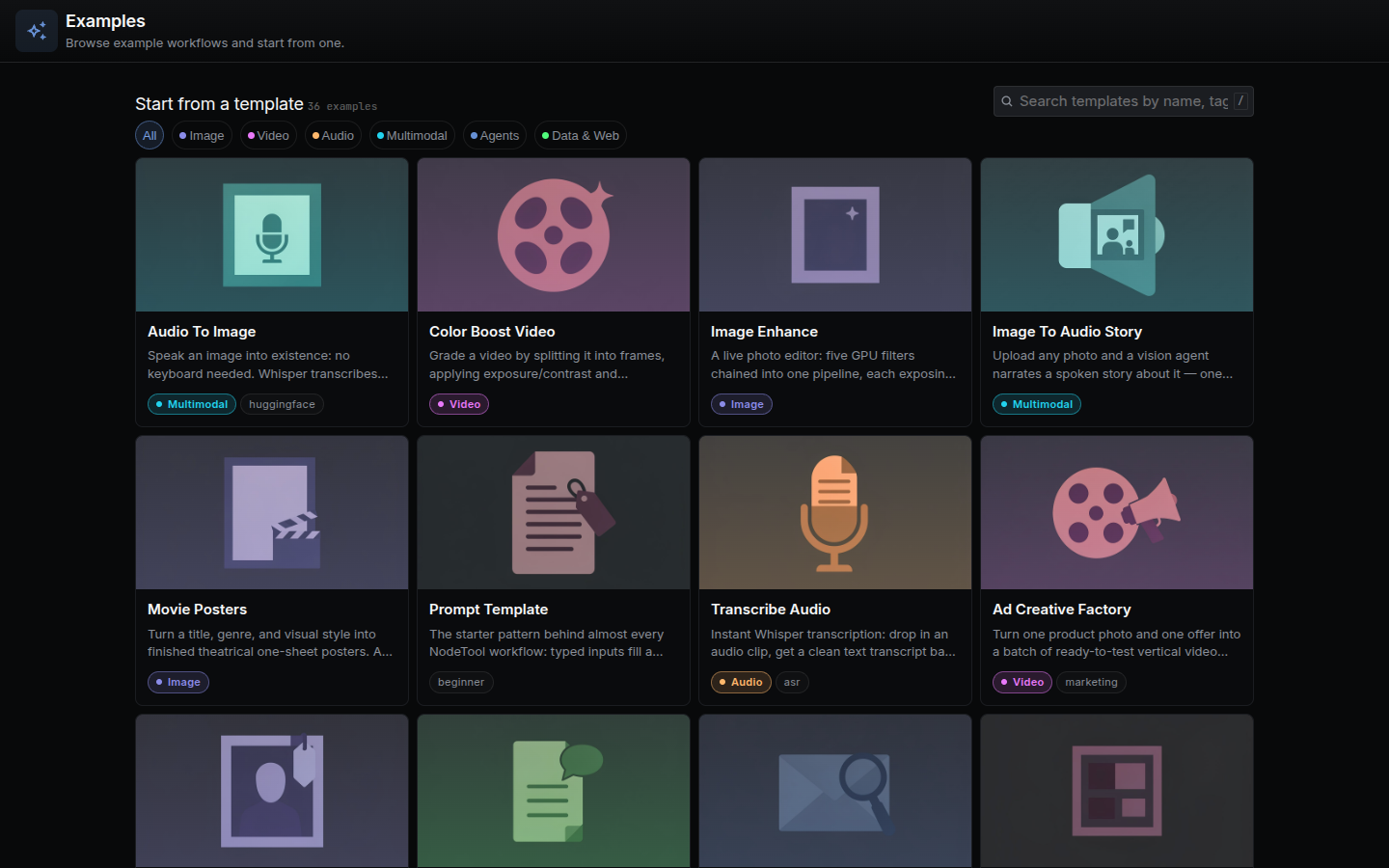
Templates are grouped by tag into the categories below.
| Category | Tags that match |
|---|---|
| Image | image, design |
| Video | video, youtube |
| Audio | audio |
| Multimodal | multimodal |
| Agents | agent, agents, ai, claude, huggingface |
| Data & Web | data, web, search, serp, google, news, reddit, amazon, trends, analysis, research, rag |
Browse walkthroughs of individual templates on the Workflow Examples page.
Filtering and Searching
- Category pills filter the list. All shows everything.
- Search matches the template name, description, and tags. Press
/to focus the search box. - Templates tagged
getting-startedorstartsort first in the unfiltered list. Everything else sorts by name.
If nothing matches, the page offers Clear search or Show all templates.
Anatomy of a Template Card
Each Workflows card shows a thumbnail, title, description, and:
- Inputs, each marked required, optional, or requirement unknown.
- Provider/model, the models the graph selects, or the providers it uses.
- Execution, whether it runs locally, on provider-hosted models, or both.
- Required setup and Runtime, when the graph needs them.
- Estimated cost, computed from published node prices. A graph with unpriced nodes shows “at least” or “unknown” with the count of unpriced nodes.
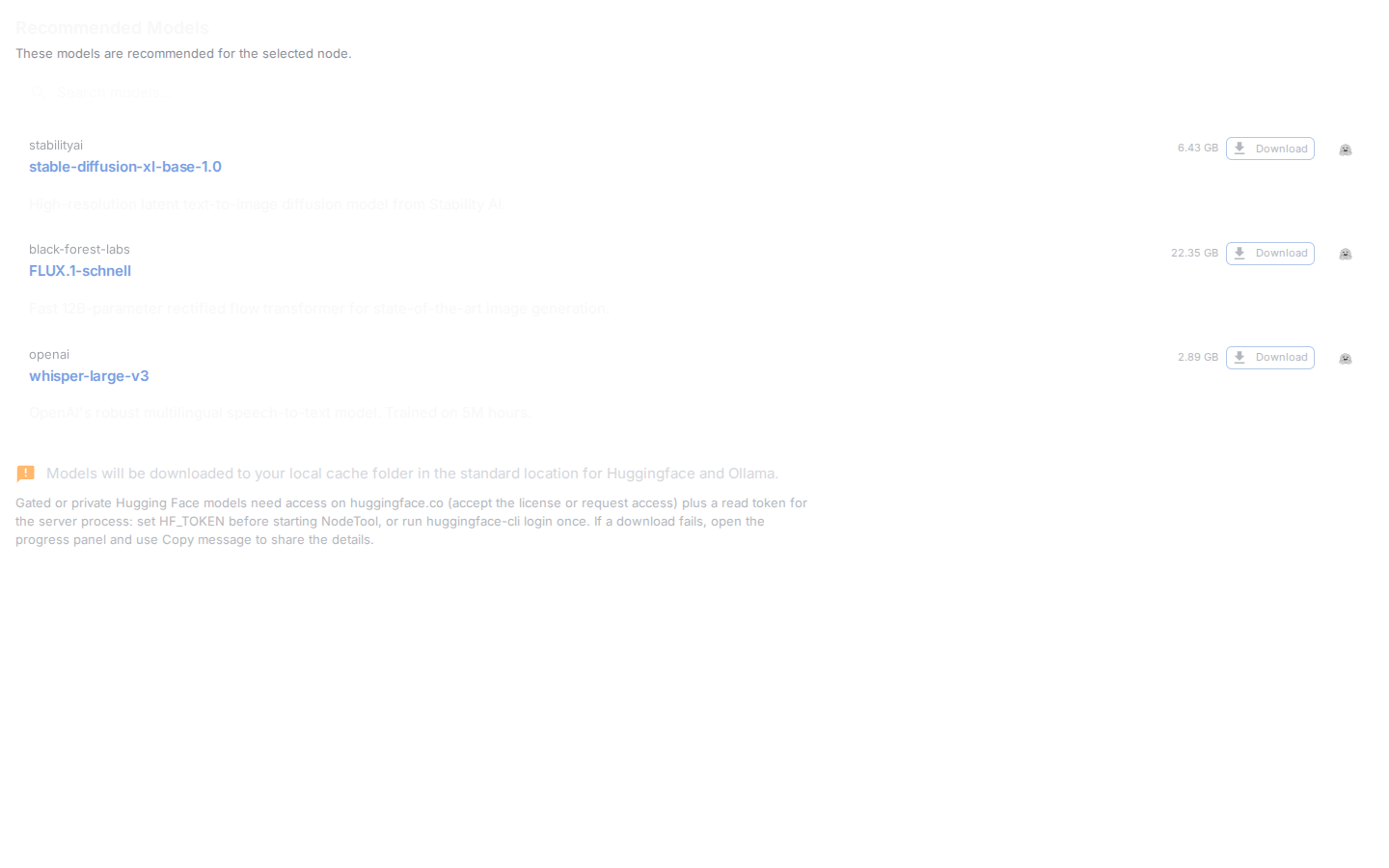
Model fields in shipped templates are empty. When you open one, NodeTool fills each from your own default model for that type. If a model is missing, the Recommended Models dialog offers to install it.
Contributors who ship new templates: see Adding Workflow Templates.
Related Docs
- Workflow Examples — in-depth walkthroughs of individual templates
- Cookbook — reusable workflow patterns
- Getting Started — runs a template as your first workflow