
Declare what the game understands as actions and, in 3D, axes. Physical keyboard, mouse, gamepad, and touch bindings turn into the same input frames used by simulation and replay.
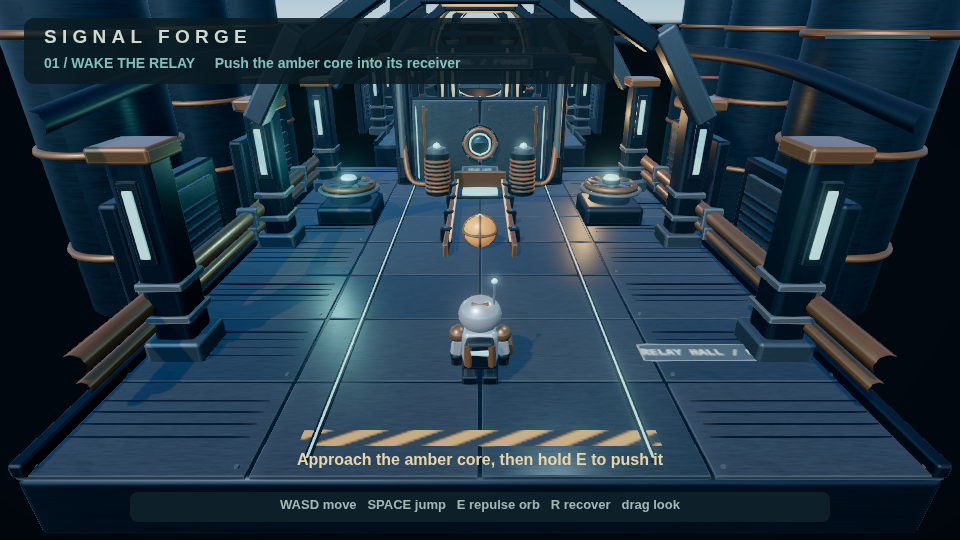
Signal Forge’s displayed controls include its authored E action. Document bindings and on-screen instructions should agree. Capture source.
Bind an action
Declare an action in inputActions, then add bindings under inputBindings.actions. This document fragment binds interact to physical E and a touch button:
{
  "inputActions": ["interact"],
  "inputBindings": {
    "actions": {
      "interact": [{"kind": "key", "code": "KeyE"},
                   {"kind": "touchButton", "label": "Use"}]
    }
  }
}
Keep the rest of the game’s declared actions when applying this fragment. key matches physical key position. keyValue follows the keyboard’s character value. Actions also accept mouse buttons, gamepad buttons, thresholded gamepad axes, and touch-stick directions.
A listed action uses exactly its listed bindings. An empty array unbinds it. An omitted action retains its name-based defaults. In 2D, arrows and WASD map directions and Space maps space. In 3D, defaults include Space for jump, R for respawn, and mouse button 0 or F for fire.
Add axes and look
3D axes use key pairs, gamepad axes or buttons, and touch-stick axes. When several bindings contribute, the largest magnitude wins. Default moveX and moveZ use WASD, arrows, and gamepad/touch movement.
Look accepts mouse motion, a gamepad stick, or touch drag, with sensitivity and inversion controls. Click the 3D player to capture the mouse. Input pressed while paused is discarded. Player rebinding is not persisted automatically.
Frame the scene
A 2D camera defines width, height, and zoom. Its world dimensions combine with pixels-per-unit to determine HUD coordinates.
A 3D camera uses perspective field of view or orthographic size, plus near and far planes. A fixed camera follows its authored transform. A follow camera names a target and provides position and look-at offsets, yaw, pitch limits, sensitivity, and collision radius. Keep near/far values appropriate to the scene to avoid clipping and depth precision problems.
The editor orbit camera is an inspection tool. The scene’s active camera controls play and capture. Verify framing with the active camera and exported aspect ratio, not only the editor viewport.