
Particles provide visual effects without creating gameplay entities. They cannot collide, collect items, alter scores, or send gameplay events. Their simulation is separate from the game’s snapshot state.
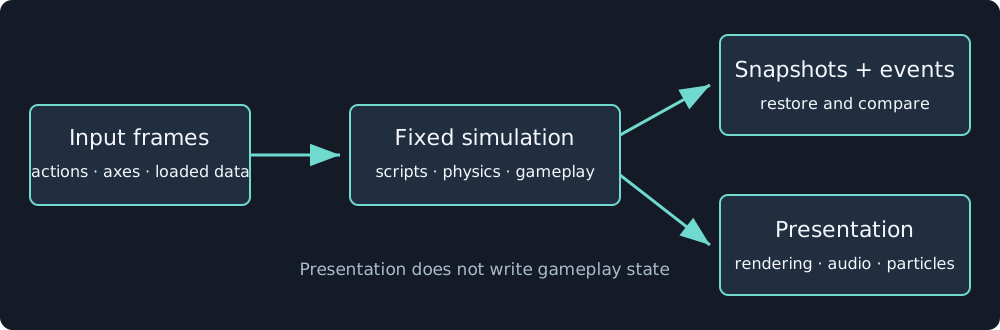
Particle commands cross into presentation. Particle state does not return to physics or scripts.
Configure an emitter
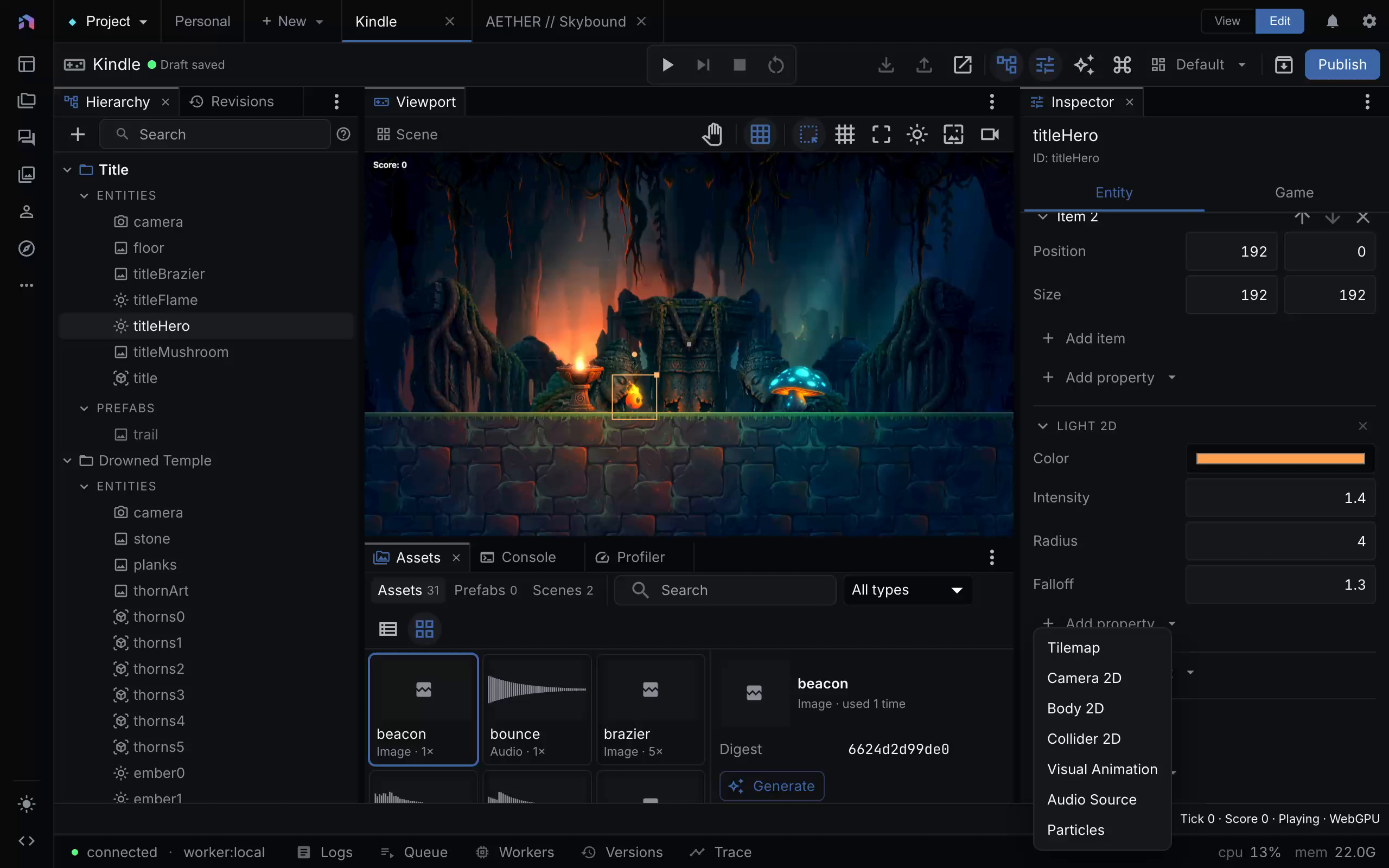
In a 2D document using schema 2 or later, select an entity and choose Add component → Particles. The same component is available in the 3D inspector. Menu capture provenance.
Presets and live preview
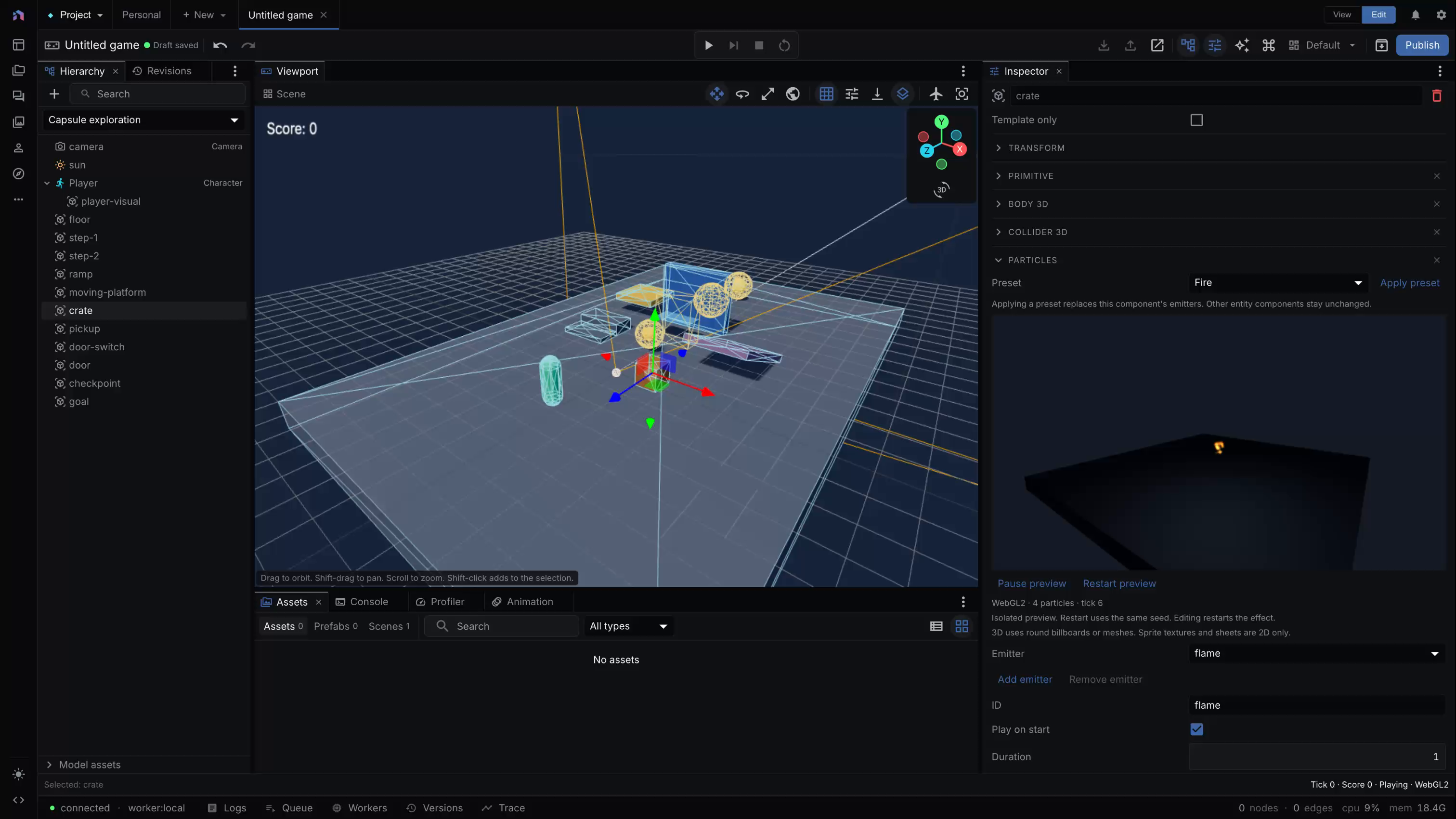
The particle inspector previews the selected effect while the game stays at tick 0. Capture revision and provenance.
Choose Fire, Smoke, Sparks, Dust, Magic, Rain, Snow, or Explosion, then select Apply preset. Applying a preset replaces the particle component’s emitters and preserves the entity’s other components. Undo restores the previous configuration.
Select an emitter to edit its settings, or use Add emitter and Remove emitter. Emitter IDs must be unique. Renaming an emitter updates its sub-emitter references, and removing it removes references that would otherwise point to a missing emitter.
The isolated preview uses Canvas2D for 2D and WebGL2 for 3D. Pause preview stops its presentation clock. Restart preview recreates the effect with the same seed. Editing settings restarts it, without starting or changing the game’s simulation. The 3D preview renders mesh particles and depth softness, but sprite textures and sheets remain 2D-only.
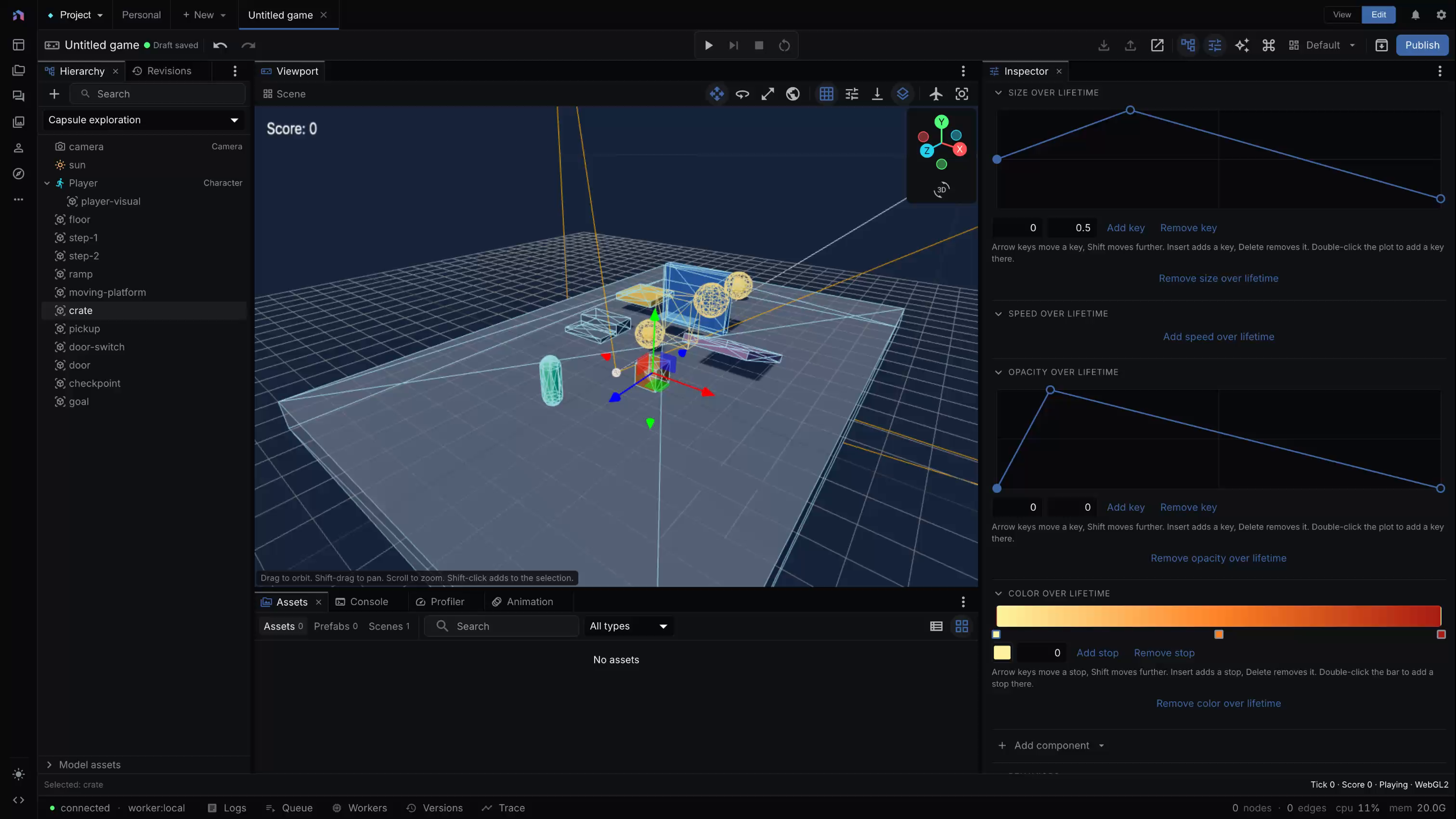
Size, speed, and opacity curves control normalized lifetime. The color gradient edits the effect’s lifetime colors. Capture provenance.
Add or remove lifetime curves and the color gradient in their inspector sections. Agent and CLI authors can apply the same canonical preset data through document operations using the particle recipes.
Emission and behavior
Add particles to an entity with an emitters array. Each emitter needs a unique ID. Set its rate, bursts, duration, looping, start behavior, and maximum population. Shapes include point, circle, sphere, cone, box, and edge. Cone, box, and edge emit along local +Y.
Lifetime, speed, size, rotation, and angular velocity accept a fixed value or a minimum/maximum range. Curves control size, speed, and opacity over normalized lifetime. A gradient controls color. Add gravity and drag, or use local space to make the field follow its entity.
An onDeath entry can spawn particles from another emitter in the same component. Set that secondary emitter’s rate to zero and disable its automatic start when it should only respond to the parent.
A script can burst its own emitter:
({ onStart() {
  return { commands: [{ kind: "emitParticles", emitter: "sparks", count: 12 }] };
} })
The entity must already declare sparks. Omitting count restarts its cycle. Omitting emitter selects the first emitter. Stable entity and emitter IDs seed reproducible random streams.
2D appearance
The default particle is a tinted soft dot. An optional sprite binding supplies a single image or a grid of sheet frames. Columns, rows, frame count, and cycles control playback over the particle’s lifetime. Normal blending suits smoke. Additive blending suits luminous sparks. Use unlit for effects that should retain color in a dark scene.
2D particles work in editor play, standalone builds, and captures. WebGPU draws the live field. Canvas2D draws at most 1024 visible particles.
3D appearance
Use a camera-facing billboard, a velocity-stretched billboard, or a mesh particle. Mesh shapes are box, sphere, tetrahedron, and octahedron. Meshes can align to the world or velocity and can receive lighting. Billboard colors are unlit. Both participate in fog and post-processing.
Billboard softness fades intersections against scene depth and adds a depth pass. Enable it where that cost improves the effect. Mesh softness is not supported.
3D particles work in standalone players and captures. The current editor’s 3D play session does not tick them. 3D also ignores particle sprite textures, sprite sheets, and 2D draw layers. Use the isolated inspector preview, capture, or an exported player to review 3D effects.