
This inventory covers the shipped document components and the authoring, runtime, renderer, and export surfaces behind this guide. A field’s presence in a schema is not enough to establish that every host renders or edits it.
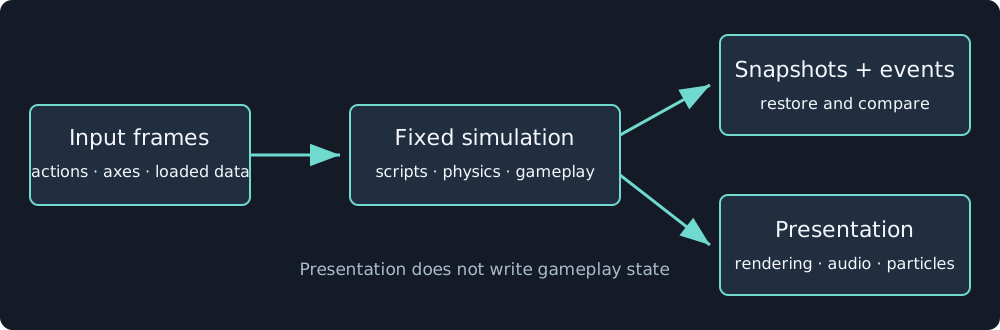
Read support at the boundary where you will use it: editor, simulation, capture, or exported player.
Documents and components
| Source family | Features covered | Guide |
|---|---|---|
| 2D document | Scenes, entry scene, assets, input actions, transform, template entities, metadata | Scenes |
| 2D components | Sprite, tilemap, camera2d, body2d, collider2d, animator, visualAnimation, light2d, audioSource | 2D graphics, physics, animation, audio |
| 3D document and components | Transform3d, primitive, model, body3d, collider3d, character3d, camera3d, light3d, animator3d, interactionActor, audioSource, particles, renderCulling | 3D graphics, physics, input, animation |
| Entity metadata | Tags, JSON properties, runtime property commands | Scenes, scripts |
| Input bindings | Actions, axes, look, keyboard layouts, mouse, gamepad, touch | Input and cameras |
| Particle schema | Emission, ranges, shapes, curves, gradients, sub-emitters, 2D and 3D render choices | Particles |
| HUD and screens | Widgets, layout, safe areas, focus. Screens, transitions, and generated settings are schema-only | HUD and screens |
| Script parameters and events | Typed tunables, references, payloads, entity/tag targeting | Scripts |
| Saves | Progress/settings data, asynchronous loaded frames, bounded slots | Saves and replay |
| Authoring metadata | Retained programs, parameters, prefabs, overrides, suppression, detachment | Construction |
Consumers and delivery
| Implementation | What to inspect |
|---|---|
| Runtime | Validation, document operations, fixed-step systems, physics, script execution, snapshots, restore |
| 2D renderer | Canvas2D/WebGPU drawing, backgrounds, lighting, effect chain, fonts, UI, audio, standalone players |
| 3D renderer | Model preparation and instances, scalar materials, animation, sky, shadows, post-processing, culling, editor passes |
| Particle consumers | Seeded presentation simulation, dimension-specific rendering, and isolated inspector previews |
| Particle inspector and presets | Emitter controls, lifetime curves and gradients, deterministic preview, and Fire, Smoke, Sparks, Dust, Magic, Rain, Snow, and Explosion recipes |
| Editor | Scene tree, selection/gizmos, inspector, asset browser, scripting, Console, Profiler, retained construction |
| Game tools | Agent creation, preparation, editing, playtesting, capture, and build |
| CLI | Validate, simulate, benchmark, capture, build, and smoke commands |
Compatibility and incomplete paths
New 2D games use schema 4 with engine version 3. Legacy schemas 1 and 2 use engine 1. Schema 2 introduces the expanded presentation features. Schema 4 adds entity metadata and script parameters. Reserved 2D schema 5 with engine 4 is rejected as unavailable by the current runtime. 3D uses schema 3 with engine 2.
The following limits matter when choosing a workflow:
- 2D has static and kinematic physics. 3D has Rapier rigid bodies and a character controller. Triangle meshes are static-only.
- 3D renders with WebGL2. Its particle field is ticked by standalone and capture hosts, not the current editor play session.
- 3D particle sprite sheets, separate material textures, named material lookup, toon shading, and outlines are not completed renderer paths. Embedded supported GLB textures remain available.
- HDRI callback contracts exist, but the standard hosts do not complete their preparation and loading path. Solid and procedural skies work.
- Height fog, decals, and built-in localization are outside this guide’s shipped baseline.
- Multiplayer, navigation meshes, terrain streaming, vehicles, ragdolls, retargeting, and root motion are not supplied by the current engine.
Feature screenshots and their exact source revision are recorded in screenshot provenance. The source links above follow main and may contain later additions than the captured guide baseline.