
3D games render through WebGL2. World coordinates use meters, +Y up, and −Z forward. Entity rotations are quaternions in [x, y, z, w] order.
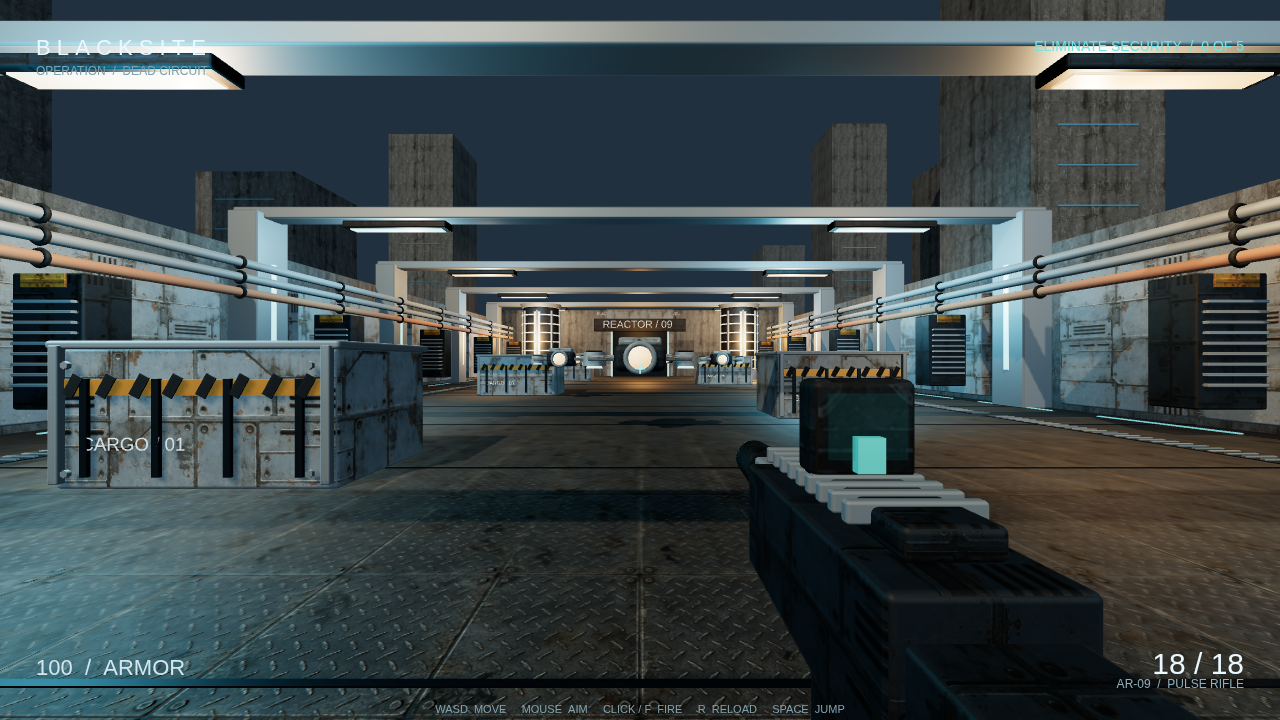
BLACKSITE uses prepared model assets. Embedded GLB textures are distinct from the unfinished separate material-texture interface. Capture source.
Add a model or primitive
Bind a prepared GLB and add model: {assetId} to an entity. A nodeId selects a prepared model node. Model preparation reports bounds, node IDs, clip IDs, and resource costs. Use those reported IDs rather than names guessed from the original file.
Primitives provide procedural geometry without an imported model. Inline materials support color, metalness, roughness, opacity, emissive color, and opaque, masked, or blended alpha. Model material overrides support scalar fields. An embedded model can retain its own supported textures.
The schema also accepts named materials, separate texture slots, toon shading, and outlines. The current primitive and model-override renderers do not apply those fields. Do not use their schema acceptance as proof that a captured frame will show them.
Set the environment
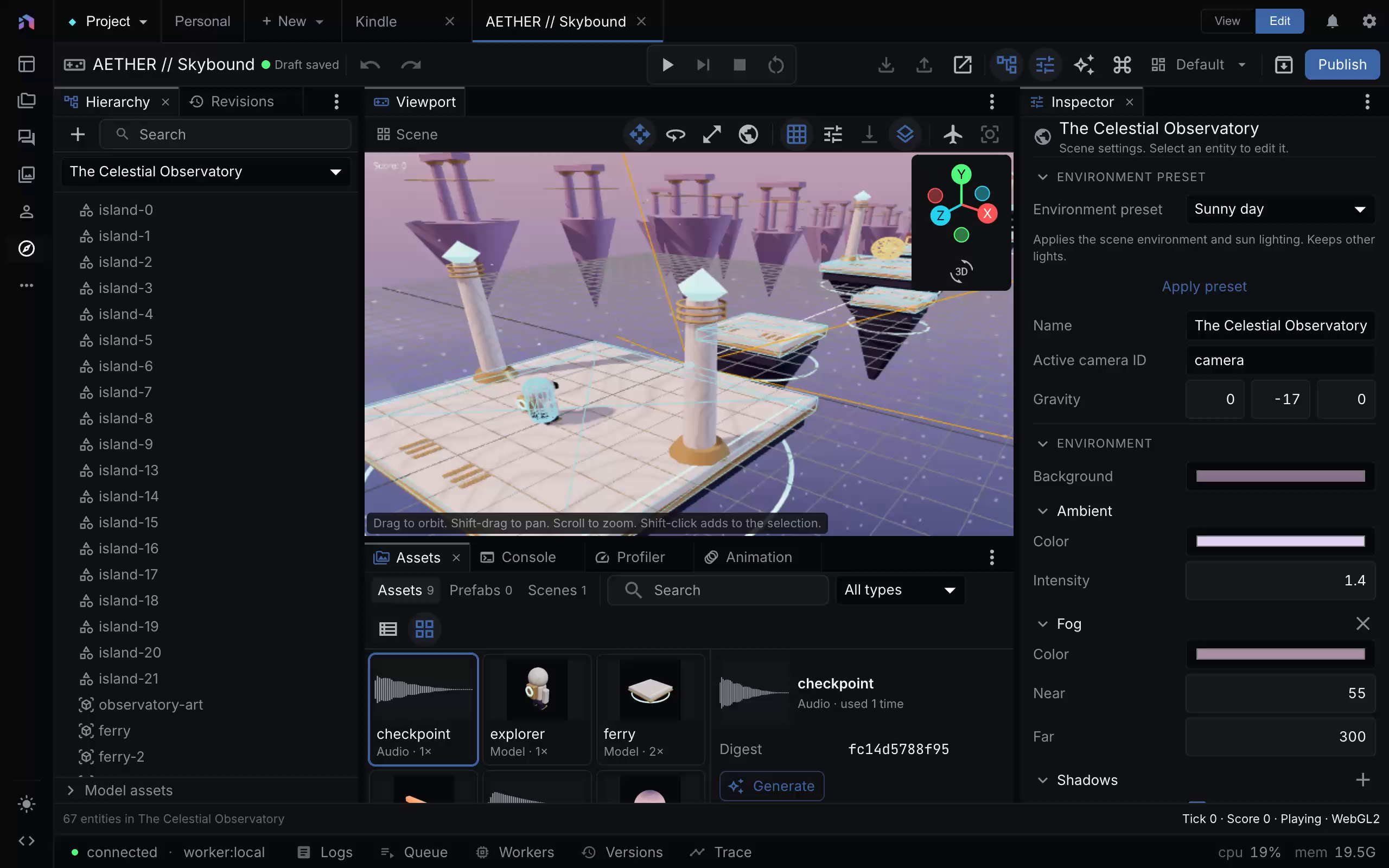
The scene inspector exposes the environment preset, ambient light, and linear fog. The viewport includes editing helpers. Capture provenance.
The environment contains the background, ambient light, linear fog, shadows, sky, and post-processing. An update_scene environment edit replaces the whole environment object. Preserve the fields you are not changing.
Use the Sunny day, Night, Overcast, or Neon interior preset as a starting point. Then adjust the scene’s sun and environment. A solid sky uses the background color. A procedural sky uses a directional light for the sun, with turbidity, Rayleigh scattering, ground color, and intensity controlling its appearance and reflected light.
Linear fog fades between near and far. Height fog and decals are not available in this guide’s shipped baseline. HDRI schemas and renderer callbacks exist, but the standard editor, capture, and player hosts do not provide the complete loading path. Use a solid or procedural sky.
Budget shadows
One directional light can cast shadows. Its shadow map uses mapSize and extent, or two to four cascades when enabled. Cascades distribute resolution through the camera’s depth range. Up to four point or spot lights can cast shadows in a scene. A point shadow renders six views, so use it selectively.
Start with the default bias. If a surface shows striped self-shadowing, adjust shadowNormalBias or shadowBias in small steps and capture the result. Excessive bias separates a shadow from its caster.
Finish the image
Post-processing applies bloom, exposure and tone mapping, vignette, then antialiasing. Tone mapping offers ACES, AgX, Neutral, or Linear. Antialiasing offers MSAA, FXAA, SMAA, or none. enabled: false preserves the settings while bypassing the chain.
Use distance culling and frame budgets for larger scenes. The editor’s inspection camera shows culled entities so they remain editable. Editor wireframe, normal, selection, and light-helper views are inspection aids, not exported gameplay effects.