
NodeTool ships examples for every editor, not only workflows. Open the Examples page from the More panel, or choose Browse examples on the new-project screen. Each tab adds an editable copy to your project, so the shipped original never changes. The Templates Gallery covers the page itself.
| Tab | What you get | Opens in |
|---|---|---|
| Apps | A screen with inputs and a Run button, plus the workflows behind it | Mini Apps |
| Workflows | A node graph you can run and edit | Workflow editor |
| Storyboards | A board of shots with briefs, ready to render | Storyboard |
| Timelines | A finished film with every clip, text layer, and keyframe editable | Video editor |
| Sketches | A 1200 × 900 image document with five vector layers | Sketch editor |
| 3D models | Low-poly glTF models in six packs | 3D editor |
| Games | A playable 2D or 3D game | Game editor |
To make something new from a brief rather than open an example, see the Cookbook. It names the guided flow or shipped skill for each kind of project.
Apps
Add to your apps installs the app and the workflows it runs. The apps fall into two groups.
Studios put a whole production chain behind one screen.
| App | What it does |
|---|---|
| Film Studio | One brief drives a directed short, an editable rough cut, and its poster. |
| Trailer Room | Rewrite the beat sheet and shot list, then render and cut the trailer. |
| Concept Studio | Fan a brief into concept art, mix creatures, and develop the pick. |
| Directed Campaign Kit | One product image becomes a brief, three directions, and campaign formats. |
| Product Launch Kit | Stage a product photo into lifestyle mockups, then into video. |
| SKU Factory | One product photo becomes a cutout, studio shots, and a listing set. |
| Viral Ad Engine | One offer drives the ad copy, the hooks, and the video ad. |
| UGC Product Video | A native-audio testimonial with captions and a branded close. |
| Ad Maker | Compare copy routes and headline angles, then direct a campaign hero. |
| Product Price Drop | A layered six-second vertical ad from your product, logo, and prices, with no generated video. |
| Dubbing Desk | Transcribe a presenter clip, translate it, and voice it in a new language. |
| AI Video Post House | Restyle, grade, trim, and pull a cover still from one uploaded clip. |
| Podcast Production Desk | Clean a recording, then write show notes, a newsletter, and social posts. |
| Brand & Social | An agent reads your website and fills in your brand. |
| Photo Studio | A live photo editor and a batch retoucher. |
| Vary Image | Change one thing in an image, such as lighting or pose, and keep the rest. |
| Model Arena | Three models answer side by side, and a judge model scores them. |
Ad formats are sixteen apps that each build an editable 8 to 15 second vertical ad from your images, logo, and copy. Examples include Kinetic offer wall, Product cutout shuffle, Editorial image panels, and Integration puzzle that snaps together. The ad library shows each format with a beat sheet and a sample cut.
Recipes
A recipe is a named outcome built from one of the apps above and the ordered workflows it runs. Each recipe page on the website walks through the steps and shows a real run.
| Recipe | Outcome |
|---|---|
| Directed campaign kit | One product image to a campaign in four formats |
| UGC product video | A 15-second creator testimonial with captions |
| Product photo to video ad | Compared copy and thumbnails, then an animated product shot |
| Dub your video for a new market | A translated, re-voiced version of your clip |
| One packshot, a full product set | Catalogue and campaign images from one photo |
| Turn your story into a trailer | A storyboard, voiceover, and cut trailer |
| Impossible product worlds | A three-shot commercial around one impossible setting |
Workflows
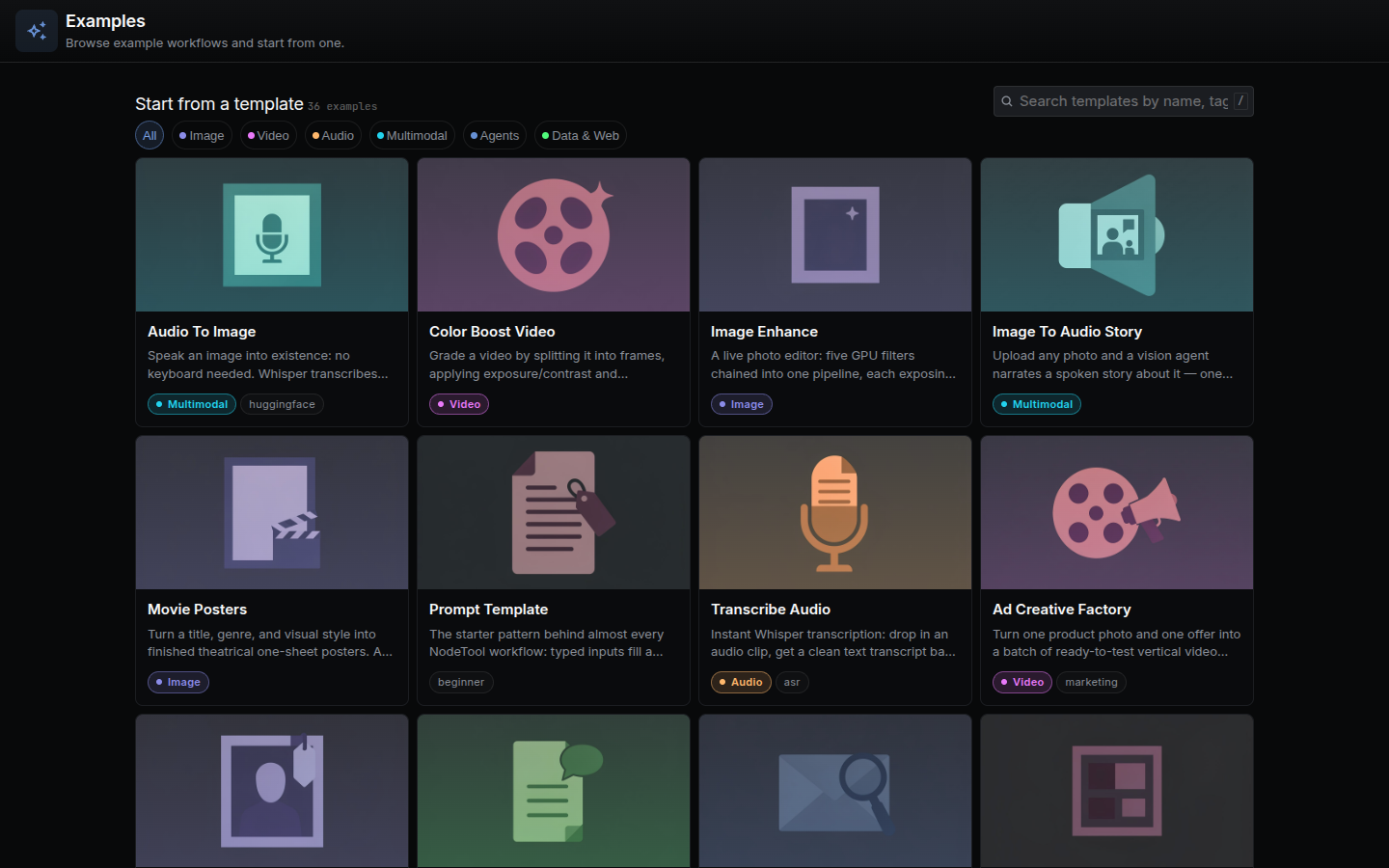
The Workflows tab lists graph templates by category: Image, Video, Audio, Multimodal, Agents, and Data & Web. The showcase graphs below have their own walkthroughs.
| Workflow | Walkthrough |
|---|---|
| Movie Trailer Generator | Use case |
| Product Video Generator | Use case |
| Movie Posters | Use case |
| Podcast Repurposing Studio | Use case |
| SEO Content Engine | Use case |
| Direct a Short Film, Three Ratios, Localized Explainer, and other creative graphs | Workflow patterns |
Workflow walkthroughs
These smaller graphs each have a node-by-node walkthrough and a diagram. Most load from the Workflows tab. Categorize Mails, Creative Story Ideas, Fetch Papers, and Summarize RSS do not ship as templates, and each page says so at the top.
| Kind | Walkthroughs |
|---|---|
| Image | Movie Posters, Image Enhance |
| Video | Color Boost Video |
| Audio and voice | Transcribe Audio, Image To Audio Story |
| Writing | Creative Story Ideas, Flashcard Generator |
| Documents | Chat with Docs, Fetch Papers |
| Automation | Meeting Transcript Summarizer, Categorize Mails, Summarize RSS |
| Data | Data Generator |
Storyboards
Each board holds a brief, a style, and a shot list, ready to render stills and then clips. Most are single-moment commercials and film scenes, such as Cold Brew Pour, Puddle Strike, Silent Arrival, Fox in Snow, and The Interrogation. Three are multi-shot openings to explore: Sneaker Drop, First Light, and Lighthouse Keeper. The storyboard gallery shows each board with its rendered shots. AI Video Production covers rendering and assembling a board.
Timelines
Each timeline is a finished film in which every clip, text layer, and keyframe stays editable.
| Film | What it shows |
|---|---|
| Serein | A 26-second software launch film from scene clips, text, and motion |
| Kite | A 15-second app ad made from motion graphics alone |
| Tidewater | A 16-second animated risograph poster |
| Cadence | A vertical year-in-review data story with animated charts |
| Prism | An 18-second running-shoe ad on a 120 BPM grid |
| Voltra | A 23-second motorcycle launch ad cut to the beat |
| T minus 30 | A 30-second launch broadcast with moving cameras and a live inset |
The agent can also insert stored compositions, such as a lower third, a logo sting, a title card, or an end card, into any timeline. See Timeline Motion Design.
Sketches
Sketches are layered image documents, filtered by category: NodeTool, Ads, Movies, and Art studies. Open sketch creates your own copy. They need no model or API key to open. See Sketch Editor.
3D models
The 3D models tab groups low-poly glTF models into six packs: Adventure, Dungeon, Platformer, Seaside, Sci-fi, and Sci-fi outpost. Open model copies the model into your project and opens it in the 3D editor.
Games
Play and edit adds a copy you can play in the editor and change.
| Game | Genre |
|---|---|
| Kindle | A jump-and-run through a drowned temple |
| Lumen | A firefly flight through a night forest |
| Neon Drift | A neon arena shooter |
| AETHER // Skybound | A platform climb across floating islands |
| BLACKSITE | A first-person mission through a reactor facility |
The game development page shows Kindle, Lumen, and Neon Drift. See Game Editor.