
Publishing creates a revision of the current draft. Exporting packages a game and its assets into a standalone player. Choose export when someone must play without access to your NodeTool project.
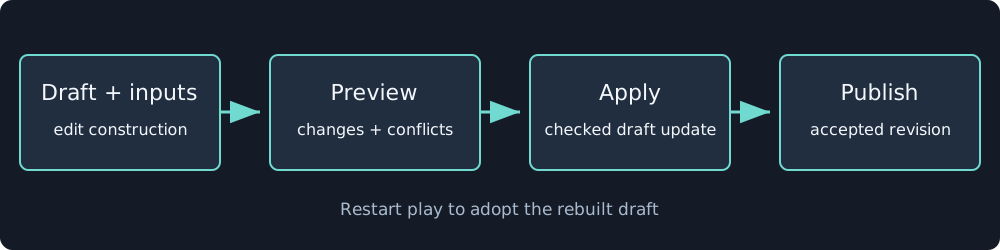
Construction apply saves a draft. Publication accepts a revision. Export then packages the selected game content.
Publish an accepted draft
Validate and play the draft, then choose Publish. The player opens a published revision. Its URL requires authenticated access and is not a public sharing link. Restoring an older revision replaces the draft and clears its undo history, so inspect the revision before confirming that operation.
Keep the acceptance evidence with the revision: objective route, recovery route, replay result, representative frames, and any platform limitations.
Export for the web
Choose Export build in the editor, ask the agent to build it, or use:
nodetool game build game.json --out game-build --assets-dir game-assets
nodetool game smoke game-build --json
The build contains the player, document, runtime, and resolved assets. It does not include provider API keys. Preparation and digest checks happen before the output is accepted. Serve it over HTTPS or loopback HTTP so required browser security APIs are available. Opening an HTML file directly is not the supported distribution path.
The smoke command runs the exported player in Chromium with outside network access blocked. It checks rendered-frame progress and reports console errors, failed requests, page errors, and stalled ticks. Also test the controls and sound manually on the devices you intend to support.
2D players can fall back to Canvas2D, with optional GPU effects omitted. A game that requires those effects may fail on an unsupported browser. 3D needs WebGL2. Rendering support lists the current feature boundaries.
Build a desktop application
Select the desktop target or run:
nodetool game build game.json --out game-desktop --assets-dir game-assets \
  --target tauri --name "My Game"
The Tauri project includes the web player and native shell. Compile on the target platform with Rust and the platform toolchain. The local editor can stream executable build output into its Console. Hosted servers refuse local compiler execution. Windows, macOS, and Linux installers are built on their respective platforms.
System web views differ in graphics support. Check the packaged application rather than assuming desktop export matches Chrome. See the desktop export instructions for prerequisites and output locations.