
Start with built-in behavior for movement, patrol, collection, health, triggers, spawning, scene transitions, win conditions, and lifetime. The 3D engine shares the nonspatial behaviors and uses its character controller or body commands for movement.
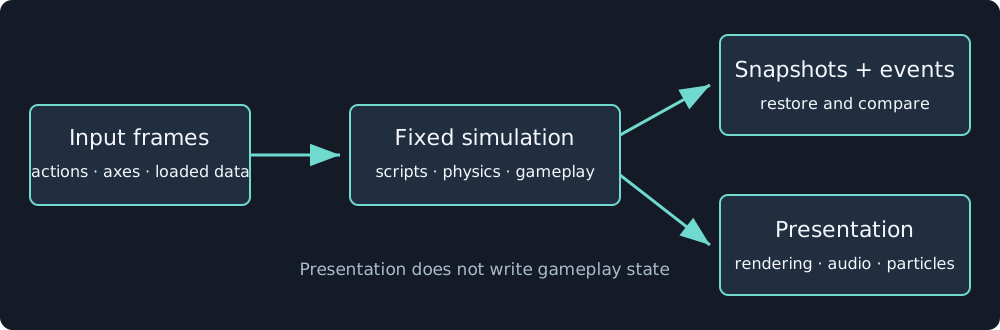
Scripts return state and commands. Rendering and audio consume the result without becoming gameplay state.
Write a script behavior
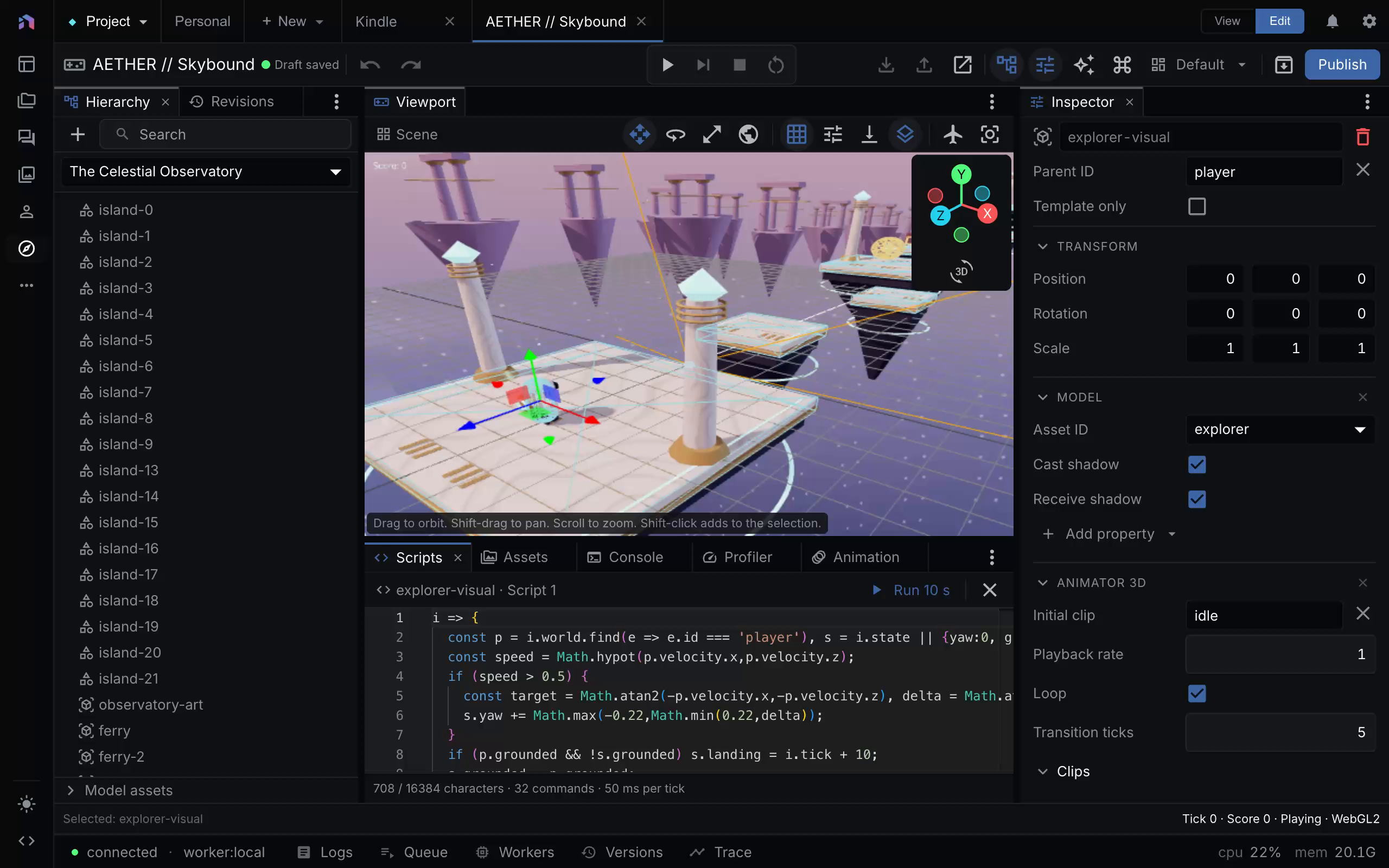
The script reads the player’s velocity and grounding state. The editor displays the code and its execution limits while the game remains at tick 0. Capture provenance.
A script is a function expression or an object of lifecycle methods. It receives an immutable view of input, tick, entity, world, events, and its previous state. Return new state and commands rather than relying on mutable global variables or closures.
({
  onStart() { return { state: { opened: false } }; },
  onEvent(input, event) {
    if (event.event !== "unlock") { return; }
    return {
      state: { opened: true },
      commands: [{ kind: "emit", event: "door_opened" }]
    };
  }
})
Run the game to validate the script in its actual scene. Compilation alone cannot prove that referenced entities, actions, assets, or clips exist.
Use the lifecycle
Hooks include start, scene entry, trigger enter/exit, contact, event, fixed update, and destroy. onUpdate and onFixedUpdate are aliases. Define one. Contacts and events describe the previous tick.
Use after(ticks, method) and every(ticks, method) for timers stored in snapshot state. Timer names refer to methods on the same lifecycle object. Scheduling the same name replaces its timer. Scene transitions discard the old scene’s behavior state without calling destroy.
emit can carry a bounded JSON payload and target an entity or tag. The event reaches listeners on the next tick. Omitting the target broadcasts. input.events still contains the previous event stream, while onEvent receives events addressed to that entity.
Query and parameterize
world.get(id) and world.query({tag, source, near, radius, limit}) read the tick-start world. Returned values are copies. Use tags to avoid coupling behavior to display names. Declare script parameters for editable numbers, booleans, colors, enums, vectors, and entity or asset references. Read resolved values from input.params.
Commands include movement, spawning, despawning, scene changes, animation, HUD/UI changes, properties, events, saves, and presentation effects. Spatial command shapes differ between dimensions. Refer to the field reference before authoring a command.
Diagnose failures
Scripts run in a bounded QuickJS sandbox without host network or filesystem access. Source size, command count, input/output size, per-call execution, and the total tick are limited. A failed tick stops the session. Fix the source, reset, or replay from a prior state. Increasing a limit is not a substitute for finding runaway work.
log writes to the editor Console without changing snapshots. Run 10 s diagnoses a draft in an independent session. Editing an existing script during play can hot-reload compatible source while preserving state. Switching between a function and lifecycle object requires restarting from tick 0.