
NodeTool games are documents containing scenes, entities, asset bindings, and behavior. You can edit them visually, ask the agent to change them, or construct them with code. A fixed-step simulation runs the document. The renderer and audio player present its result.
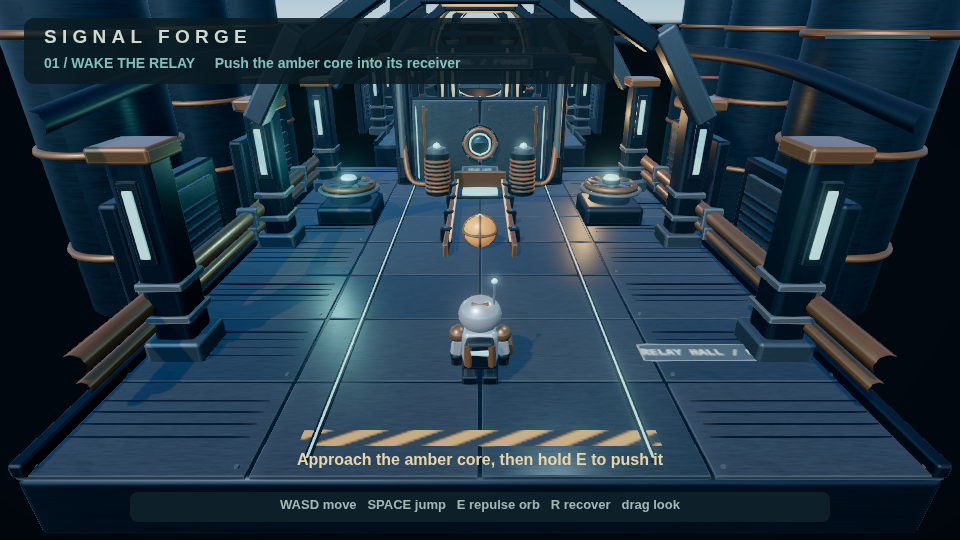
Signal Forge rendered by the engine at tick 60. Screenshot sources.
Start with your first game, then use the Game Editor guide for panels and shortcuts. This guide covers the engine features behind those controls, including features authored through the agent or document rather than a dedicated panel.
Choose a dimension
A game has one dimension. It cannot mix 2D and 3D scenes or change dimension after creation.
| Feature | 2D | 3D | Guide |
|---|---|---|---|
| Scenes, entities, tags, properties, prefabs | Supported | Supported | Scene structure |
| Sprites, tilemaps, scrolling backgrounds | Supported | Use models and primitives | 2D graphics |
| Models, scalar PBR materials, lights, shadows | Not applicable | Supported | 3D graphics |
| Physics | Static and kinematic bodies | Rapier rigid bodies and character controller | Physics |
| Animation | Sprite clips and visual tracks | Prepared model clips and animation graphs | Animation |
| Particles | Presets, isolated preview, editor play, standalone, capture | Presets, isolated preview, standalone, capture. Editor play does not tick them | Particles |
| Audio, mixing, spatial effects | Supported | Supported, including directional cones | Audio |
| Keyboard, mouse, gamepad, touch | Actions | Actions, axes, camera look | Input and cameras |
| Scripts, lifecycle hooks, events, parameters | Supported | Supported | Scripts |
| HUD widgets | Supported | Supported, with image limitations | HUD and screens |
| Retained construction, overrides, rebuilds | Supported | Supported | Construction |
| Saves, snapshots, deterministic replay | Supported | Supported | Saves and replay |
| Standalone web and desktop export | Supported | Supported | Publishing |
Rendering boundaries
2D uses Canvas2D or WebGPU. Optional GPU effects are omitted with a diagnostic on Canvas2D. Required effects fail instead of silently disappearing. 3D uses WebGL2.
Some document fields are preparation interfaces rather than complete rendering features. Named 3D materials, separate base-color/normal/ORM/emissive texture slots, toon shading, and outlines are accepted by the schema, but the current primitive and model-override renderer does not consume them. Textures already embedded in supported GLB models are a separate, working path. HDRI has renderer extension contracts, but the standard hosts do not supply the loading path. Use solid or procedural skies.
Document menu screens, transitions, and generated settings controls are schema-only. They are not implemented by the shipped hosts.
Height fog, projected decals, 3D WebGPU rendering, and built-in localization are not covered as available features. Use linear fog, the particle inspector and presets, and authored HUD text.
Build and verify
Prepare assets before binding them. Validate the resulting document, run a complete route with recorded input, verify snapshot restoration, then inspect captured frames. Agent authoring, asset preparation, and performance and debugging describe this loop.
The coverage inventory links the document components and their implementation areas. It also lists supported schema versions and known limits.