
Use image asset bindings for sprites, tilemaps, and background layers. Each binding connects a logical slot in the game to prepared image bytes. Replacing the slot can update the art without replacing gameplay entities.
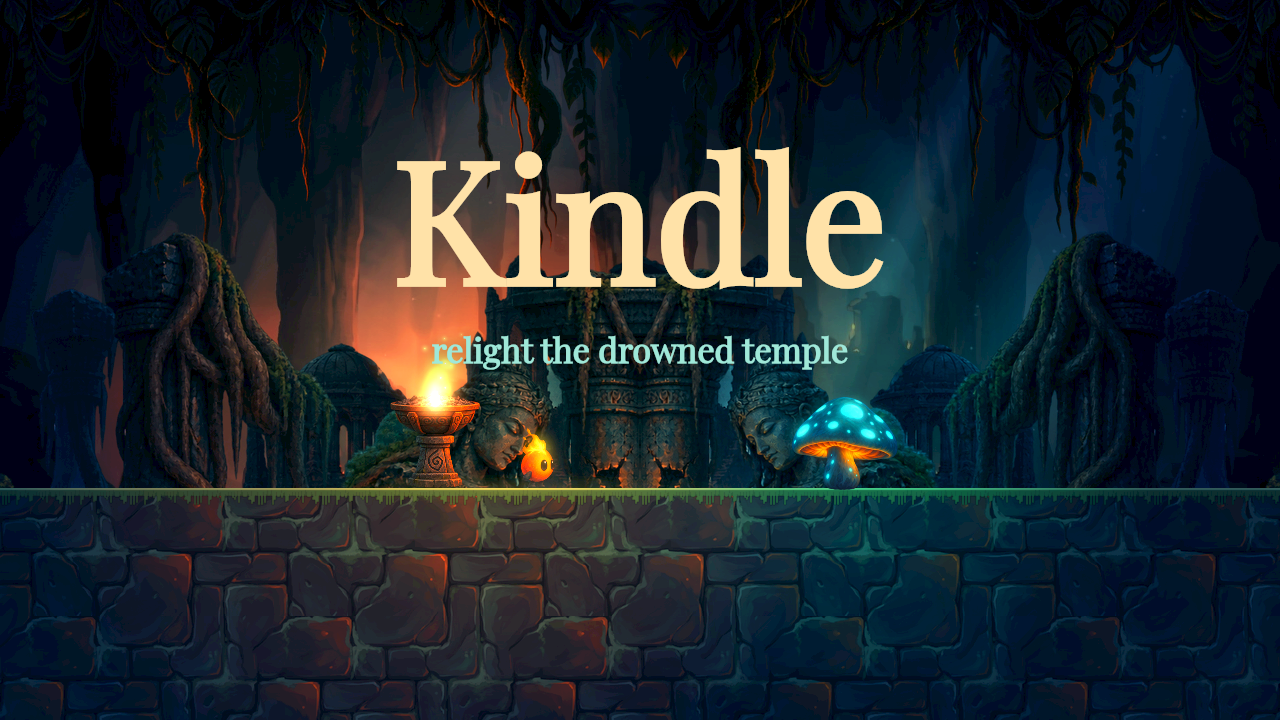
Kindle’s WebGPU capture combines sprites, scenery, text, and a tiled platform. Capture source.
Place and animate art
Add a sprite to an entity, choose its asset slot, and set its size and layer. Prepare the image’s pivot and sampling before arranging many instances. Nearest sampling suits pixel art. Linear sampling suits painted or soft images.
Use normal alpha blending for ordinary art and blend: "additive" for light painted on black. flipX mirrors a sprite. faceMotion turns art toward horizontal movement. Sprite-sheet clips and presentation-only transform tracks are covered in animation.
Build terrain
A tilemap contains positioned tiles with optional atlas frames. Mark tiles solid where they should block bodies. One-way tiles admit travel through the platform from below. Collision categories and masks determine which bodies meet the terrain.
Keep the collision surface aligned with the visible floor. A tile image alone is not a solid. Use a short recorded walk and jump to verify seams, ledges, and one-way platforms.
Add depth with backgrounds
Scene backgrounds are separate from entities. Each layer has a world size, origin, draw layer, parallax, scroll rate, and repeat mode. parallax: 0 stays fixed to the screen and 1 stays fixed in the world. repeatX suits a horizontal strip. repeat and mirror tile both axes. An optional frame selects an atlas rectangle.
Light and grade the scene
Scene lighting combines ambient light with point lights. Entity light2d components move their light with the entity. The renderer combines fixed points and nearby entity lights up to the scene light limit. Set a glowing sprite unlit: true to preserve its color. The HUD stays unlit.
The ordered renderEffects chain supports brightnessContrast, bloom, and packed-image lut grading. Put the HUD after effects to keep text crisp, or before effects when it should share the treatment. Effects marked required must be available before play starts.
Canvas2D supports the core scene but omits optional GPU effects with a diagnostic. Select WebGPU when capturing an effect-dependent result:
nodetool game capture game.json --ticks 120 --backend webgpu \
  --assets-dir game-assets --out frame.png
The chain accepts up to eight effects. Changing art, lighting, or visual tracks does not change the collision shape. Test both the intended renderer and any fallback you plan to distribute.