
NodeTool uses a layered configuration system so local development, automated deployments, and production environments can share sensible defaults with minimal duplication. Settings come from environment variables and .env files, while secrets are stored encrypted at rest in a local SQLite database (managed via the CLI).
The configuration helpers live in the @nodetool-ai/config package (environment.ts). They are plain functions — loadEnvironment(), getEnv(), and requireEnv() — there is no Environment class and no settings.yaml/secrets.yaml loading.
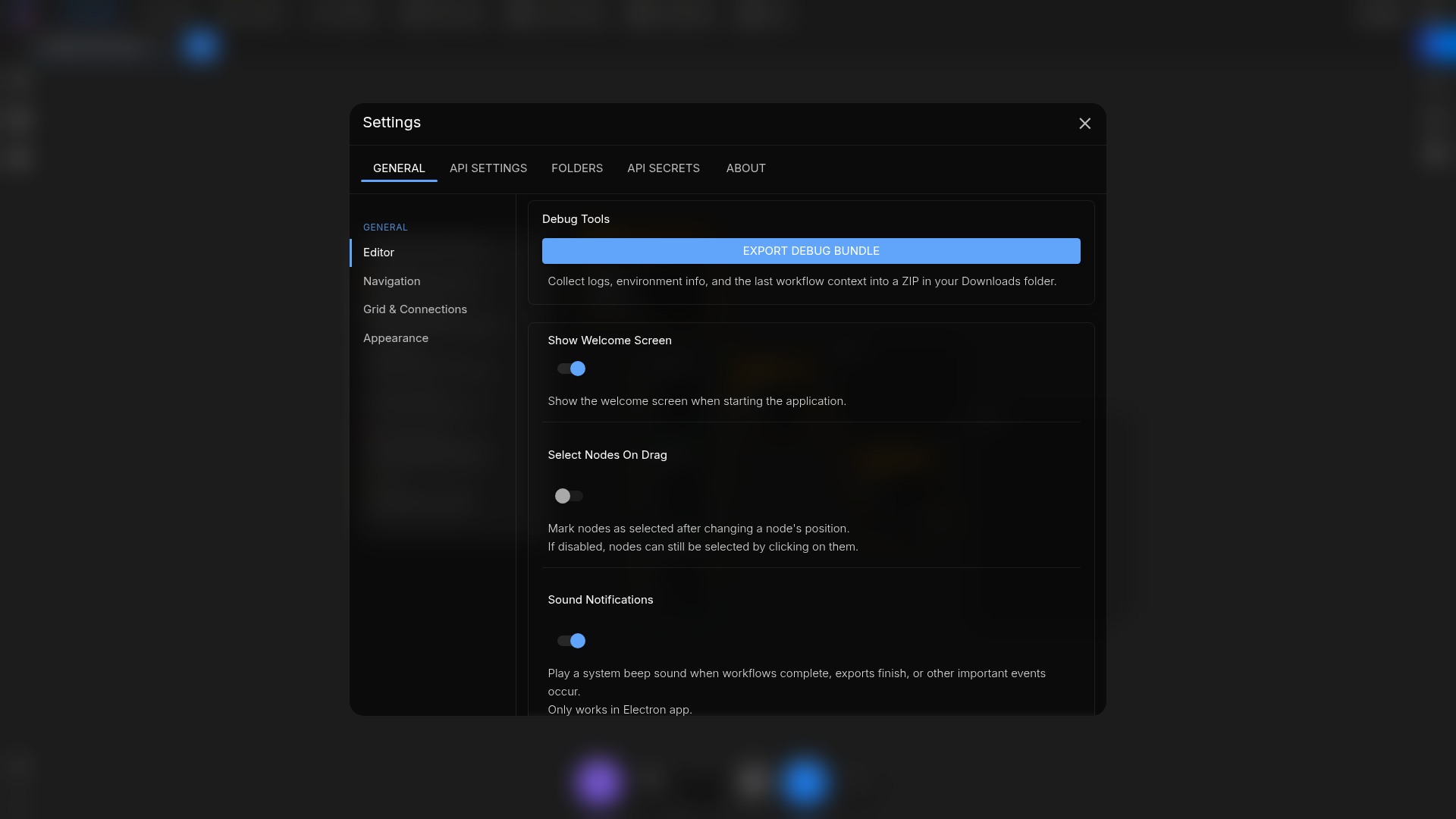
Configuration Layers
loadEnvironment() loads .env files in this order, with later files overriding earlier ones; system environment variables always win over file values:
.env.env.<NODE_ENV>.env.<NODE_ENV>.local
NODE_ENV defaults to development when unset. Use getEnv("KEY") to read a value (returns undefined when unset) and requireEnv("KEY") to read a value that must be present (throws a descriptive error otherwise).
This hierarchy allows committed defaults, per-environment overrides, and developer-specific overrides to co-exist without file conflicts.
Managing Settings & Secrets
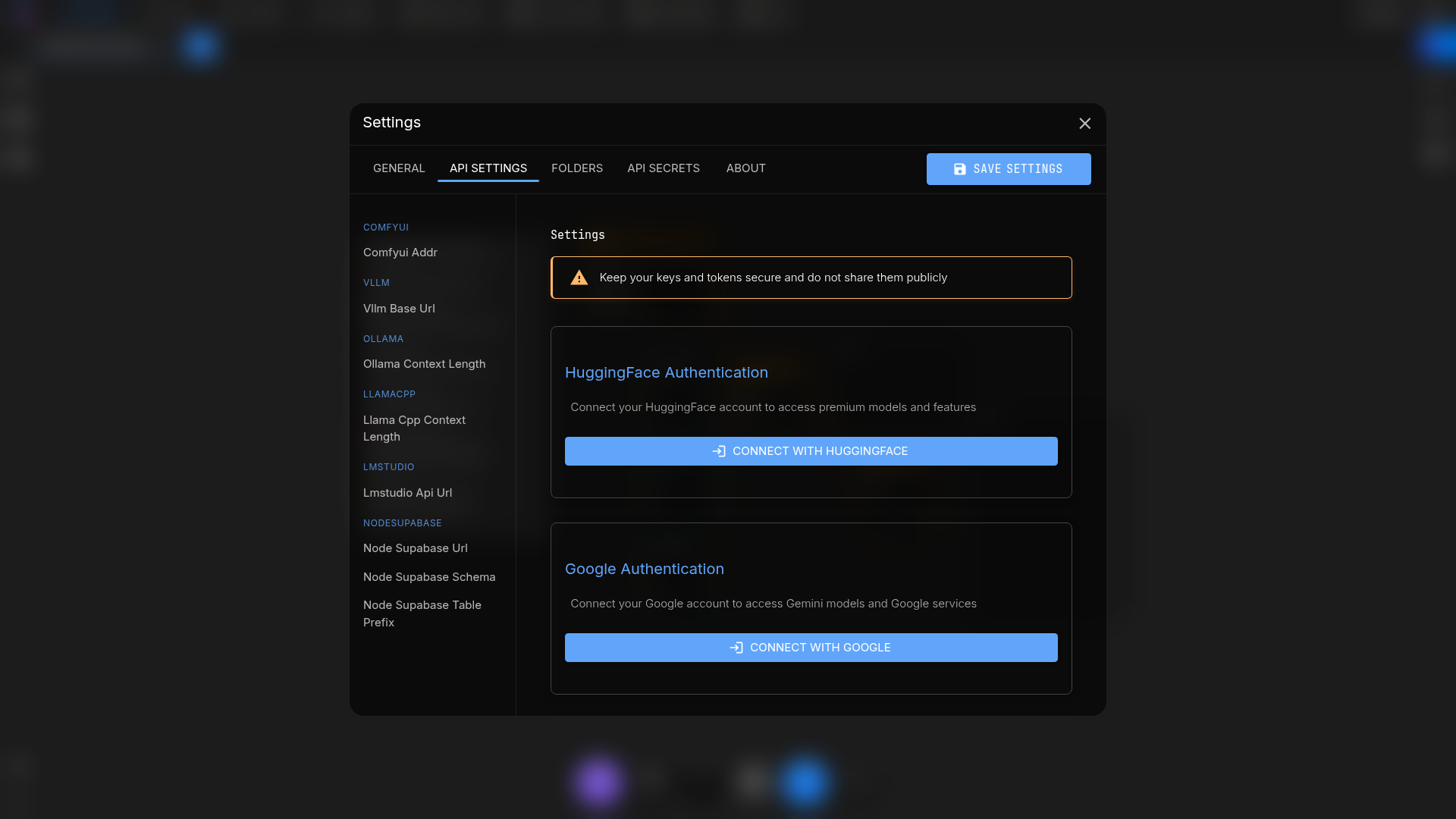
The in-app Settings page is the easiest way to manage everything. It has four tabs, each with its own sidebar of sections:
| Tab | What it covers |
|---|---|
| General | Editor, Updates and Vaults (desktop app only), Appearance, Execution, Canvas, Default Models, Autosave |
| Models & Providers | Provider API keys, stored as encrypted secrets |
| Integrations | Configuration groups (including Folders), Connected Accounts, MCP Servers and Browser Extension (local server only), Nodetool API Token (hosted only) |
| About | Application, operating system, features and versions, installation paths (development builds), links |
Stored settings are defined in setting-catalog.ts in @nodetool-ai/config. A setting read through the server checks the database first, then the environment variable of the same name (getSetting in packages/websocket/src/settings-registry.ts).
From the command line:
nodetool settings show [--json]– print a fixed set of variables read from the process environment (ENV,LOG_LEVEL,PORT,HOST,DB_PATH,NODETOOL_API_URL, the main provider keys,HF_TOKEN,VECTORSTORE_DB_PATH,ASSET_BUCKET,S3_ENDPOINT_URL). Names ending inKEYorTOKENprint as***, and unset variables print empty. It does not read.envfiles or stored secrets.nodetool secrets list– list stored secret keys (values are never shown).nodetool secrets store <key> [--description <text>]– store or update a secret (prompts for the value).nodetool secrets get <key>– print a stored secret value.
The three secrets commands take --user-id <id> (default 1).
Secrets are encrypted and persisted in a local SQLite database, not in YAML files. There is no nodetool settings edit command and no --secrets option.
Secret Storage and Master Key
Secrets saved through the CLI are encrypted with AES-256-GCM, using a per-user key derived from the master key via PBKDF2-SHA256 (100,000 iterations). initMasterKey() in @nodetool-ai/security resolves the master key in this order:
SECRETS_MASTER_KEYenvironment variable.- Local system keyring (macOS Keychain, Windows Credential Manager, or Secret Service via keytar).
- Generates a new key and persists it to the keyring.
For shared deployments you must pre-provision the master key (via the SECRETS_MASTER_KEY environment variable) so every server can decrypt secrets generated locally. On a headless host with no keychain and no provisioned key, master-key initialization (and therefore startup) fails because there is no place to persist a generated key.
Moving Secrets to a Server
-
Export the master key once and set it on every server instance using the value from your deployment pipeline or secrets manager:
export SECRETS_MASTER_KEY="<your-base64-master-key>" -
Enter the secrets on the server itself, through Settings or the
nodetool secrets storecommand run against that server’s database.nodetool deploy applydoes not copy local secrets. ThePOST /admin/secrets/importroute exists but answers501(“Secrets import not available in standalone mode”).Ciphertext is encrypted per user with the master key, so a database copied between machines decrypts only where
SECRETS_MASTER_KEYis the same value.For a container deployment,
nodetool deploy addand the deploy config generate aSECRETS_MASTER_KEY(32 random bytes, base64) incontainer.environmentwhen none is set.
Storage Backend Selection
The storage backend is selected explicitly by NODETOOL_STORAGE_BACKEND (one of file, s3, or supabase; defaults to file). It is not auto-detected from the presence of S3 or Supabase credentials.
file(default) — assets are written to the local assets directory.s3— requiresASSET_BUCKET(and, for the temp store,TEMP_BUCKET); readsS3_REGIONandS3_ENDPOINT(orS3_ENDPOINT_URL) as needed.supabase— requiresSUPABASE_URL,SUPABASE_KEY, and the relevant bucket var.
A missing required variable throws Missing required env var <name> for NODETOOL_STORAGE_BACKEND=<backend>, and an unknown backend value throws.
The asset store uses ASSET_BUCKET; the temp store uses TEMP_BUCKET. See storage-config.ts in @nodetool-ai/config.
Using Environment Variables in Code
When adding a feature that reads configuration:
- Read the variable with
getEnv("YOUR_ENV_VAR")from@nodetool-ai/configso.envload order is respected. - If the value is required, use
requireEnv("YOUR_ENV_VAR")so a missing key raises a descriptive error. - Document the new entry in
.env.example.
Recommended Workflow
cp .env.example .env.development.local
vim .env.development.local           # add OpenAI/Anthropic/HF tokens, S3 credentials, etc.

nodetool secrets store OPENAI_API_KEY  # encrypt a provider key into the secrets DB (optional)
nodetool settings show               # verify resolved configuration
Use .env.<env>.local for machine-specific overrides and keep secrets out of version control. When deploying, provide environment variables via your orchestrator or the container.environment map of a deployment in deployment.yaml.
Supabase Settings
NodeTool integrates with Supabase for both user authentication and asset storage.
Set the following to enable Supabase:
NODETOOL_STORAGE_BACKEND=supabase– select the Supabase storage backendSUPABASE_URL– your project URL, e.g.https://<ref>.supabase.coSUPABASE_KEY– a service role key (server-side only)ASSET_BUCKET– Supabase Storage bucket used for assets (e.g.assets)TEMP_BUCKET– bucket for temporary assets (e.g.assets-temp)- Use a separate Supabase for user-provided nodes:
NODE_SUPABASE_URL– user/node project URL (kept distinct from coreSUPABASE_URL)NODE_SUPABASE_KEY– service role key for user/node data (kept distinct from coreSUPABASE_KEY)NODE_SUPABASE_SCHEMA– optional schema for node tables (defaults topublic)NODE_SUPABASE_TABLE_PREFIX– optional prefix applied to node tables to avoid collisions with core tables
Behavior:
- Storage is used for Supabase buckets only when
NODETOOL_STORAGE_BACKEND=supabase; the backend is chosen explicitly, not auto-detected from the presence of credentials. - Authentication enters Supabase mode (enforced auth) when both
SUPABASE_URLandSUPABASE_KEYare set — storage and auth are configured independently. See Authentication.
Security notes:
- Use the service role key only in server environments. Do not expose it to clients.
- Public buckets make generated URLs directly accessible. For private buckets, add a signing step.
Serving the Web UI and TLS
The API server can also serve the built web app. STATIC_FOLDER points at the
directory holding index.html; unset, or naming a directory that is not there,
no static handler is registered and anything outside the API routes answers
404.
STATIC_FOLDER=/app/web/dist nodetool serve
With it set the server serves that directory at /, sends index.html for /
and /apps/index.html, and falls back to index.html for any other
extension-less GET that is not under /api, /ws, /trpc, /mcp,
/health, /v1, /.well-known/, or /oauth (except /oauth/consent, which
is the SPA’s MCP consent page) — so client-side routing survives a reload. The
Docker image and the desktop app set it to their own bundled copy.
TLS is on when both a certificate and a key resolve:
TLS_CERT=/etc/ssl/nodetool/cert.pem \
TLS_KEY=/etc/ssl/nodetool/key.pem \
REDIRECT_PORT=8080 \
nodetool serve --host 0.0.0.0 --port 8443
- A variable naming a path that does not exist is ignored. The server then
looks for
cert.pemandkey.pemby walking up to five directories from its working directory, so a stray pair beside the process turns TLS on with neither variable set. - With TLS active every URL the server logs uses
https/wss, and a plain HTTP listener onREDIRECT_PORT(default80) answers301tohttps://<request Host>:<server port><path>. - Ports below 1024 need elevated privileges. When that bind fails with
EACCESthe server logs that the redirect listener was skipped and keeps serving HTTPS.
Python Nodes
Python nodes run in a separate worker process that NodeTool spawns and talks to over stdio. The server picks the interpreter in this order:
NODETOOL_PYTHON, if set — an absolute path to the executable. Nothing else is tried, so a wrong path is a hard failure rather than a silent fallback.- An active
CONDA_PREFIXwhose environment is namednodetoolorconda_env, or whose path containsnodetool/conda_env. - The first of these that exists:
- Windows: the desktop app’s
nodetool\conda_envunder%ALLUSERSPROFILE%(or%APPDATA%when that is unset), thenenvs\nodetoolunderMiniconda3,miniconda3,Anaconda3, oranaconda3in your home folder, thenC:\ProgramData\nodetool\conda_env. - macOS:
~/nodetool_env, then~/miniconda3/envs/nodetooland~/anaconda3/envs/nodetool. - Linux:
~/.local/share/nodetool/conda_env,/opt/nodetool/conda_env, then~/miniconda3/envs/nodetooland~/anaconda3/envs/nodetool.
- Windows: the desktop app’s
With none of them available the server logs Python not found — Python nodes
will not be available at startup and runs everything else normally.
NODETOOL_PYTHON=/opt/conda/envs/nodetool/bin/python nodetool serve
The interpreter needs nodetool-core and the packs installed from PyPI. Setup
steps are in
Python nodes without the desktop app.
The worker starts with the server. With NODETOOL_PYTHON_ON_DEMAND=true it
starts when a workflow first needs a Python node instead, and Python-only
providers such as huggingface-local and MLX appear in model menus only after
that. Settings shows no field for it. Set it in the environment, or store it
under the same name with the agent’s set_setting tool. The server reads it at
startup, so restart after changing it.
NODETOOL_PYTHON_ON_DEMAND=true nodetool serve
Python nodes run on the device PyTorch finds: Apple Metal (MPS), then CUDA,
then the CPU. NODETOOL_TORCH_DEVICE overrides that with cuda, cuda:<N>
for the Nth card counting from 0, mps, or cpu. The worker reads it at
start, so restart after changing it. Hardware limits are in
GPU requirements.
The bridge is a local-only feature: when NODETOOL_ENV=production it refuses to
connect, and a workflow reaching a Python node fails with “Python bridge is
disabled in production”. Set NODETOOL_ALLOW_PYTHON_BRIDGE_IN_PRODUCTION=1 to
override that on a host where you do want the worker. The flag alone is not
enough on the published Docker image: it ships no Python worker, so derive an
image that installs nodetool-core and point NODETOOL_PYTHON at that
interpreter. See
Self-hosted deployment.
The three NODETOOL_PYTHON_*_TIMEOUT_MS variables bound how long the server
waits on the worker. Raise NODETOOL_PYTHON_EXECUTE_TIMEOUT_MS past its
12-minute default for nodes that legitimately run longer.
NODETOOL_WORKER_NAMESPACES narrows which Python node namespaces the worker
loads. Its value is passed through unchanged as --namespaces <value> when the
worker is spawned, and the worker parses it; unset, the flag is not passed and
the worker loads everything installed.
NODETOOL_WORKER_NAMESPACES=nodetool.image nodetool serve
Protocol Validation
Two settings schema-check messages in flight. Both accept 1/true to force
validation on and 0/false to force it off; unset, both default to on
under NODE_ENV=test or Vitest and off everywhere else — a malformed frame
should fail the test that produced it rather than throw mid-stream on a
production connection.
NODETOOL_VALIDATE_OUTBOUND_WS— every server→client WebSocket frame whosetypematches a known message schema is parsed against it before it goes on the wire. Frames with an unrecognized or absenttypeare left alone. A failure throws where the frame was sent.NODETOOL_VALIDATE_BRIDGE_FRAMES— the same check on frames arriving from the Python worker. A frame that fails is rejected with a structured, non-fatal error instead of being dispatched as malformed data.
Turn one on outside tests when you are chasing a protocol bug and want it to surface at its source:
NODETOOL_VALIDATE_OUTBOUND_WS=1 nodetool serve
JavaScript Sandbox Threading
The QuickJS sandbox behind Code nodes, CodeAct, and JS scripts runs on a worker
thread whenever it can. A CPU-bound guest blocks whichever thread runs it, and
on the server’s main thread that freeze takes the event loop with it — including
the WebSocket stop frame that would have cancelled the run. On a worker,
cancelling is terminate(), immediate for a spinning guest and a parked one
alike.
Two settings change that choice:
NODETOOL_SANDBOX_INPROC=1runs every guest on the calling thread. It is treated as a chosen fallback, so it warns about nothing.NODETOOL_SANDBOX_WORKER=requirerefuses to fall back at all. A run that cannot reach a worker fails withthe sandbox worker path is required (NODETOOL_SANDBOX_WORKER=require) but unavailable: <reason>instead of running in-process.
Some runs stay in-process with no setting involved. A run that streams its
inputs does, because the synchronous stream.open probe is served from a
worker-local mirror that must be seeded with the handle names; those runs park
on takes and yield constantly, so the freeze the worker exists for cannot build
up. Globals that cannot be structured-cloned keep a run on this thread too. The
by-design cases are quiet; an environmental one warns once per process:
sandbox: running in-process (<reason>); a CPU-bound guest will block this thread until its timeout
NODETOOL_SANDBOX_INPROC=1 nodetool serve
Video Input on Vision Models
Most chat APIs are OpenAI-compatible and have no video content part. A clip
sent to one used to be refused outright, even when the model behind the
endpoint reads images perfectly well. The runtime now samples the clip into
stills with ffmpeg and sends those instead, labelled with their timestamps,
under a header naming the frame count and the sample rate — so a model that
needs the audio or the motion between frames can say it is missing rather than
invent it. A provider that reads video natively (Gemini) still gets the whole
clip and never goes through this path.
ffmpeg and ffprobe must be on PATH; without them the call fails naming
the binary. The sample is bounded by four settings:
NODETOOL_VIDEO_FRAME_FALLBACK=0turns the whole thing off and restores the refusal, for a caller that would rather fail than pay for a lossy read.NODETOOL_VIDEO_FRAME_MAX_FRAMES— frames per clip. Default16.NODETOOL_VIDEO_FRAME_MAX_FPS— ceiling on the sample rate. Default1. A clip long enough that the frame budget cannot reach this rate is sampled more sparsely so the frames still span the whole thing.NODETOOL_VIDEO_FRAME_MAX_DIMENSION— longest edge of each frame, in pixels. Default768. Frames are never upscaled.
NODETOOL_VIDEO_FRAME_MAX_FRAMES=8 NODETOOL_VIDEO_FRAME_MAX_FPS=0.5 nodetool serve
Development-Only Settings
Two settings exist for local development and are off unless set:
NODETOOL_ENABLE_TEST_TOPUP=1allows the credits top-up mutation to mint credits with no payment behind it. Without it the mutation is refused. Minted credits unlock spend on platform-owned keys, so leave this unset on anything reachable by someone else.NODETOOL_SEED_DEMO_COSTS=1seeds ~90 days of plausible spend, plus the demo workflows whose names it references, so the Costs dashboard has something to show. The seed is idempotent — a marker row stops it re-running.
NODETOOL_SEED_DEMO_COSTS=1 nodetool serve
Test Harness Settings
These configure the harnesses, not the server. nodetool debug --browser sets
the two NODETOOL_DEBUG_* variables below from its own flags; you set them by
hand only when driving the Playwright spec directly.
NODETOOL_DEBUG_STAGES—1ortruecaptures a canvas screenshot at every stage of the run intostages/under the output directory, up to 16 intermediate frames plus the final one. This is whatnodetool debug --stagesturns on, and it is off otherwise because each frame costs a screenshot.NODETOOL_DEBUG_TIMEOUT— per-run timeout in milliseconds for the in-page run, which is hownodetool debug --timeoutreaches the browser surface. Read as a positive integer; anything else is ignored. The spec waits 30s longer than the value, and never less than its 5-minute floor, so polling outlives the run it is watching.-
NODETOOL_E2E_EXAMPLES_DIR— the examples directory the e2e test server serves at/api/examples. A path that does not exist is ignored rather than fatal; the server then looks forpackages/base-nodes/nodetool/examples/nodetool-baseandexamples/workflowsunder the repo root. The resolved path is printed in the server’s readiness line. NODETOOL_TEST_CHROME— the Chrome binary thepackages/browserintegration suite drives. Branded Google Chrome silently ignores--load-extension, so the suite needs Chrome for Testing;test:integrationinstalls one under<repo>/chromeand the harness finds it there. Point this at a binary you already have to skip that download.CHROME_PATHis read as a fallback, and a path that does not exist is ignored rather than fatal.
NODETOOL_TEST_CHROME=/opt/chrome-for-testing/chrome \
  npm run test:integration --workspace=packages/browser
NODETOOL_QA_STATE— read by the test-suite backend (screenshot-server.ts) only.emptystarts with no workflows, threads, assets, or secrets, as a new account does.failing-runis that account plus one workflow that fails until fixed.other-provideris that account plus one workflow whose model needs an Anthropic key, so its run fails at the credential check. Any other value, or none, seeds the usual demo data. First-time-user QA (theagentic-qaskill) uses it.
The graph, output directory, and run params come from NODETOOL_DEBUG_GRAPH,
NODETOOL_DEBUG_OUT, and NODETOOL_DEBUG_PARAMS:
cd web
NODETOOL_DEBUG_GRAPH=/tmp/graph.json \
NODETOOL_DEBUG_OUT=/tmp/debug-out \
NODETOOL_DEBUG_STAGES=1 \
NODETOOL_DEBUG_TIMEOUT=120000 \
npm run test:debug-harness
The run writes record.json, screenshot.png, and — with stages on —
stages/ and stages.json into the output directory. It also starts its own
hermetic backend on 127.0.0.1:7777, so stop any server already on that port
first; the harness refuses to run against one rather than exercise a real
database with real providers.
Hermetic providers
The user-journey suite (web/tests/journeys) sends chat messages and runs whole
workflows with no API keys and no network. NODETOOL_FAKE_PROVIDERS=1 puts the
suite’s backend (screenshot-server.ts) in hermetic mode: every registered LLM
provider is re-registered as a deterministic fake, and external or
media-generating nodes — fal, Replicate, search, HTTP, image/video/audio
generation — resolve to an executor that returns type-correct placeholder
outputs derived from the node’s output metadata. Structural nodes
(input/output/control) and pure-compute nodes (text, data, math) still run for
real, so the assertions mean something. Every faked LLM call returns the string
deterministic e2e response.
npm run test:journeys sets the variable itself — tests/journeys/globalSetup.ts
does process.env.NODETOOL_FAKE_PROVIDERS ??= "1". Set it by hand only when
starting that backend yourself. The screenshot and visual suites leave it off,
because they only render pages and never run a node.
NODETOOL_FAKE_DEBUG=1logs each node’s REAL/FAKE resolution to stderr, which is how you find out why a node you expected to be faked ran for real.NODETOOL_REAL_PROVIDERSlists provider ids, comma-separated, that stay real while every other provider is faked. An agent eval uses it to drive a real model against fake image, video and speech providers. Ids are trimmed and empty entries are dropped. It has no effect unlessNODETOOL_FAKE_PROVIDERS=1.NODETOOL_ENABLE_FAKE_PROVIDER=1registers the separatefakeprovider id as a builtin, so a workflow can select it the way it selects any other provider. Ignored whenNODETOOL_ENV=production.
cd web
NODETOOL_FAKE_PROVIDERS=1 NODETOOL_FAKE_DEBUG=1 npm run test:journeys
Chat Turn Replay
A chat or agent turn outlives the WebSocket connection that started it. Every
frame the turn emits is stamped with an increasing chat_seq and appended to a
bounded buffer; a client that reconnects sends
{command: "resume_chat", data: {thread_id, last_seq}} and gets the missed tail
replayed. Three variables size that machinery:
NODETOOL_CHAT_DETACH_GRACE_MS— a running turn nobody is attached to is aborted after this long when configured as a positive integer. Disabled by default (0). Detached agents retain their normal turn budget and deadline.NODETOOL_CHAT_REPLAY_RETENTION_MS— a finished turn is kept this long so a client reconnecting just after it ended still gets the tail (default 5 minutes).NODETOOL_CHAT_REPLAY_BUFFER_EVENTS— frames buffered per turn (default 2000).
Positive integers override these defaults. Zero or invalid values use the default. Assistant and tool messages are persisted independently of the buffer, so an expired or truncated replay costs only unpersisted stream chunks — the client refetches thread history over REST.
Job Run Replay
A workflow run outlives the WebSocket connection that started it, the same way
a chat turn does. Every frame the run emits is stamped with an increasing
job_seq and appended to a bounded buffer; a client that reconnects sends
{command: "reconnect_job", data: {job_id, last_seq}} and gets the missed tail
replayed, followed by live frames if the run is still going. Three variables
size that machinery:
NODETOOL_JOB_DETACH_GRACE_MS— a running job nobody is attached to is cancelled after this long (default 10 minutes), so an abandoned client cannot leave a workflow burning provider spend forever.NODETOOL_JOB_REPLAY_RETENTION_MS— a finished session is kept this long so a client reconnecting just after the run ended still gets the tail (default 5 minutes).NODETOOL_JOB_REPLAY_BUFFER_EVENTS— frames buffered per run (default 2000).
NODETOOL_JOB_DETACH_GRACE_MS=1800000 nodetool serve
Each is read as a positive integer; a value that is not one is ignored and the
default used. Terminal state is persisted to the jobs table independently of
the buffer, so an expired or truncated replay degrades to reconnect_job’s
persisted-row fallback — the run’s real status, just without its events.
These size one process’s buffer. Getting a reconnect to the process that holds the run is a separate concern; see Multi-instance deployments.
Backend Bundle Targeting
These configure the build, not the server. The packaged Electron backend is one
bundled server.mjs plus a flat _modules/ directory staged by
scripts/bundle-backend.mjs. Some staged
dependencies ship prebuilt binaries for every OS and architecture in a single
package; staging all of them wastes disk in a single-target artifact, so the
staging step prunes them to one target.
NODETOOL_BUNDLE_PLATFORM— the platform to keep prebuilds for. Defaults toprocess.platform(darwin,linux,win32).NODETOOL_BUNDLE_ARCH— the architecture to keep prebuilds for. Defaults toprocess.arch(x64,arm64).
Set both only when cross-building — staging on one machine for another target. A build for the host needs neither.
NODETOOL_BUNDLE_PLATFORM=win32 NODETOOL_BUNDLE_ARCH=x64 node scripts/bundle-backend.mjs
scripts/verify-backend-bundle.mjs
reads the same two variables and resolves the @seydx/node-av-<platform>-<arch>
binary it expects to find staged (node-av-win32-<arch>-msvc on Windows), so a
verification run must be given the target the staging run used. When no prebuild
matches the target, staging warns and leaves every prebuild in place rather than
pruning the artifact down to nothing — a mis-set variable costs size, never a
missing binary.
Environment Variables Index
| Variable | Purpose | Secret | Notes |
|---|---|---|---|
NODE_ENV |
Environment name (development, test, production) |
no | Defaults to development; selects which .env.<NODE_ENV> files load. It does not switch production behavior. See NODETOOL_ENV |
NODETOOL_ENV |
Production mode switch | no | production turns off local-only features: the file browser and local-file previews, the Python bridge, the /mcp mount, the fake provider, Transformers.js, and unmanaged workspaces. Public app deployment routes are available only in production. It also makes the default bind address 0.0.0.0, makes cloud the default workspace storage, and tightens the node-pack allowlist default. The Docker image sets it. The desktop app does not, because it needs the Python bridge and Transformers.js, and sets NODETOOL_PACKS_REQUIRE_ALLOWLIST=1 instead. Separate from NODE_ENV |
PORT / HOST |
Port and address the server binds | no | Default 7777. HOST defaults to 127.0.0.1, or 0.0.0.0 when NODETOOL_ENV=production. nodetool serve --port and --host set both variables, and --host defaults to 127.0.0.1 |
STATIC_FOLDER |
Directory the server serves the built web app from | no | Unset, or naming a directory that is not there, no static handler is registered and anything outside the API routes answers 404. Set, the directory is served at /, / and /apps/index.html send index.html, and other extension-less GETs fall back to it so client-side routing survives a reload. See Serving the Web UI and TLS |
TLS_CERT / TLS_KEY |
PEM certificate and private key that put the server on HTTPS/WSS | no | Both are paths, and both must resolve or TLS stays off. A path that does not exist is ignored — the server then walks up to five directories from its working directory looking for cert.pem and key.pem, so a stray pair beside the process turns TLS on with neither variable set |
REDIRECT_PORT |
Port of the plain-HTTP listener that redirects to the HTTPS one | no | Default 80, and only bound when TLS is active. Answers 301 to https://<request Host>:<server port><path>. A port below 1024 needs elevated privileges; on EACCES the server logs that the redirect listener was skipped and keeps serving HTTPS |
NODETOOL_EXTRA_CA_CERTS |
PEM file of extra certificate authorities the desktop app trusts | no | Desktop app only. For a network that re-signs HTTPS traffic with a corporate root, e.g. NODETOOL_EXTRA_CA_CERTS=/etc/ssl/corp-root.pem. The hardened Electron build strips NODE_EXTRA_CA_CERTS before JavaScript starts, so this name carries the file instead. The main process adds its certificates to the default trust store, and the backend process it spawns gets the same path as NODE_EXTRA_CA_CERTS. A file with no PEM certificate stops startup with NODETOOL_EXTRA_CA_CERTS contains no PEM certificates. Unset, nothing changes (electron/src/certificateTrust.ts, electron/src/config.ts) |
SUPABASE_URL / SUPABASE_KEY |
Enable Supabase auth mode (both required) | SUPABASE_KEY |
When both are set, the server enforces auth and validates Supabase JWTs. See Authentication |
SUPABASE_ANON_KEY |
The project’s public anon key, handed to the web app by GET /api/config |
no | Designed to reach a browser — set it to the anon key, never SUPABASE_KEY (the service-role key), which this endpoint never returns. Required whenever auth is enforced: with SUPABASE_URL and SUPABASE_KEY set but this unset, /api/config still answers 200 with supabaseAnonKey: null, the web app falls back to a placeholder, and every login 401s. The server names that case at boot (describeMissingAnonKey in packages/websocket/src/routes/config.ts) |
AUTH_REDIRECT_URL |
URL Supabase sends the user back to after email or OAuth sign-in | no | Returned by GET /api/config as authRedirectUrl, and it wins over the client’s own resolution. Unset, the web app falls back to the build-time VITE_AUTH_REDIRECT_URL, then to window.location.origin + "/". Set it when the public URL is not the origin the browser sees — behind a proxy, on a custom domain, or in the Electron shell — and add the same value to the Supabase project’s redirect allow list. See Self-hosted deployment |
SERVER_AUTH_TOKEN |
Static bearer token for a Local-mode server | no | nodetool deploy generates one per deployment and passes it to the container. In Local mode a request with Authorization: Bearer <token> (or ?api_key= on a WebSocket) runs as user 1. Supabase mode ignores it and logs a warning. It selects no auth mode |
USERS_FILE |
Path to the JSON registry of API users and hashed bearer tokens | no | Default ~/.config/nodetool/users.json, or %APPDATA%\nodetool\users.json on Windows. The Docker image sets /workspace/users.json. In Local mode the server accepts each user’s token as a bearer credential for that user’s id. It selects no auth mode — the server picks that from the Supabase credentials (Authentication) — it is the file the admin user routes and nodetool deploy users-add \| users-list \| users-reset-token \| users-remove read and write. A file that is missing or unparseable reads as no users. See CLI › API users on the deployment |
ADMIN_USER_IDS |
User ids allowed to call the admin user-management routes | no | Comma-separated, whitespace trimmed. User 1 — the loopback user in local auth mode — is always admin, so a single-user install never needs this. An API user created with --role admin is admin too. Every other caller gets FORBIDDEN. A Supabase-mode server refuses to create API users or reset their tokens, because they authenticate only in Local mode |
NODETOOL_TRUST_LOCALHOST |
Allow loopback connections to bypass auth as user 1 |
no | Defaults off when auth is enforced (Supabase), on otherwise. Leave off behind a reverse proxy/SSH tunnel where the proxy connects from loopback. |
NODETOOL_TRUST_LOCAL_NETWORKS |
⚠️ Source CIDRs trusted as user 1 without a password (Local mode only) |
no | Comma-separated IPs/CIDRs; ignored in Supabase mode. Needed so Docker’s NAT’d bridge traffic isn’t rejected — scope to the bridge (172.16.0.0/12), never 0.0.0.0/0 on a public IP. See Authentication → Local mode in Docker. |
NODETOOL_ALLOWED_HOSTS |
Extra Host names under which the Local-mode trust bypass applies |
no | Comma-separated hostnames, ports ignored. Loopback names (localhost, *.localhost) and IP literals are always accepted. A trusted-source request with any other Host must present a token, which blocks DNS rebinding. Add the name you browse to, such as a LAN name for a Compose install. See Authentication → Host check |
NODETOOL_LOCAL_CLIENT_TOKEN |
Secret the desktop app adds to its own windows’ requests | no | Generated per launch by Electron. A loopback browser request runs as the local user only with this header, no Origin, the server’s own origin, or an origin in the CORS allow-list. Do not set it by hand |
NODETOOL_ALLOW_STDIO_MCP |
Allow stdio external MCP servers when Supabase auth is on | no | 1 to allow. A stdio server runs a command on the server for whoever configures it, so set it only when every account may run commands on the host |
NODETOOL_ALLOW_INSECURE_HTTP |
Let nodetool deploy send the admin token over plain HTTP to a remote host |
no | 1 to allow. Otherwise the token goes only to https:// or localhost. See server_url in Deployment |
NODETOOL_TRUSTED_PROXIES |
Reverse proxies whose X-Forwarded-For is trusted |
no | Comma-separated IPs/CIDRs. When unset, X-Forwarded-For is ignored and the socket peer address is used. |
NODETOOL_ALLOWED_ORIGINS |
Extra browser origins allowed to make cross-origin requests | no | Comma-separated exact origins, added to the built-in list rather than replacing it: localhost, 127.0.0.1, and [::1] on any port and either scheme, the Electron renderer’s file://, and https://nodetool.ai and its subdomains. A single * entry restores allow-all, for a deployment fronted by its own gateway. A request with no Origin is allowed either way — there is no browser enforcing CORS in that case. The list is parsed once and cached, so a change needs a restart. It backs both the global CORS plugin and the hand-written headers on the storage and /mcp endpoints (packages/websocket/src/cors.ts) |
NODETOOL_LOCAL_FILE_ROOTS |
Directories the file browser and local-file previews may read | no | Platform-delimited (: on POSIX, ; on Windows), ~ expands. Defaults to the user’s home directory. Both surfaces are disabled entirely when NODETOOL_ENV=production. See Security hardening. |
NODETOOL_WORKSPACES_DIR |
Root for the workspace folders NodeTool manages itself | no | Defaults to <data dir>/workspaces. Every user gets a default workspace under here on first use, so a chat turn or a workflow that names no workspace still reads and writes somewhere bounded. In production it is the only readable workspace — a row pointing at another host folder is refused by listFiles and the download route. Point it at a mounted volume on a server deployment. |
NODETOOL_WORKSPACE_STORAGE |
Whether workspaces are folders on disk or objects in the asset bucket | no | local or cloud. Defaults to cloud when NODETOOL_ENV=production, local otherwise. A cloud workspace is a key prefix (workspaces/<user>/) in the same storage assets use, so it survives the machine being replaced; every node and agent tool reads and writes it through the same Workspace interface either way. Set local on a self-hosted server with a mounted volume, or cloud on a local install pointed at S3. |
OPENAI_API_KEY / ANTHROPIC_API_KEY / GEMINI_API_KEY |
Provider access | yes | Set only the providers you use |
HF_TOKEN / FAL_API_KEY / REPLICATE_API_TOKEN |
HuggingFace-family providers | yes | Optional per workflow |
HF_API_TOKEN / HUGGING_FACE_HUB_TOKEN |
Alternate spellings of HF_TOKEN for Hub requests |
yes | The Hub client takes the first non-empty of HF_TOKEN, HF_API_TOKEN, HUGGING_FACE_HUB_TOKEN, trimmed. They exist so an environment already configured for huggingface_hub or the older huggingface-cli works unchanged — set HF_TOKEN on a fresh install. The resolved token is cached in-process after the first read, so changing it needs a restart |
HF_TOKEN_PATH |
Token file read when none of the three variables is set | yes | A leading ~ expands. Default <HF_HOME>/token, and with HF_HOME unset that is $XDG_CACHE_HOME/huggingface/token, falling back to ~/.cache/huggingface/token — the file huggingface-cli login writes. A path that is missing or unreadable reads as no token rather than an error, so an anonymous Hub request is what a typo produces |
HUGGINGFACE_API_KEY |
Key the huggingface inference nodes send |
yes | Resolution order is stored secret HF_TOKEN, stored secret HUGGINGFACE_API_KEY, then the same two names from the environment. The token needs the Inference Providers permission, which a Hub read token does not carry; without any of the four the node throws HF_TOKEN is not configured. Separate from the Hub client above, which never reads this name |
HF_HUB_CACHE |
Directory holding the models--* folders of the HuggingFace cache |
no | Used verbatim — it names the hub directory itself, not its parent. A leading ~ expands. Unset, NodeTool uses the legacy alias HUGGINGFACE_HUB_CACHE (also verbatim), then $HF_HOME/hub, then $XDG_CACHE_HOME/huggingface/hub, then ~/.cache/huggingface/hub, the same order as the Python huggingface_hub library. The server resolves it once for Model Manager downloads, the installed list and downloaded badges, nodetool models hf-cache and download-hf, node-llama-cpp, and whisper.cpp. The Python worker takes the location from huggingface_hub itself, which applies the same order to the same variables, so both see one cache. The desktop app sets HF_HOME for the server and the worker: your own HF_HOME, else $XDG_CACHE_HOME/huggingface, else ~/.cache/huggingface. When XDG_CACHE_HOME is set (Flatpak sets it per app) but ~/.cache/huggingface/hub already holds models, the app keeps using ~/.cache/huggingface, so an update does not hide models downloaded earlier |
NODETOOL_HF_DOWNLOAD_CONCURRENCY |
Files of one HuggingFace repo downloaded at once | no | Default 8. A positive integer, anything else falls back to the default. The server and the Python worker read the same variable. Lower it (NODETOOL_HF_DOWNLOAD_CONCURRENCY=2) when a repo with many shards draws HTTP 429 from the Hub |
OLLAMA_API_URL |
Ollama base URL | no | Default http://127.0.0.1:11434. Set it in Settings → Integrations → Local Model Servers or the environment. A stored value wins over the environment. Ollama is a separate program that must be running; NodeTool does not start it |
OLLAMA_CONTEXT_LENGTH |
Context window, in tokens, sent to Ollama as num_ctx with every chat request |
no | Unset, NodeTool uses the model’s Modelfile num_ctx, else the model’s trained length capped at 32768. Ollama’s own default is a few thousand tokens and drops the oldest part of a long prompt |
OLLAMA_KEEP_ALIVE |
How long Ollama keeps a model loaded after a request | no | Default 10m, so large models are not evicted between turns. Accepts Ollama’s duration syntax: 30m, -1 to keep forever, 0 to unload immediately. See Models & Providers |
LMSTUDIO_API_URL |
Base URL of the local server LM Studio’s desktop app exposes | no | Default http://127.0.0.1:1234; trailing slashes are stripped. A value stored under the same name in Settings → Integrations → Local Model Servers wins over the environment variable. See Providers › LM Studio |
LMSTUDIO_API_KEY |
Bearer key sent to the LM Studio server | yes | Default lm-studio. Set it only when LM Studio’s server requires authentication |
VLLM_BASE_URL |
Base URL of a self-hosted, OpenAI-compatible vLLM server | no | Required to use the provider — there is no default, and constructing it without one throws VLLM_BASE_URL is required (options.baseURL, secret, or env). Same secret-over-environment precedence; trailing slashes are stripped. Models appear from the server’s /v1/models endpoint. See Providers › vLLM |
DASHSCOPE_BASE_URL |
Region endpoint for Alibaba Cloud Model Studio (the Qwen models) | no | Default https://dashscope-intl.aliyuncs.com/compatible-mode/v1 — the international (Singapore) region. Model Studio keys are region-scoped, so set this to your region’s /compatible-mode/v1 endpoint when the key was created elsewhere. A stored setting of the same name wins over the environment variable, and key verification probes whichever endpoint this resolves to. See Providers › Alibaba Cloud |
DATA_FOR_SEO_LOGIN / DATA_FOR_SEO_PASSWORD |
DataForSEO credentials behind the web_search capability |
DATA_FOR_SEO_PASSWORD |
Both required — one alone leaves the backend unconfigured. Read from the stored secret first, then the environment. web_search runs the first configured backend of serpapi, dataforseo, openai, gemini unless the call pins one with provider, so these take effect when SERPAPI_API_KEY is unset. DataForSEO serves all three search types (web, news, images) against https://api.dataforseo.com, defaulting to location code 2840 (United States) and language en. Once a backend runs, its failure is the call’s failure — nothing falls through to the next one |
GOOGLE_MAIL_USER / GOOGLE_APP_PASSWORD |
Gmail account the email capability reads over IMAP |
GOOGLE_APP_PASSWORD |
Both required; read from the stored secret first, then the environment. The password is a Google app password, not the account password — 2-step verification has to be on to mint one. The capability connects to imap.gmail.com:993 over TLS and backs search_email, archive_email, and add_label_to_email. Unrelated to GOOGLE_CLIENT_ID/GOOGLE_CLIENT_SECRET, which serve the Google Workspace integration |
KIE_WEBHOOK_URL |
Public base URL kie.ai calls back when a task finishes | no | Unset, kie tasks are polled. Set, a submission carries callBackUrl: <value>/api/kie/webhook and the run waits for that request instead of polling — so it has to be an address kie.ai can reach from the internet, e.g. https://nodetool.example.com. Trailing slashes are stripped |
GITHUB_CLIENT_ID / GITHUB_CLIENT_SECRET |
OAuth App credentials for the GitHub sign-in flow at /api/oauth/github/* |
GITHUB_CLIENT_SECRET |
Without the id, /api/oauth/github/start answers 500 naming it. The flow builds its redirect URI from the request’s own Host — http://<host>/api/oauth/github/callback for a localhost host, https://… otherwise — so register exactly that on the OAuth App. Read from the process environment, not the encrypted secret store: a value entered only in Settings never reaches this code path |
GOOGLE_CLIENT_ID / GOOGLE_CLIENT_SECRET |
OAuth client the server refreshes an expired Google access token with | GOOGLE_CLIENT_SECRET |
The same pair configured for the Google provider in the Supabase dashboard. Supabase does not refresh provider tokens, so without them a Google credential stops working an hour after sign-in and the server logs Google token expired but GOOGLE_CLIENT_ID/GOOGLE_CLIENT_SECRET are unset. Set them wherever the Google Workspace capability is on — see NODETOOL_GOOGLE_WORKSPACE below |
NODE_LLAMA_CPP_MODELS_DIR |
Directory the node_llama_cpp provider loads GGUF models from |
no | Unset, the llama.cpp cache (see LLAMA_CACHE). A secret stored under the same name wins over the environment variable |
LLAMA_CPP_CONTEXT_LENGTH |
Context size, in tokens, llama-server was started with (-c) |
no | The server does not report it, so the llama_cpp provider budgets prompts with this value. Unset, the model’s published context window is used |
WAN2GP_MCP_URL |
MCP endpoint of a Wan2GP server for the Wan2GP pack’s nodes | no | Default http://127.0.0.1:7866/mcp. A node’s non-blank server_url wins. The Python worker receives it when it starts, so restart after changing it. See Wan2GP |
NODETOOL_TORCH_DEVICE |
Device Python nodes run PyTorch on | no | cuda, cuda:<N>, mps, or cpu. Unset, MPS, then CUDA, then CPU. See Python Nodes |
WHISPER_CPP_MODELS_DIR |
Extra directory for whisper.cpp GGML and VAD models | no | The Hugging Face hub cache is always scanned |
WHISPER_CPP_GPU_BACKEND |
whisper.cpp backend: auto, metal, cuda, vulkan, or cpu |
no | auto uses Metal on macOS. On Windows and Linux it tries the CUDA build, then the Vulkan build, then the default CPU build. Restart after changing |
WHISPER_CPP_SERVER_URL |
Base URL of a user-run whisper-server | no | Required for whisper_cpp_server |
NODE_LLAMA_CPP_GPU_BACKEND |
GPU backend node-llama-cpp runs against | no | auto, metal, cuda, vulkan, or cpu, matched case-insensitively. Any other value is ignored and the library chooses for itself. Same secret-over-environment precedence |
LLAMA_CACHE |
Cache root checked for GGUF files a separate llama.cpp already downloaded |
no | Same variable llama.cpp reads. Default ~/Library/Caches/llama.cpp on macOS, %LOCALAPPDATA%\llama.cpp on Windows, $XDG_CACHE_HOME/llama.cpp (or ~/.cache/llama.cpp) on Linux. Consulted only when the file is not already in the HuggingFace cache. On Linux with XDG_CACHE_HOME set and LLAMA_CACHE unset, the desktop app sets LLAMA_CACHE to ~/.cache/llama.cpp while only that directory holds files, so models downloaded before a Flatpak update stay visible. Replaces LLAMA_CPP_CACHE_DIR, which is no longer read: rename the variable if you set it |
TRANSFORMERS_JS_CACHE_DIR |
Cache directory for the Transformers.js runtime | no | Default <data dir>/transformers-js-cache. Set it in Settings → Integrations → Local Model Servers or the environment. Deliberately outside ~/.cache/huggingface: Transformers.js uses a flat {cacheDir}/{repo_id}/{file_path} layout the Python huggingface_hub cache cannot share |
NODETOOL_INTEGRATION_TOKEN |
Service token for messaging-bridge integrations (Telegram bot) | yes | ≥16 chars. Enables /api/integrations/:provider/* (account linking + delegated tokens); unset, those routes do not exist. Set the same value on the bridge process. See telegram-bot-design.md §5 |
NODETOOL_PUBLIC_URL |
HTTPS base URL reachable by browsers and hosted provider callbacks | no | Trailing slashes are stripped. Used for integration link URLs, for FAL callback URLs at /api/providers/fal/webhook/:token, and for AtlasCloud callback URLs at /api/providers/atlascloud/webhook. Both providers’ callbacks are included only when this is a valid https URL on a public host that the provider can reach. An http, loopback, or private address is ignored rather than sent. Unset, local FAL requests use queue polling. AtlasCloud predictions are polled either way: a callback only shortens the wait, and the prediction endpoint is still read every 15s while one is outstanding. Integration links still fall back to the request’s Host header, which may be useful when a bridge reaches the server at an address the user’s browser cannot, such as http://nodetool:7777 inside a compose network. See telegram-bot-design.md §5 |
TELEGRAM_BOT_USERNAME |
Bot username for the Telegram link deep link | no | Without the @. When set, Settings → Integrations renders t.me/<username>?start=<code> links; unset, the UI shows the bare code for manual /start entry |
NODETOOL_API_URL |
Server the CLI and the Telegram bridge talk to | no | Default for the --api-url flag on the read commands (workflows, jobs, assets, models list/ollama/huggingface), which otherwise read the local database; an explicit --api-url wins. The Telegram bridge reads it directly and defaults to http://127.0.0.1:7777. See CLI |
TELEGRAM_BOT_TOKEN |
Bot token from @BotFather, read by the nodetool telegram bridge process |
yes | Required. Read on the bridge, not the server. With it unset, nodetool telegram serve refuses to start and names the field. See CLI › nodetool telegram |
TELEGRAM_WEBHOOK_URL |
Absolute https:// URL Telegram should deliver updates to |
no | Unset = getUpdates long polling, which is the only mode implemented. Setting it makes nodetool telegram serve refuse to start rather than silently poll |
TELEGRAM_WEBHOOK_SECRET |
Value verified against the X-Telegram-Bot-Api-Secret-Token header |
yes | Required whenever TELEGRAM_WEBHOOK_URL is set — config validation rejects the pair otherwise |
NODETOOL_GOOGLE_WORKSPACE |
Force the Google Workspace integration (Drive, Gmail, Docs, Sheets, Calendar) on or off | no | 1/true on, 0/false off. Unset follows Supabase auth mode — the google capability signs in with the token a Google login returns, so a local install with no login hides it instead of offering an integration that can only error. Set 1 on a local server pointed at a hosted Supabase project |
NODETOOL_SYSTEM_STATS |
Force the system_stats WebSocket broadcast (the editor’s CPU/RAM readout) on or off |
no | 1/true on, 0/false off. Unset follows Supabase auth mode: a shared server sends nothing, because the figures describe a container the user does not own; a local install sends them. Set 1 on a local server pointed at a hosted Supabase project. NODE_ENV is not consulted — the desktop app and the Docker image both set it to production while serving one user |
DB_PATH / DATABASE_URL |
Database connection | no | Set only one. DB_PATH configures SQLite; DATABASE_URL supports PostgreSQL (postgres://, postgresql://) and SQLite (file:, sqlite:) |
DATABASE_POOL_MAX |
Maximum PostgreSQL connections one server process opens | no | Default 10. A Supabase session-mode pooler (port 5432 on pooler.supabase.com) holds one server connection per client and rejects new clients with EMAXCONNSESSION at its pool size, so this value times the number of server processes must stay below that size. A transaction-mode URL (port 6543) shares server connections, and the server turns off prepared statements for it |
DIRECT_URL |
Dedicated PostgreSQL URL used by migration commands and the release-phase migration runner | no | Resolution order is --direct-url, --database-url, DIRECT_URL, then DATABASE_URL; with none of them the command fails naming all four. On Supabase this is the project’s direct connection URL, which is separate from the pooled DATABASE_URL used by the server. Set it on deployments so migrations do not exhaust the pooler’s session limit. See CLI › Database Migrations |
NODETOOL_STORAGE_AUTO_CLEANUP |
Expire database history on a schedule instead of when someone asks | no | 1 or true, trimmed and case-insensitive; unset, 0, or anything else keeps the sweep manual. It only supplies the default for the per-user storage.retention.automaticCleanup setting, so a value saved from the UI wins over it. Turned on, the server sweeps at startup and every 6 hours, and each sweep does work only if the last one finished more than 24 hours ago: workflow autosaves past 10 per workflow or 7 days, manual versions past 90 days, terminal jobs past 30 days, run events past 30 days, and the parameters/metadata/logs columns of predictions past 400 days (prediction rows themselves are billing records and survive). Current workflows, assets, messages, memories, and authored documents are never candidates, and each window is overridable per user under storage.retention.*. The startup sweep runs for user 1 only, so on a multi-user deployment it covers that account and no other. Set it where a published retention promise has to hold without anyone pressing a button |
NODETOOL_ERROR_TRACES |
Server-side error trace capture | no | On by default. 0, false or off stops it. See Error Tracing |
NODETOOL_ERROR_TRACE_RETENTION_DAYS |
Days an error trace is kept | no | Default 30. Pruned at startup and once a day |
NODETOOL_ERROR_TRACE_SYNC_URL / NODETOOL_ERROR_TRACE_SYNC_TOKEN |
Push redacted error traces to another NodeTool server | yes | Both required, or sync stays off. The URL must be https except for localhost. The token is an access token for that server |
NODETOOL_STORAGE_BACKEND |
Storage backend (file, s3, supabase) |
no | Default file. Selected explicitly — not auto-detected from credentials |
ASSET_FOLDER / STORAGE_PATH |
Directory NodeTool keeps assets in on the local filesystem | no | ASSET_FOLDER wins; STORAGE_PATH is the fallback, and with neither set the path is <data dir>/assets — ~/.local/share/nodetool/assets, or %APPDATA%\nodetool\assets on Windows. Both are used verbatim, so a relative path resolves against the process’s working directory. This is the file backend’s root, and also what the CLI harnesses (nodetool run, debug, node run, eval) read and write directly, whatever NODETOOL_STORAGE_BACKEND is set to. Point it at the mounted volume when running in Docker, or job containers cannot reach the assets. See Storage |
S3_* |
S3-compatible storage settings | yes | Includes access keys and region |
ASSET_BUCKET / TEMP_BUCKET |
Asset and temp buckets (s3 / supabase backends) | no | Use signed URLs for private buckets |
NODETOOL_VECTOR_PROVIDER / VECTORSTORE_DB_PATH |
Vector store config | no | Default backend is local SQLite-vec; switch to pinecone or supabase for remote. See Indexing. |
NODETOOL_VECTOR_SCHEMA |
PostgreSQL schema the supabase vector provider reads and writes |
no | Default public. Read only when NODETOOL_VECTOR_PROVIDER=supabase; the SQLite-vec and Pinecone backends ignore it. Set it when the migration in packages/vectorstore/sql/supabase-migration.sql was installed into a schema of its own rather than public. See Vector storage |
NODE_SUPABASE_URL / NODE_SUPABASE_KEY / NODE_SUPABASE_SCHEMA / NODE_SUPABASE_TABLE_PREFIX |
User/node Supabase config | NODE_SUPABASE_KEY |
Kept separate from core Supabase credentials and tables |
NODETOOL_RATE_LIMIT_DISABLED |
Disable per-IP HTTP rate limiting | no | Limiter is on by default; localhost is always exempt |
NODETOOL_RATE_LIMIT_MAX |
Max HTTP requests per window per IP | no | Default 1000 |
NODETOOL_RATE_LIMIT_WINDOW_MS |
Rate-limit window length (ms) | no | Default 60000 (1 minute) |
NODETOOL_RATE_LIMIT_TRUST_PROXY |
Key the limiter by X-Forwarded-For (req.ip) instead of the socket address |
no | Enable only behind a trusted proxy that sets the header |
NODETOOL_WS_RATE_LIMIT_DISABLED |
Disable the per-connection WebSocket inbound message cap | no | Cap is on by default |
NODETOOL_WS_RATE_LIMIT_MAX |
Max inbound WS messages per window per connection | no | Default 200; over-cap clients are closed with code 1008 |
NODETOOL_WS_RATE_LIMIT_WINDOW_MS |
WebSocket rate-limit window length (ms) | no | Default 1000 (1 second) |
NODETOOL_WS_HEALTH_DISABLED |
Disable the per-connection ping / idle-timeout watchdog | no | Watchdog is on by default; it terminates half-open peers that never sent a close frame |
NODETOOL_WS_PING_INTERVAL_MS |
How often each WebSocket peer is pinged | no | Default 20000 |
NODETOOL_WS_IDLE_TIMEOUT_MS |
Peer silence before the connection is terminated | no | Default 70000; keep above the client’s own 45s liveness threshold |
NODETOOL_WS_MAX_BUFFERED_BYTES |
Outbound buffer per connection before sends wait for drain | no | Default 8388608 (8 MiB) |
NODETOOL_WS_DRAIN_TIMEOUT_MS |
How long a send waits for a slow reader before it is dropped | no | Default 30000; the drop uses code 1001 so clients reconnect |
NODETOOL_WS_MAX_QUEUED_FRAMES |
Undelivered inbound frames per connection before it is closed | no | Default 2000; closes with code 1008 |
NODETOOL_WS_MAX_MESSAGE_BYTES |
Largest inbound WebSocket frame accepted before it is deserialized | no | Default 268435456 (256 MiB). MsgPack can expand a small frame into a huge structure, so the raw byte length is checked first. A non-numeric or non-positive value falls back to the default rather than turning the cap off |
NODETOOL_MAX_UPLOAD_BYTES |
Largest payload a single storage upload may write | no | Default 1073741824 (1 GiB) for cloud and in-memory storage, 2147483648 (2 GiB) for local file storage reads and writes, including media staging. An explicit value applies to both paths. Same strict parsing as the frame cap |
NODETOOL_DISABLE_TRIGGERS |
Skip trigger ingestion on this process (no dispatcher, scheduler, file watcher, or webhook route) | no | Ingestion is on by default. Set to 1 when a second server shares one database, or for an embedded server that must not start background work |
NODETOOL_DISABLE_SDK_LIFECYCLE_V1 |
Turn off the SDK lifecycle routes: /api/sdk/v1/capabilities, /preflight, and /assets/temporary |
no | 1 only; on by default. Disabled, each answers 503 with {"code": "SDK_LIFECYCLE_DISABLED"} rather than 404, so a client can tell “switched off here” from “wrong URL”. /api/sdk/v1/models and the model-download routes are not covered — they stay available. See API Reference › What This Server Supports |
NODETOOL_DISABLE_SDK_WORKFLOW_INTERFACE_V1 |
Turn off the SDK discovery routes: GET /api/sdk/v1/workflows/:id/interface, POST /api/sdk/v1/workflow-interfaces, GET /api/sdk/v1/workflows, and GET /api/sdk/v1/node-types |
no | 1 only; on by default. Disabled, they answer 503 with {"code": "SDK_WORKFLOW_INTERFACE_DISABLED"} — except node-types, which reports SDK_NODE_TYPE_INVENTORY_DISABLED. Clients then have no way to read a workflow’s pins without fetching its graph |
NODETOOL_REQUIRE_SDK_AUTH_V1 |
Require a token on the SDK discovery routes even when the server does not enforce auth | no | 1 only. Those routes (capabilities, models, node-types, workflows, workflow-interfaces, workflows/:id/interface) are otherwise auth-exempt in local trust mode, since they only describe the server. Set it when a local-mode server is reachable beyond loopback. A server that already enforces auth requires the token regardless |
NODETOOL_EXTENSION_DIST |
Directory holding the built Chrome extension served by /api/extension/download |
no | Set by the desktop app to its bundled copy. When unset (or pointing at a directory with no manifest.json), the server walks up from its own directory and the working directory looking for chrome-extension/dist. See Chrome Extension |
NODETOOL_BROWSER_TRANSPORT |
Which browser the browser_* capabilities drive |
no | extension drives the user’s own signed-in Chrome through the native host’s socket; anything else, or unset, launches a headless Chrome in the process (local). A browser_restart call pins the transport for the rest of the process and wins over it. See Chrome Extension |
NODETOOL_BROWSER_BRIDGE_SOCKET |
Socket of the native host to use | no | Default: the newest <pid>.sock in <tmp>/nodetool-browser-bridge-<user>/. The host also listens here when the variable is set in the environment that starts it. Set it to pin one extension when several browsers run the host |
NODETOOL_ENABLE_MCP |
Keep the /mcp streamable-HTTP mount registered when NODETOOL_ENV=production |
no | Off in production unless set to exactly 1; on everywhere else. The mount inherits the server’s auth mode — it is not a second door — and binds the user the auth hook resolved, so a request it cannot authenticate gets 401 at initialize instead of an anonymous session. A session id belongs to the user who opened it: another user presenting it gets 404. When disabled the server logs that at startup and the route is not registered. An agent authenticates with a token minted in Settings → MCP → Connect an agent remotely; see MCP on a production server |
NODETOOL_DISABLE_MCP_OAUTH |
Turn off the MCP OAuth 2.1 authorization-server surface | no | 1 only. Disabled: /mcp never sends a WWW-Authenticate challenge, and /.well-known/oauth-*, /oauth/authorize, /oauth/token, /oauth/register, and /oauth/revoke all 404. Pasting an ntk_ token (Settings → MCP → Connect an agent remotely) stays the only way to connect. Setting the flag also refuses outstanding nta_ access tokens immediately. The flow needs no enable flag of its own — it activates wherever /mcp is mounted (in production that requires NODETOOL_ENABLE_MCP; in dev the mount is on by default) once NODETOOL_PUBLIC_URL is set to an HTTPS or loopback URL. See MCP OAuth design |
NODETOOL_MCP_URL |
/mcp endpoint the .mcpb bundle’s stdio bridge connects to |
no | Read by the bridge process the MCP bundle launches (scripts/mcpb/bridge.mjs), not by the server. Default http://127.0.0.1:7777/mcp. Claude Desktop writes it from the bundle’s NodeTool server URL config field; set it by hand only when launching the bridge yourself. Point it at a deployed server’s /mcp and pair it with a token — see MCP on a production server |
NODETOOL_MCP_TOKEN |
Bearer token the .mcpb bridge sends with every forwarded request |
yes | Same process, same source — the bundle’s Auth token (optional) config field. Optional: unset, the bridge connects with no Authorization header, which is what a loopback server in local auth mode expects. A remote server needs an ntk_ token minted in Settings → MCP → Connect an agent remotely |
NODETOOL_MCP_RETRY_MS |
How often the .mcpb bridge retries while the server is unreachable |
no | Default 5000. Unlike the two above there is no config field for it, so it only takes effect when you set it in the client’s own environment. The bridge starts even with nothing to connect to, serving a single nodetool_status tool, and attaches with list_changed notifications once the server appears |
NODETOOL_APP_BUILD_PROVIDER / NODETOOL_APP_BUILD_MODEL |
Provider and model POST /api/applications/build falls back to |
no | Read only when the request body omits provider / model; the body wins. With neither the body nor both variables set, the build is refused with invalid_input naming them. The judge model is chosen separately — see NODETOOL_APP_JUDGE_MODEL under CLI › nodetool app. Set them on a server that builds apps for callers who should not have to pick a model |
NODETOOL_DESKTOP_USER_DATA |
The desktop app’s userData directory, used as the data root when NODETOOL_HOST=desktop |
no | Electron sets it (with NODETOOL_HOST=desktop) in the backend environment, and a value already set wins. The runtime-install directories (optional-node, uv-tools, micromamba) resolve under it. With NODETOOL_HOST=desktop and no value, runtime-location lookup throws The desktop host must supply its userData directory. Other hosts ignore it. See Runtime install design |
NODETOOL_HOST_BINARY_CONCURRENCY |
Host binaries (ffmpeg, yt-dlp) the media capabilities may run at once |
no | Default 2; the rest queue, so one run cannot take every core from the request handlers. Read per spawn, as a whole number ≥ 1 — anything unparseable or non-positive keeps the default. Raise it on a machine with cores to spare and lower it on a shared one |
NODETOOL_APIFY_MODE |
Which Apify actors the apify capabilities may search and run |
no | One of disabled, allowlist, discovery, unrestricted; default discovery, and an unrecognized value falls back to it rather than failing. discovery searches the whole store freely, runs an allowlisted actor directly, and sends anything else through the permission gate first. allowlist refuses store search and runs only allowlisted actors; unrestricted runs any actor, for a trusted environment. See Apify integration |
NODETOOL_APIFY_ALLOWED_ACTORS |
Actor ids added to the allowlist | no | Comma-separated, canonicalized, blanks dropped. Added to the shipped catalog, never replacing it — a replacing list would silently turn off the wrapper capabilities. Takes effect in allowlist mode, and in discovery mode decides which actors run without asking the user. The per-session ceilings are the separate NODETOOL_APIFY_MAX_RUNS / MAX_ITEMS / MAX_RUN_SECONDS / MAX_MEMORY_MB / MAX_COST_USD |
NODETOOL_APIFY_MAX_RUNS |
Actor runs one session may start | no | Default 10. A value that is not a positive number falls back to the default |
NODETOOL_APIFY_MAX_ITEMS |
Result items one actor run may return | no | Default 1000. Same fallback rule |
NODETOOL_APIFY_MAX_RUN_SECONDS |
Seconds one actor run may take | no | Default 300. Same fallback rule |
NODETOOL_APIFY_MAX_MEMORY_MB |
Memory in MB one actor run may be given | no | Default 4096. Same fallback rule |
NODETOOL_APIFY_MAX_COST_USD |
Total Apify spend one session may incur, in USD | no | Default 5. Same fallback rule |
APIFY_API_TOKEN |
Apify API token for the apify capabilities and Apify-backed web search |
yes | Get it at console.apify.com/account/integrations. APIFY_API_KEY is the deprecated alias and is still read as a fallback. See Apify integration |
SERP_PROVIDER |
Search provider behind web search | no | One of serpapi, dataforseo, brave, apify, openai, gemini. Read from the stored secret first, then the environment. Default serpapi. See SerpAPI integration |
BRAVE_API_KEY |
Brave Search API key | yes | Required when SERP_PROVIDER is brave. Get it at api-dashboard.search.brave.com |
BLENDER_PATH |
Path to the Blender executable for the nodetool.blender nodes and 3D renders |
no | Checked first. Unset, NodeTool looks for blender on PATH, then in the usual install locations for macOS, Linux, and Windows. Blender 5.2 or newer is required. See Blender |
NODETOOL_CREDIT_MODELS |
Managed models hosted credits may be spent on | no | Separated by commas, whitespace, or newlines. Unset means the whole nodetool provider catalog. Any model not listed is refused before a platform key is used. See Costs and credits |
NODETOOL_SIGNUP_CREDITS |
One-time credits granted to a user seen for the first time | no | Default 500. Fractions round down. 0, a negative number, or a non-number grants nothing |
NODETOOL_PLATFORM_FAL_KEY / NODETOOL_PLATFORM_ANTHROPIC_KEY |
Platform-owned fal and Anthropic keys the nodetool provider runs managed models on |
yes | A managed model is offered only when the key for its delegate provider is set. Cloud only. See Costs and credits |
NODETOOL_SUPERVISOR_PROVIDER / NODETOOL_SUPERVISOR_MODEL |
Provider and model that supervise a run when nothing nearer names one | no | Only consulted for a run that asked to be supervised; neither turns supervision on. On the server the order is the request, then the connection’s configured defaults, then these — they exist for hosts that have no per-connection defaults at all, such as the trigger dispatcher’s headless runs. A supervised run that resolves neither logs that and runs unsupervised rather than failing. The CLI reads NODETOOL_SUPERVISOR_MODEL alone, as a single provider/model string behind --supervisor-model, defaulting to anthropic/claude-sonnet-4-6. See CLI › Supervised runs |
NODETOOL_CHAT_COMPACTION_TOKENS |
Prompt size at which a chat turn summarizes the earlier part of its thread | no | Unset, the threshold is 90% of the model’s input window. The window comes from the provider’s Models API (Anthropic max_input_tokens, with the provider’s beta headers), then models.dev by provider and model, then a 128000-token fallback that logs a warning. On a small window the threshold drops further so the summarizer call still fits. The prompt size is the larger of the provider-reported size of the thread’s last call and a local estimate of the messages. A provider that holds the conversation itself (a resumed session, the Claude Agent SDK) is not measured this way and compacts only when it reports that the transcript no longer fits |
NODETOOL_CHAT_COMPACTION_KEEP_TURNS |
User turns a compaction leaves verbatim | no | Default 4. Everything before them becomes the summary, and the cut lands on a user message so a tool call is never separated from its result |
NODETOOL_COMPACTION_MODEL |
Model that writes the compaction summary | no | provider/model, or a bare model id on the turn’s own provider. Unset, the turn summarizes with the model it is already running. A summarizer that fails leaves the thread uncompacted and the turn runs against the full history |
NODETOOL_INSTANCE_ID |
Which server instance this process is, for multi-instance routing | no | Overrides FLY_MACHINE_ID, which Fly sets and whose value the proxy’s fly-replay: instance=<id> header also addresses — so one string both stamps a job row and routes a handshake back to the instance that owns the run. Letters, digits, _ and - only: the value is written into a response header verbatim, so anything else is refused with a one-time warning. Unset or refused means single-machine, and every feature keyed off it is inert. Set it on a non-Fly multi-instance deployment |
NODETOOL_JOB_CANCEL_POLL_MS |
How often an instance re-reads its own running jobs to notice a remote cancel | no | Default 15000; 0 disables the poll. Anything unparseable or negative keeps the default. It only matters alongside NODETOOL_INSTANCE_ID / FLY_MACHINE_ID — a cancel arriving at the instance that holds the run is immediate and never waits for this |
NODETOOL_SHUTDOWN_GRACE_MS |
How long SIGTERM waits for aborted turns and runs to settle before the process exits | no | Default 240000; anything unparseable or negative keeps it. Under Fly’s 300 s cap between the signal and the kill. It bounds only the fallback path: a deploy drains a machine with SIGUSR2 first and waits on /health instead, which has no deadline. Turns and runs still executing when it expires are logged and dropped, so their transcripts stay incomplete. See WebSocket API › Draining |
NODETOOL_VIDEO_FRAME_FALLBACK |
0 refuses a video sent to a provider with no video content part instead of sampling frames from it |
no | Any other value (or unset) keeps the fallback on. See Video Input on Vision Models |
NODETOOL_VIDEO_FRAME_MAX_FRAMES |
Frames sampled from one clip | no | Default 16. Anything unparseable or non-positive keeps the default |
NODETOOL_VIDEO_FRAME_MAX_FPS |
Ceiling on the frame sample rate | no | Default 1. A clip too long for the frame budget to reach this rate is sampled more sparsely, so the frames still span it |
NODETOOL_VIDEO_FRAME_MAX_DIMENSION |
Longest edge of a sampled frame, in pixels | no | Default 768. Frames are never upscaled |
NODETOOL_SHIPPED_PACKS_DIR |
Roots the sandbox packs that ship with NodeTool are read from | no | Comma-, semicolon-, or PATH-separator-delimited, same as NODETOOL_PACK_SEARCH_PATHS. Candidates that do not exist are dropped, so a bad path yields no packs rather than an error. Unset, the loader looks for _sandbox/ beside the bundled server.mjs (packaged desktop app, Docker image), then walks up to packages/sandbox-packs (a checkout). Set it only for a host that stages the packs somewhere else. See Sandbox package design |
NODETOOL_SYSTEM_SKILLS_DIR |
Root the system skills that ship with NodeTool are read from | no | One path, not a list. Unset, the loader looks for _skills/ beside the bundled server.mjs (packaged desktop app, Docker image), then walks up to packages/system-skills (a checkout). A path that does not exist means no system skills rather than an error, and so does an unset variable in a build that ships none. Each skill is a SKILL.md under a directory that names it — a frontmatter name disagreeing with the directory is skipped, as is a file that cannot be parsed. Read once per process. Set it only for a host that stages the skills somewhere else. See Agent Architecture › Skills |
NODETOOL_SANDBOX_INPROC |
Run every QuickJS guest on the calling thread instead of a worker | no | 1 only. A chosen fallback, so it warns about nothing. A CPU-bound guest then blocks the thread — on the server’s main thread that freezes the event loop, including the frame that would have cancelled the run. See JavaScript sandbox threading |
NODETOOL_SANDBOX_WORKER |
Require the sandbox worker path | no | require only. A run that cannot reach a worker fails with the sandbox worker path is required (NODETOOL_SANDBOX_WORKER=require) but unavailable: <reason> rather than falling back in-process. Runs that stream their inputs never reach a worker, so this fails them |
NODETOOL_GPU_VALIDATE |
Escape hatch for the WGSL linearity validator | no | off disables it. The validator rejects a shader module whose WGSL contradicts its declared premultiplied-alpha contract, at module load. Use it to ship a hotfix while the shader is corrected, not as a standing setting; read once per process |
NODETOOL_GPU_DEBUG |
Comma-separated GPU debug passes to enable | no | premul scans every premultiplied output texture after dispatch and logs texels that break the invariant (rgb ≤ a, rgb ≥ 0, no NaN): NODETOOL_GPU_DEBUG=premul. Off by default and zero cost when off — the pass is never encoded. Read once per process |
NODETOOL_CACHE_DIR |
Per-user cache root for derived artifacts NodeTool can always rebuild | no | Everything under it is safe to delete — it is deliberately separate from the data directory. Unset, it is %LOCALAPPDATA%\nodetool\cache on Windows and $XDG_CACHE_HOME/nodetool (falling back to ~/.cache/nodetool) elsewhere. The compiled sandbox guest modules live in sandbox-modules/ under it, cached by content digest; see Sandbox package design |
NODETOOL_PACKAGE_ASSETS_DIR |
Directory package://<pkg>/<file> refs are resolved from on disk |
no | Set by the server at startup to the first package-assets root it finds, so in-process workflow execution reads the bytes directly instead of an HTTP round-trip to its own /api/assets/packages/… route. Set it yourself only when embedding the runtime with no server in the process. Refs are confined to the root — a path escaping it is refused |
NODETOOL_BASE_EXAMPLES_DIR |
Directory the shipped example workflows are read from | no | Overrides detection when it exists on disk; a path that does not exist is ignored rather than fatal. Unset, the server looks beside its own entry point (the packaged layout), then at packages/base-nodes/nodetool/examples/nodetool-base (the monorepo layout). With none found it logs Examples directory not found and template workflows are unavailable. The resolved path is logged at startup |
NODETOOL_EXAMPLE_COMPOSITIONS_DIR |
Directory the shipped timeline compositions are read from | no | Unlike NODETOOL_BASE_EXAMPLES_DIR above, a path that does not exist is not ignored: it yields no shipped compositions at all rather than falling back to detection, so list_compositions returns only the user’s own. Unset, the loader looks for examples/compositions beside the bundled server.mjs (packaged desktop app, Docker image), then walks up to packages/base-nodes/nodetool/examples/compositions (a checkout). Set it only for a host that stages them somewhere else |
NODETOOL_EXAMPLE_GAMES_DIR |
Directory the shipped example games (*.game.json) are read from |
no | Like NODETOOL_EXAMPLE_COMPOSITIONS_DIR, a path that does not exist is not ignored: it yields no example games rather than falling back to detection. Unset, the loader walks up to eight directories from the module looking for examples/games, then packages/base-nodes/nodetool/examples/games (a checkout). Set it only for a host that stages the games somewhere else |
NODETOOL_EXAMPLE_TIMELINES_DIR |
Directory the shipped example timelines (*.timeline.json) are read from |
no | Same resolution as NODETOOL_EXAMPLE_GAMES_DIR: a path that does not exist yields no example timelines, and unset the loader searches examples/timelines and then packages/base-nodes/nodetool/examples/timelines upward from the module. Set it only for a host that stages the timelines somewhere else |
NODETOOL_DISABLE_DURABLE_GENERATIONS |
1 turns off durable queue tracking for fal.ai media generations started in a chat session |
no | Any other value, or unset, keeps it on. By default a fal.ai generation is recorded in the database as it is accepted, so a restart can recover it. With 1 the call runs without that record. Other providers never use it. The code reserves this for an ephemeral test or local host. See Media generation tracking |
NODETOOL_PYTHON |
Python interpreter the Python bridge spawns | no | An absolute path to the executable. When unset, an active CONDA_PREFIX that looks like a NodeTool env is tried, then the desktop app’s env and nodetool conda envs in the usual places. See Python Nodes |
NODETOOL_PYTHON_ON_DEMAND |
Start the Python worker on first use instead of at server start | no | true or false, default false. With true, huggingface-local and MLX models appear only after a workflow has started the worker. A stored value wins over the environment. Read at startup. See Python Nodes |
NODETOOL_ALLOW_PRIVATE_MEDIA_FETCH |
Let a media ref be fetched from a private address or over plain http | no | Off unless set to exactly 1. Media refs are otherwise fetched under NodeTool’s default egress policy — https, to a public host, every redirect hop re-checked. Turn it on for a self-hosted install that serves media off its own LAN. It applies to media-ref fetches only; every other screened surface is unaffected. See URL egress inventory |
NODETOOL_ALLOW_PYTHON_BRIDGE_IN_PRODUCTION |
Let the Python bridge connect when NODETOOL_ENV=production |
no | Off unless set to exactly 1. Otherwise a production server refuses to spawn the worker: Python nodes are a local-only feature |
NODETOOL_PYTHON_EXECUTE_TIMEOUT_MS |
How long one Python node invocation may run | no | Default 720000 (12 minutes) |
NODETOOL_PYTHON_STATUS_TIMEOUT_MS |
How long a worker status request waits | no | Default 30000 |
NODETOOL_PYTHON_DOWNLOAD_IDLE_TIMEOUT_MS |
Silence from a worker-side model download before it is abandoned | no | Default 300000 (5 minutes). Idle time, not total — a slow download that keeps reporting progress is not cut off |
NODETOOL_WORKER_NAMESPACES |
Narrow which Python node namespaces the worker loads | no | Passed through unchanged as --namespaces <value>. Unset, the flag is not passed and the worker loads everything installed. See Python Nodes |
NODETOOL_VALIDATE_OUTBOUND_WS |
Schema-check every server→client WebSocket frame before sending | no | 1/true on, 0/false off. Unset, on under NODE_ENV=test/Vitest and off elsewhere. See Protocol validation |
NODETOOL_VALIDATE_BRIDGE_FRAMES |
Schema-check every frame arriving from the Python worker | no | Same values and default as NODETOOL_VALIDATE_OUTBOUND_WS. A failing frame is rejected, not dispatched |
NODETOOL_ENABLE_TEST_TOPUP |
Allow the credits top-up that mints credits with no payment | no | 1/true only; off otherwise and the mutation is refused. Development servers only. See Development-only settings |
NODETOOL_SEED_DEMO_COSTS |
Seed demo spend for the Costs dashboard at startup | no | 1 only. Idempotent — a marker row stops it re-running |
NODETOOL_DEBUG_STAGES |
Capture a canvas screenshot at every stage of a browser debug run | no | 1 or true. Set by nodetool debug --stages; off otherwise. Up to 16 intermediate frames land in stages/ under the output directory. See Test harness settings |
NODETOOL_DEBUG_TIMEOUT |
Per-run timeout (ms) for the in-page run of the browser debug harness | no | How nodetool debug --timeout reaches the browser surface. Read as a positive integer; anything else is ignored and the harness’s 5-minute floor applies |
NODETOOL_E2E_EXAMPLES_DIR |
Examples directory the e2e test server serves at /api/examples |
no | A path that does not exist is ignored; the server then tries packages/base-nodes/nodetool/examples/nodetool-base and examples/workflows under the repo root |
NODETOOL_FAKE_PROVIDERS |
Run the user-journey backend hermetically — every LLM provider and every external/media node is a deterministic fake | no | 1 only. npm run test:journeys sets it itself; the screenshot and visual suites leave it off. Structural and pure-compute nodes still run for real. See Hermetic providers |
NODETOOL_FAKE_DEBUG |
Log each node’s REAL/FAKE resolution in hermetic mode | no | 1 only, written to stderr. Use it when a node you expected to be faked ran for real |
NODETOOL_REAL_PROVIDERS |
Provider ids that stay real in hermetic mode | no | Comma-separated, for example claude_agent_sdk. Every other provider is faked. Needs NODETOOL_FAKE_PROVIDERS=1. See Hermetic providers |
NODETOOL_ENABLE_FAKE_PROVIDER |
Register the fake provider id as a builtin, so a workflow can select it |
no | 1 only, and ignored when NODETOOL_ENV=production. Separate from NODETOOL_FAKE_PROVIDERS, which fakes the providers that are already registered |
NODETOOL_PACK_SEARCH_PATHS |
Extra node_modules directories to load node packs from |
no | Comma-, semicolon-, or PATH-separator-delimited (: is not a separator on Windows, so drive letters survive). Paths that do not exist are dropped. Searched before the walk up from the working directory. See Node Packs |
NODETOOL_OPTIONAL_NODE_MODULES |
A single extra node_modules directory for pack loading |
no | The one-path form of NODETOOL_PACK_SEARCH_PATHS; both are read, and the desktop app uses this to point the loader at its bundled install root |
NODETOOL_PACKS_REQUIRE_ALLOWLIST |
Default allowUnlisted to false without production mode |
no | 1 only. Same trust default NODETOOL_ENV=production gives, without disabling the local-only features production mode turns off. The packaged desktop app sets it — its optional-node directory holds user-installed code, but it needs the Python bridge, file browser, and the rest of the local surface. An explicit allowUnlisted in packs.json still wins |
NODETOOL_PACKS_ALLOWLIST |
Node packs trusted to load, as a comma-separated list of pack names | no | Whitespace around each name is trimmed and empty entries dropped. It is the environment layer of the same allowlist packs.json holds under allow, and it wins over the file — so it is the ephemeral override (NODETOOL_PACKS_ALLOWLIST=nodetool-base,my-pack nodetool serve), never a persisted setting: a partial trust update written back to disk deliberately ignores it. Unset, the file’s allow applies, then an empty list. It only decides which listed packs are trusted; whether unlisted packs load at all is NODETOOL_PACKS_REQUIRE_ALLOWLIST and NODETOOL_ENV. See Node Packs |
NODETOOL_PACKS_CONFIG |
Path to the node-pack trust file | no | Default ~/.config/nodetool/packs.json on every platform (the loader anchors it at the OS home directory, not at NODETOOL_CACHE_DIR). The file is JSON with four optional keys — allow (array of pack names), allowUnlisted (boolean), enabledBuiltins and disabledBuiltins (arrays) — and a file that is missing or unparseable reads as no configuration rather than an error. Point it elsewhere to run a server against a trust set that is not the calling user’s |
NODETOOL_CHAT_DETACH_GRACE_MS |
How long a running chat turn survives with no client attached | no | Default 0 (disabled). Positive values add a disconnect timeout. Agent execution budgets still apply. See Chat turn replay |
NODETOOL_CHAT_REPLAY_RETENTION_MS |
How long a finished turn is kept for a late reconnect | no | Default 300000 (5 minutes) |
NODETOOL_CHAT_REPLAY_BUFFER_EVENTS |
Frames buffered per turn for replay | no | Default 2000. A client whose last_seq predates the buffer is told the replay is incomplete and refetches thread history over REST |
NODETOOL_JOB_DETACH_GRACE_MS |
How long a running workflow job survives with no client attached | no | Default 600000 (10 minutes), then the run is cancelled so an abandoned client cannot leave a workflow spending forever. See Job run replay |
NODETOOL_JOB_REPLAY_RETENTION_MS |
How long a finished run is kept for a late reconnect | no | Default 300000 (5 minutes) |
NODETOOL_JOB_REPLAY_BUFFER_EVENTS |
Frames buffered per run for replay | no | Default 2000. Beyond the buffer, reconnect_job falls back to the persisted jobs row — the run’s status without its events |
LOG_LEVEL / NODETOOL_LOG_LEVEL |
Logging level | no | Defaults to info (NODETOOL_LOG_LEVEL takes precedence) |
NODETOOL_LOG_FILE |
File logs are appended to instead of stderr | no | Opened once, in append mode; a path that cannot be opened falls back to stderr silently, so a bad value loses the logs rather than the process. It exists because a TUI owns the terminal: nodetool-chat sets it to ~/.nodetool/chat.log (and the level to error) when you have not, so Ink’s rendering is not interleaved with log lines. Set it yourself to keep a server’s logs off stderr, or to send a chat session’s logs somewhere else |
NODETOOL_TRACE_FILE |
Append every workflow/agent/LLM span as JSONL to this path | no | One JSON span per line, in the same TraceRecord shape the stdout sink emits, so a downstream analyzer ingests either. Parent directories are created. Equivalent to the --trace-file flag in CLI › Global Options, which wins when both are set. It is a sink, not a switch: with no sink configured at all, telemetry is skipped and no SDK is loaded |
NODETOOL_TRACE_STDOUT |
Write the same spans to stdout | no | pretty for the reader-friendly tree, json for JSONL; 1 and true both mean pretty, and any other value turns it off. --trace-stdout sets it per run and --no-trace-stdout overrides it. Distinct from OTEL_TRACES_EXPORTER=console, which is the OTel SDK’s own coarser exporter |
OTEL_EXPORTER_OTLP_ENDPOINT |
OTLP backend the workflow/agent/LLM spans are exported to | no | A base URL — /v1/traces is appended, so Jaeger or a local collector is http://localhost:4318. Sends OTLP/HTTP JSON with Content-Type: application/json. The spans carry gen_ai.usage.input_tokens, output_tokens, and cost_usd, so a backend can chart spend per model. The per-run file and stdout sinks are the --trace-file / --trace-stdout flags in CLI › Global Options |
OTEL_EXPORTER_OTLP_TRACES_ENDPOINT |
Full OTLP traces URL | no | Used as given, with no /v1/traces appended. Wins over OTEL_EXPORTER_OTLP_ENDPOINT when both are set |
TRACELOOP_API_KEY |
Export the same spans to Traceloop cloud | yes | Sent as Authorization: Bearer <key> to https://api.traceloop.com/v1/traces. OTEL_EXPORTER_OTLP_ENDPOINT wins over the Traceloop URL when both are set, and the key is still sent as the header |
OTEL_SERVICE_NAME |
service.name tag on every exported span |
no | Default nodetool. Set it when several NodeTool installs report to one backend |
OTEL_TRACES_EXPORTER |
Print spans through the OTel SDK’s console exporter | no | console exactly; any other value is ignored. Independent of the sinks above, and coarser than NODETOOL_TRACE_STDOUT=pretty, which is NodeTool’s own reader-friendly stdout sink |
TRACELOOP_DISABLE_BATCH |
Flush each span as it ends instead of batching | no | true exactly. Applies to the OTLP exporter only. Spans are otherwise batched, so a short-lived CLI run can exit before they are sent — set it when a local run shows nothing in the backend |
SECRETS_MASTER_KEY |
Master key for secret encryption | yes | See Secret Storage and Master Key |
AWS_SECRETS_MASTER_KEY_NAME |
⚠️ Removed — setting it makes secret resolution throw at startup | no | AWS Secrets Manager sourcing of the master key is gone. The variable is still checked so an upgrade fails loudly instead of falling through to a freshly generated key, which would orphan every secret encrypted under the old one. Read the key value out of AWS Secrets Manager, set it as SECRETS_MASTER_KEY, and unset this |
RUNPOD_API_KEY |
RunPod deployments | yes | Used by CLI and providers |
NODETOOL_CONTAINER_RUNTIME |
Container runtime the self-hosted deploy tooling drives | no | docker or podman; any other value is ignored. Unset, a local target probes for docker then podman and falls back to docker, and a remote target resolves the same way in the shell it runs. Set NODETOOL_CONTAINER_RUNTIME=podman on a host with both installed. See Deployment |
NODETOOL_WORKER_URL |
WebSocket URL of a running Python worker to attach to | no | Selects the Python bridge transport. Set to a ws:// or wss:// address (e.g. ws://127.0.0.1:7777) and workflows with Python nodes attach to that worker, which is the only transport allowed in production. Unset or blank, NodeTool spawns python -m nodetool.worker locally, and that path is gated to non-production. nodetool worker create --attach prints the export line for you. See Worker deployment |
NODETOOL_WORKER_TOKEN |
Worker bearer token for admin endpoints | yes | Rotate regularly. Also the shared secret the WebSocket bridge sends as Authorization: Bearer <token> on connect and every reconnect; unset or empty, no header is sent. Read only when NODETOOL_WORKER_URL selects the remote transport. Print one with nodetool worker token <instance-id> |
NODETOOL_ADMIN_TOKEN |
Admin bearer token the nodetool deploy user and database subcommands send to a remote deployment |
yes | Equivalent to their --token flag, which wins when both are set. Without either, an interactive shell prompts for it and a non-interactive one exits 1. See Deployment |
NODETOOL_TIMELINE_RENDERER |
Skip headless Chromium when RenderTimeline renders a timeline |
no | Set to node (case-insensitive) to render with the Node compositor, which decodes and encodes through ffmpeg and needs a WebGPU adapter. Any other value, or unset, tries Chromium first. A host with no Chromium or no adapter falls back on its own, to the Node compositor and then to an ffmpeg rough cut. metadata.render_mode on the output reports which path ran: browser, composited or rough_cut. The packages/video-nodes test config sets it to node |
NODETOOL_TSC_VERSION |
Select the compiler used by the shared TypeScript launcher | no | 7 by default for the native TypeScript 7 CLI. Set to 6 for the TypeScript 6 JavaScript compiler when using a rollback or comparing compiler diagnostics. The value must be 6 or 7; invalid values fail before compilation. Compiler-API consumers continue to import the pinned TypeScript 6 compatibility package regardless of this setting |
NODETOOL_TSC_HEAP_MB |
V8 heap (MiB) given to the TypeScript 6 JavaScript compiler child process | no | Build-time only, not read by the server. Default 8192, passed as --max-old-space-size only when NODETOOL_TSC_VERSION=6. Digits only — any other value falls back to the default. Ignored entirely when NODE_OPTIONS already carries a --max-old-space-size. The TypeScript 7 native compiler does not receive this Node heap option |
NODETOOL_BUNDLE_PLATFORM / NODETOOL_BUNDLE_ARCH |
Target the backend-bundle staging and verification scripts prune prebuilt binaries to | no | Build-time only, not read by the server. Default to process.platform / process.arch; set both only when cross-building. See Backend bundle targeting |
NODETOOL_FETCH_ALL_NODE_RUNTIMES |
Download the Node binaries for every packaging target, not just the host’s | no | Build-time only, not read by the server. 1 exactly — any other value is ignored. Turns electron/scripts/fetch-node-runtime.mjs from the host target into all four (darwin-arm64, darwin-x64, win32-x64, linux-x64). A target named on the command line wins over both. The fetch is idempotent, so a cached binary is skipped |
NODETOOL_PROBE_OPENAI_MODEL / NODETOOL_PROBE_GEMINI_MODEL |
Model the live provider contract probe sends | no | Read only by npm run probe:providers. Default gpt-5.4-mini and gemini-3-flash. The per-provider budget is charged at the manifest’s declared estimate, not what the override actually costs. See Provider contract probes |
NODETOOL_TEST_CHROME |
Chrome binary the packages/browser integration suite drives |
no | Test-only. Must be Chromium or Chrome for Testing — branded Google Chrome ignores --load-extension. CHROME_PATH is the fallback; a path that does not exist is ignored, and the harness then looks under <repo>/chrome. See Test harness settings |
Use nodetool settings show to view resolved values and verify the merge order.
Related Documentation
- Storage Guide – how asset storage backends are selected.
- Deployment Guide – passing environment variables in
deployment.yaml. - CLI Reference – settings-related commands.