
The Examples page is a library of shipped example workflows, apps, storyboards, timelines, sketches, 3D models, and games that you can copy into your own project. Open it from the Examples item in the More panel, or from Browse examples on the new-project surface. It opens as a workspace tab, not as a URL route.
Tabs
| Tab | What a card does |
|---|---|
| Apps | Add to your apps installs the app and the workflows it runs |
| Workflows | Click a card to copy the workflow into your project |
| Storyboards | Adds an editable copy of the board |
| Timelines | Open editable timeline adds a copy |
| Sketches | Open sketch creates your own copy and opens it in the sketch editor |
| 3D models | Open model saves the model as an asset in your project and opens it in the 3D editor |
| Games | Play and edit adds a copy |
Sketches are 1200 × 900 with five vector layers each, and a category row filters them (All, NodeTool, Ads, Movies, Art studies). The 3D models tab groups low-poly glTF models into packs: Adventure, Dungeon, Platformer, Seaside, Sci-fi, and Sci-fi outpost. Neither tab needs a model or API key. See Sketch Editor for editing sketches.
The rest of this page covers the Workflows tab, which is the template gallery.
Opening a Template
Click a template card. NodeTool creates a private copy named after the template, tagged example, in your current project, and opens it in a workspace tab. The original is never modified, so you can edit and save the copy freely.
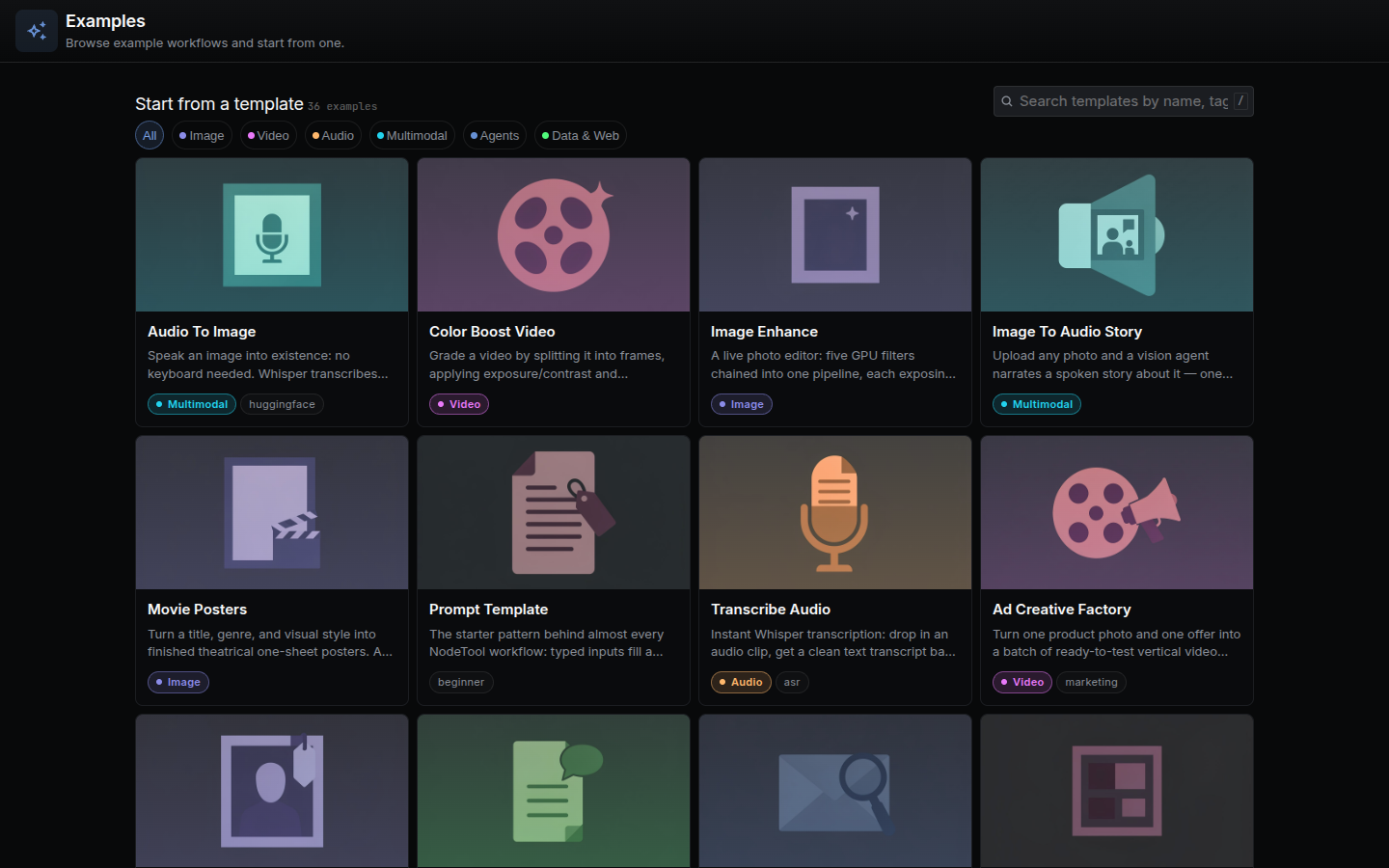
Templates ship with NodeTool and are loaded from the workflows.examples tRPC query. They are grouped by tag into the categories below.
| Category | Tags that match |
|---|---|
| Image | image, design |
| Video | video, youtube |
| Audio | audio |
| Multimodal | multimodal |
| Agents | agent, agents, ai, claude, huggingface |
| Data & Web | data, web, search, serp, google, news, reddit, amazon, trends, analysis, research, rag |
Browse walkthroughs of individual templates on the Workflow Examples page.
Filtering and Searching
- Category pills filter the list. All shows everything.
- Search matches the template name, description, and tags. Press
/to focus the search box. - Templates tagged
getting-startedorstartsort first in the unfiltered list. Everything else sorts by name.
If nothing matches, the page offers Clear search or Show all templates.
Anatomy of a Template Card
Each card shows:
- Thumbnail, or a category-colored placeholder when the template has none.
- Title and description.
- Inputs, each marked required, optional, or requirement unknown.
- Provider/model, the models the graph selects, or the providers it uses.
- Execution, whether it runs locally, on provider-hosted models, or both.
- Required setup and Runtime, when the graph needs them.
- Estimated cost, computed from published node prices. A graph with unpriced nodes shows “at least” or “unknown” with the count of unpriced nodes.
- Category label.
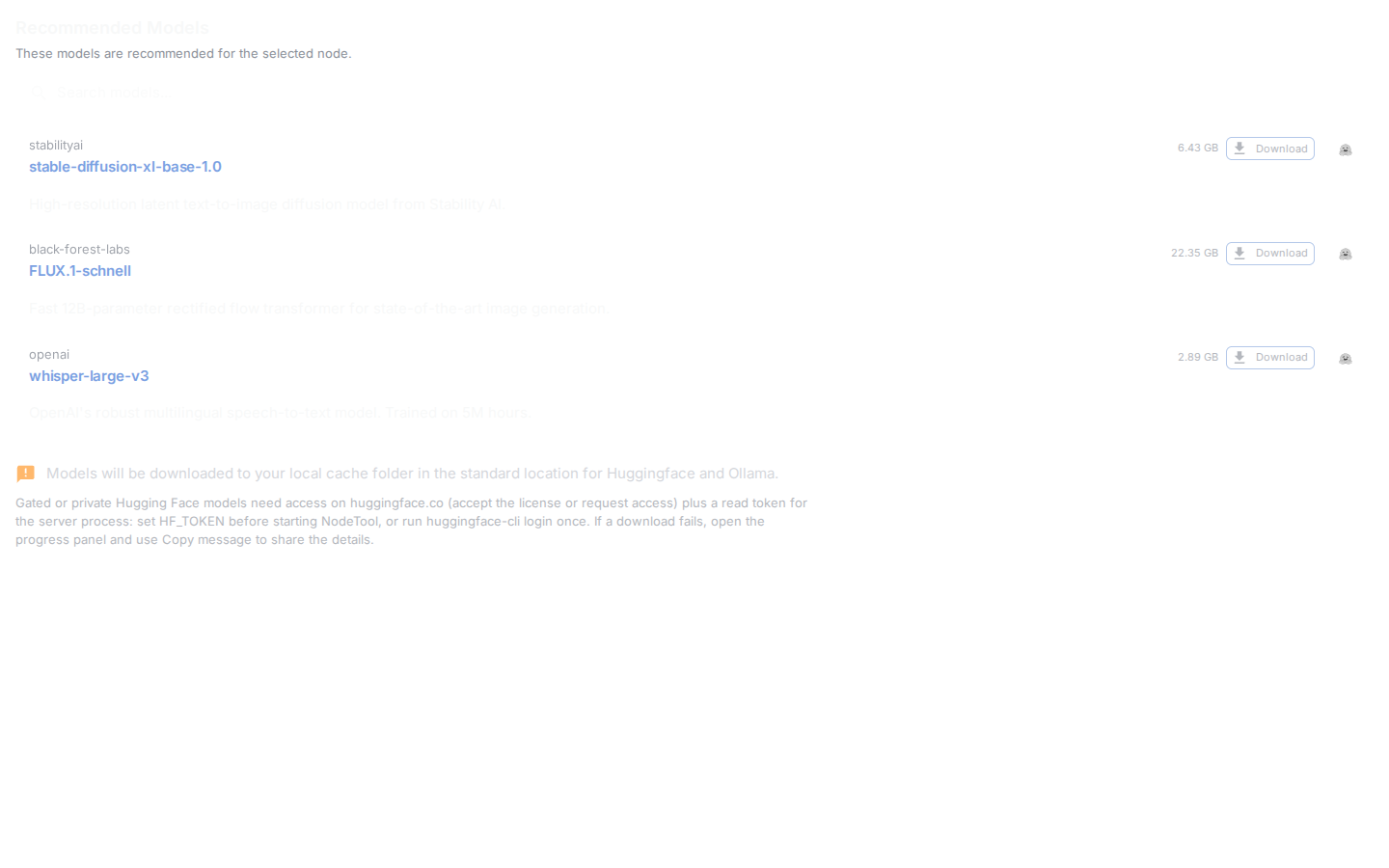
Model fields in shipped templates are empty. When you open one, NodeTool fills each from your own default model for that type. If a model is missing, the Recommended Models dialog offers to install it.
Adding Your Own Template
Shipped templates are JSON files in packages/base-nodes/nodetool/examples/nodetool-base/. Their listing metadata (name, description, tags) lives in packages/base-nodes/nodetool/package_metadata/nodetool-base.json. A new template needs:
- A graph that does real work and is not a re-skin of an existing example.
- Empty model fields, a description under 80 characters, and a thumbnail at
packages/base-nodes/nodetool/assets/nodetool-base/<name>.jpg. - A passing
npm run dev:nodetool -- validate "<file>.json".
The full checklist, including thumbnail generation and the marketing catalog step, is in packages/base-nodes/nodetool/examples/nodetool-base/README_EXAMPLES.md. To turn a saved workflow into code, use nodetool workflows export-dsl <id>.
Related Docs
- Workflow Examples — in-depth walkthroughs of individual templates
- Cookbook — reusable workflow patterns
- Getting Started — runs a template as your first workflow