
The game images in this guide are actual engine output. They are not generated interface mockups. Diagrams are labeled explanations of data flow and do not represent editor controls.
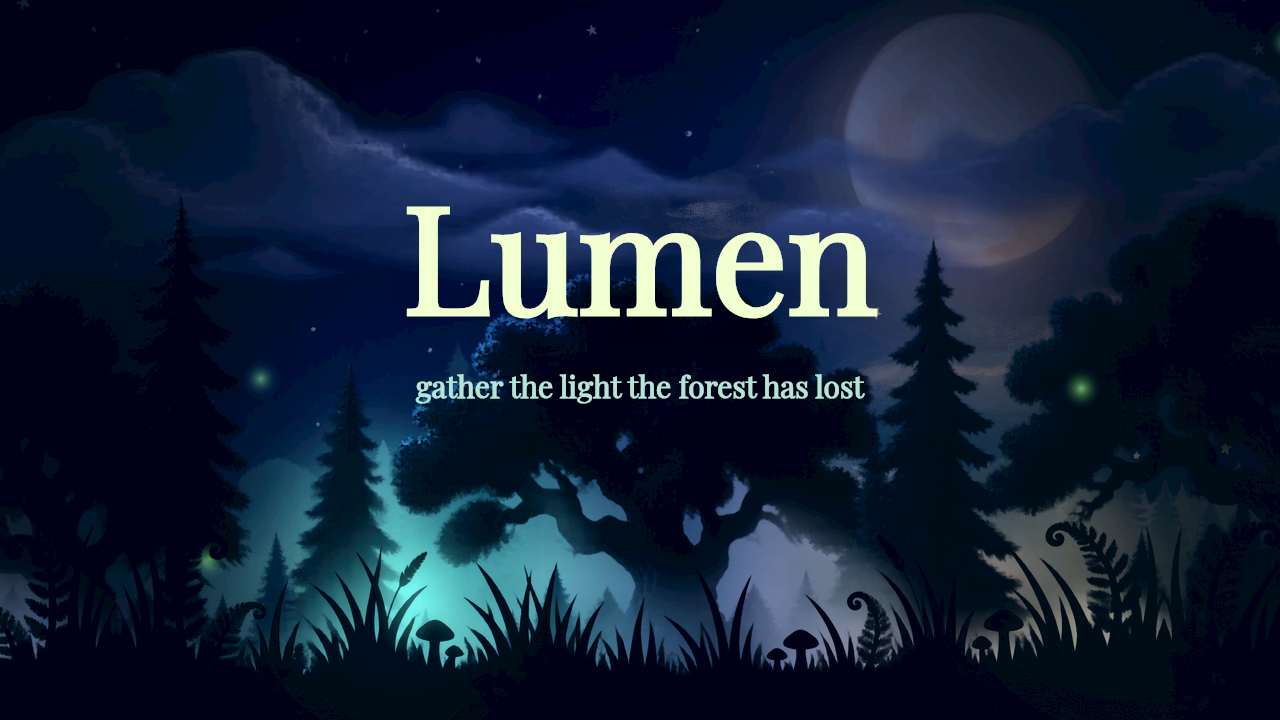
Lumen, captured at tick 60 with seed 1 using the WebGPU renderer.
Engine captures
The images below are unchanged copies of the repository’s accepted native-game golden images at source commit f328d856addeffd49f5d19c233957cab7b1ccb45. Their fixture manifest records tick 60 and seed 1. They show a fixed initial view rather than a complete route.
| Image | Renderer | Resolution | What it illustrates |
|---|---|---|---|
| Kindle | WebGPU 2D | 1280 × 720 | Sprite scene, layered art, title typography, tiled platform |
| Lumen | WebGPU 2D | 1280 × 720 | Forest layers and luminous art |
| Neon Drift | WebGPU 2D | 1280 × 720 | Shooter sprites and title composition |
| AETHER | WebGL2 3D | 1280 × 720 | Model-based platform scene, camera framing, HUD |
| BLACKSITE | WebGL2 3D | 1280 × 720 | First-person model scene and gameplay HUD |
| Signal Forge | WebGL2 3D | 960 × 540 | Industrial models, interaction target, objective and control labels |
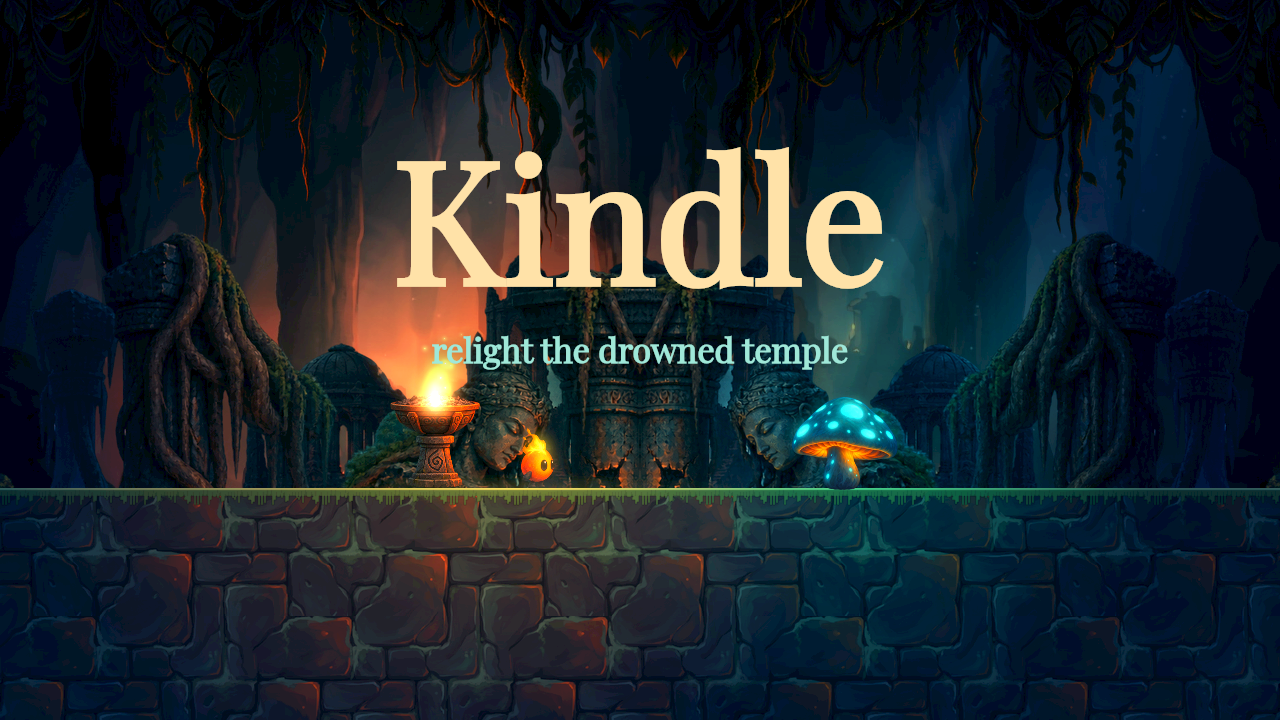
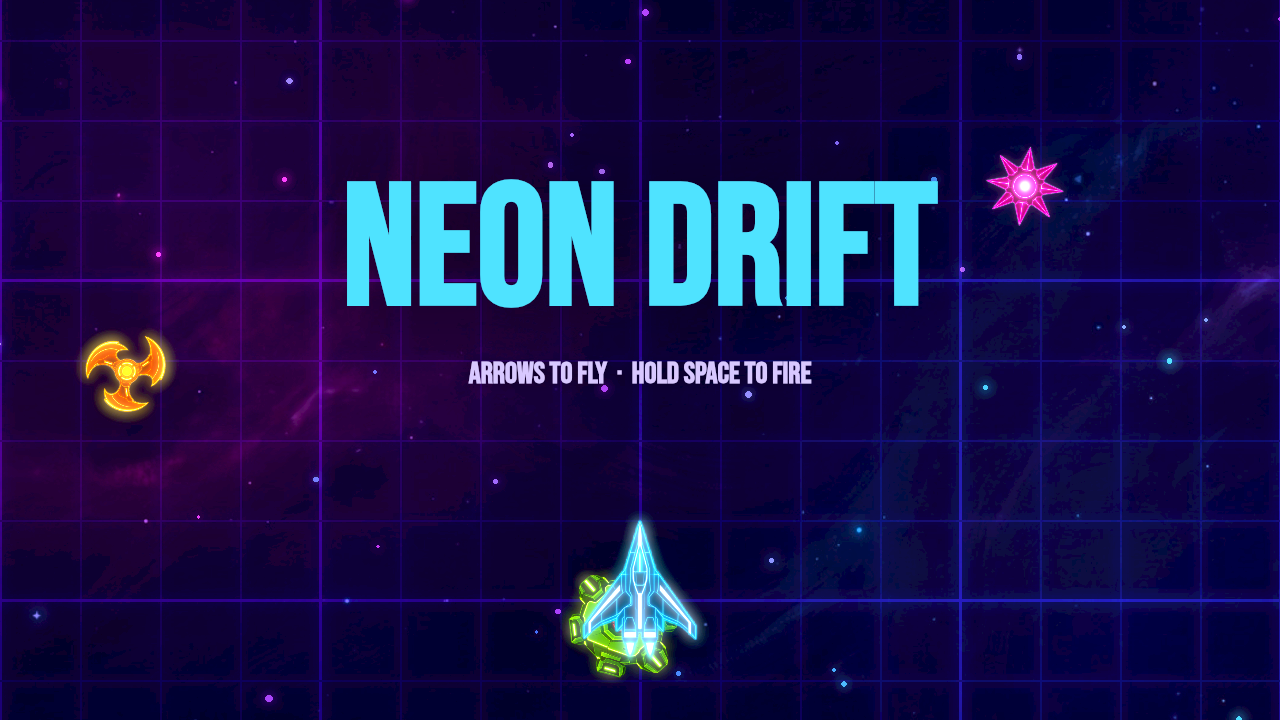
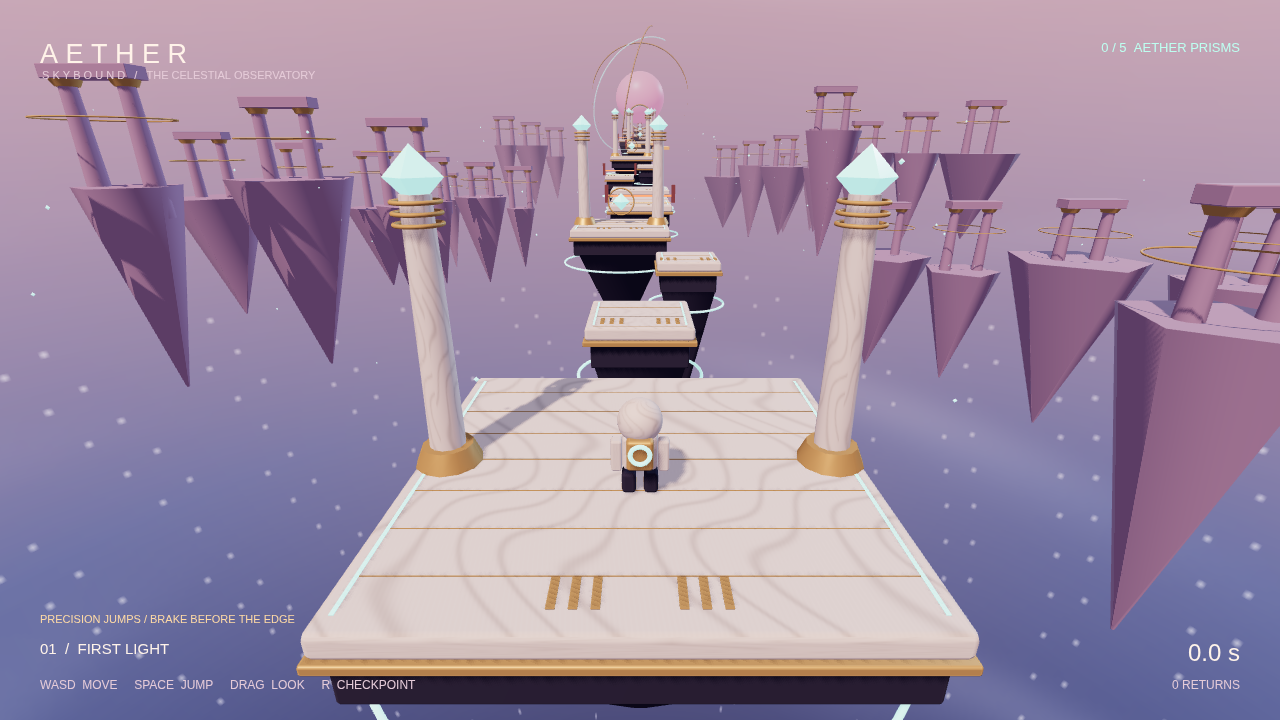
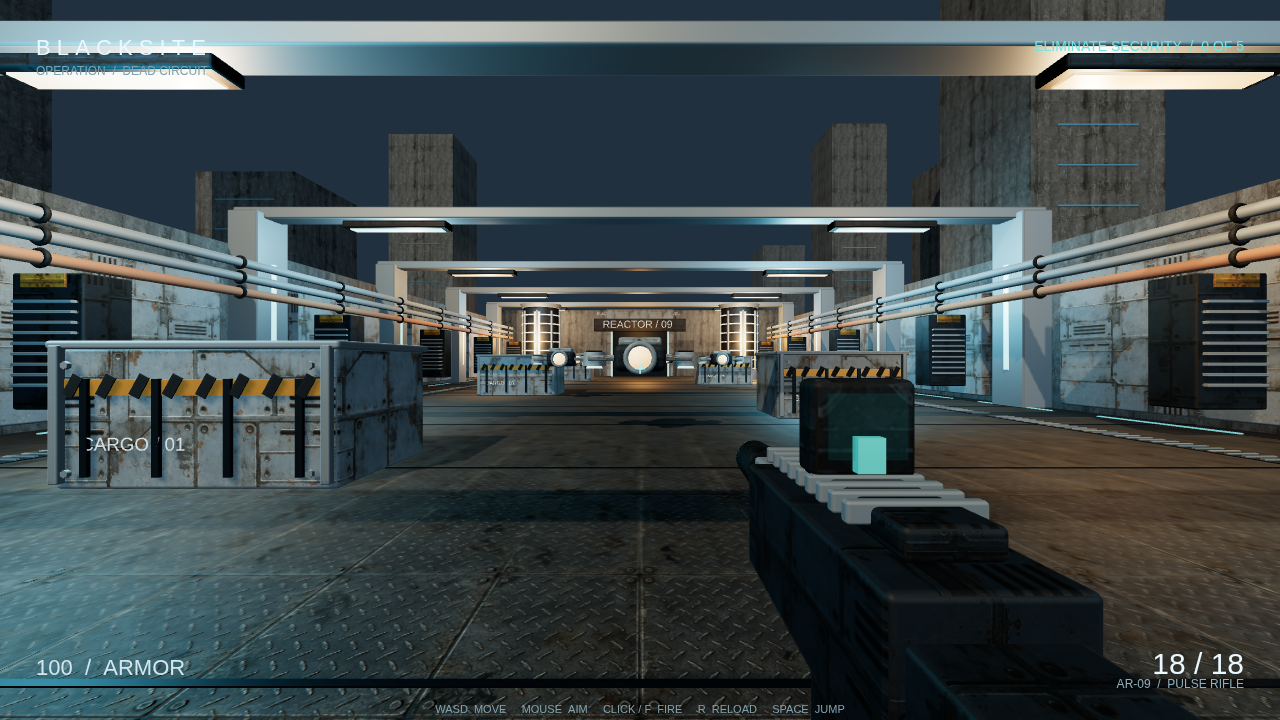
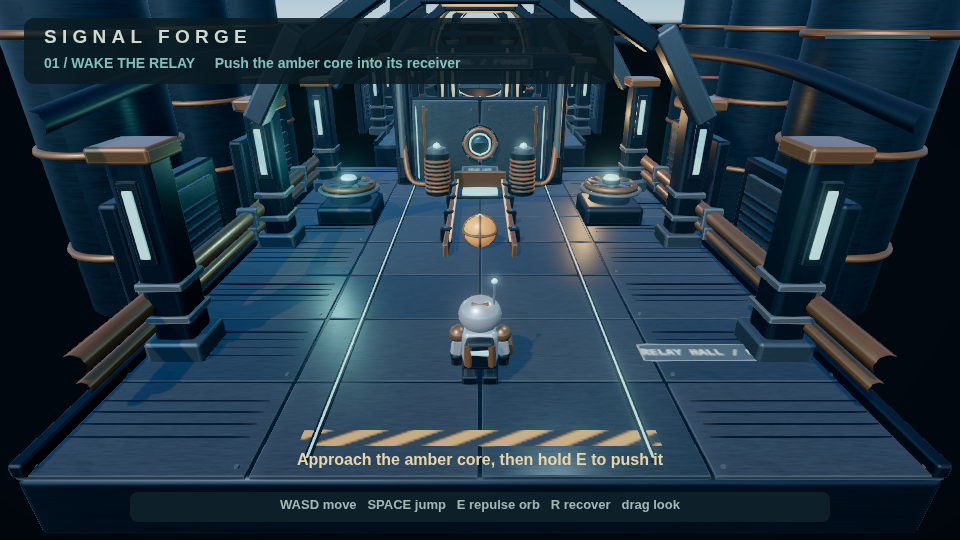
The source fixture directory contains the originals and manifest. The machine-readable image record gives source paths, dimensions, and SHA-256 hashes.
These frames establish appearance under their capture conditions. They do not prove sound playback, touch usability, every collision surface, or recovery from every failure. Signal Forge’s shipped decorative geometry has known collision gaps. Its unsaved collision candidate is not pictured or included in this guide.
Editor captures
The first five images show the actual editor running source revision f328d856addeffd49f5d19c233957cab7b1ccb45 with shipped examples installed into an isolated local workspace. The particle-menu image uses frontend revision 8e749f65f0cf0606168fc6b1d488d81ddab9076c, which adds the generic particle component entry, against the same isolated backend and example. It does not show the separate particle preset inspector.
The editor images were captured on 16 October 2026 through the collaborative preview. Each PNG is the first frame extracted from a compressed preview recording, without compositing or retouching. The games remain at tick 0.
| Image | Example | What it illustrates |
|---|---|---|
| Scene and music | Kindle | Scene music, fade ticks, lighting, and assets |
| Sprite inspector | Kindle | Selected entity, transform, sprite binding, and atlas frame |
| 3D environment | AETHER | Scene hierarchy, environment preset, ambient light, and linear fog |
| Model animation | AETHER | Initial clip and model animation settings. The example has no animation graph |
| Script editor | AETHER | An existing behavior open in the Scripts panel |
| Particle component menu | Kindle | The enabled Particles entry for a schema 2 or later 2D entity |
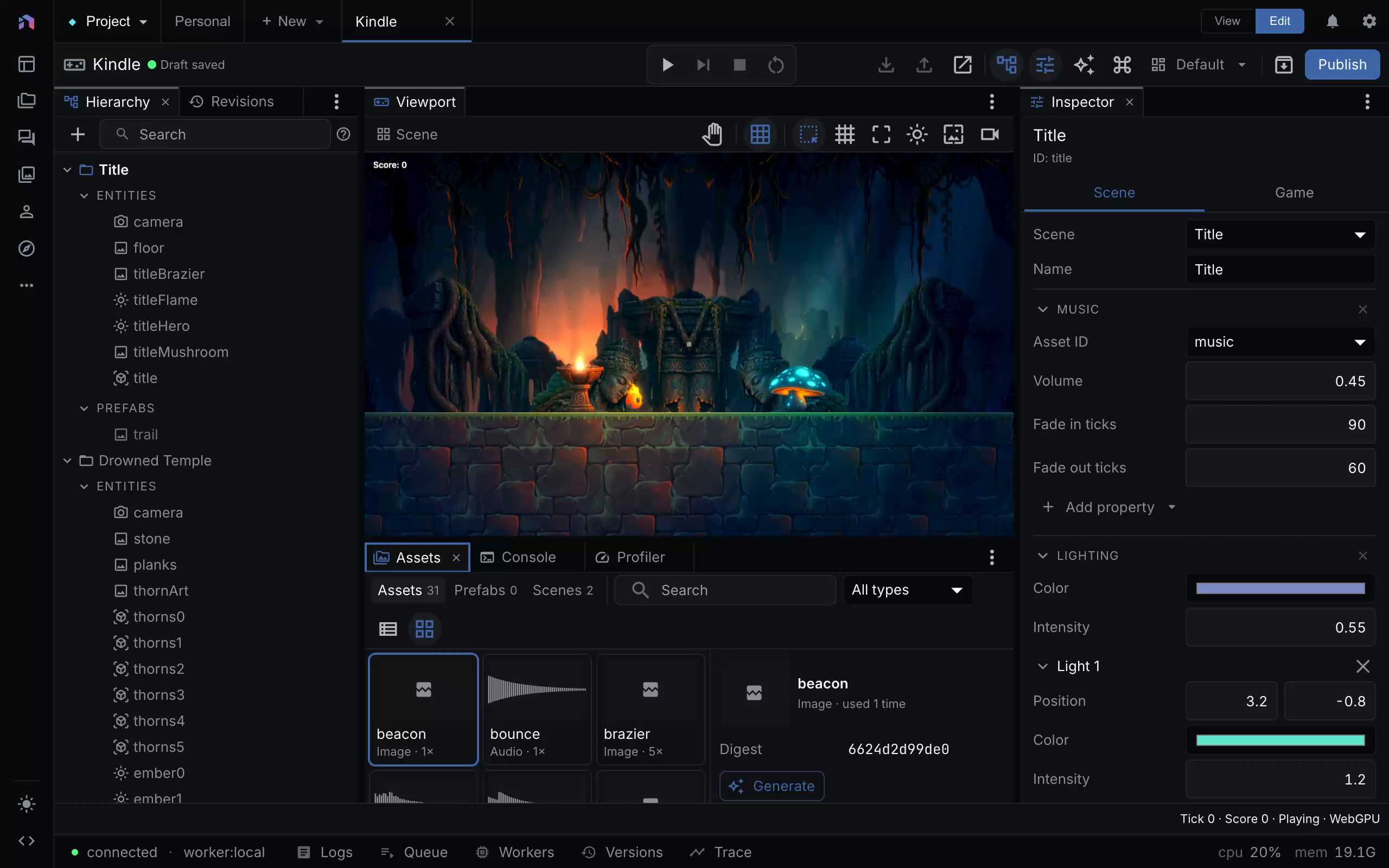
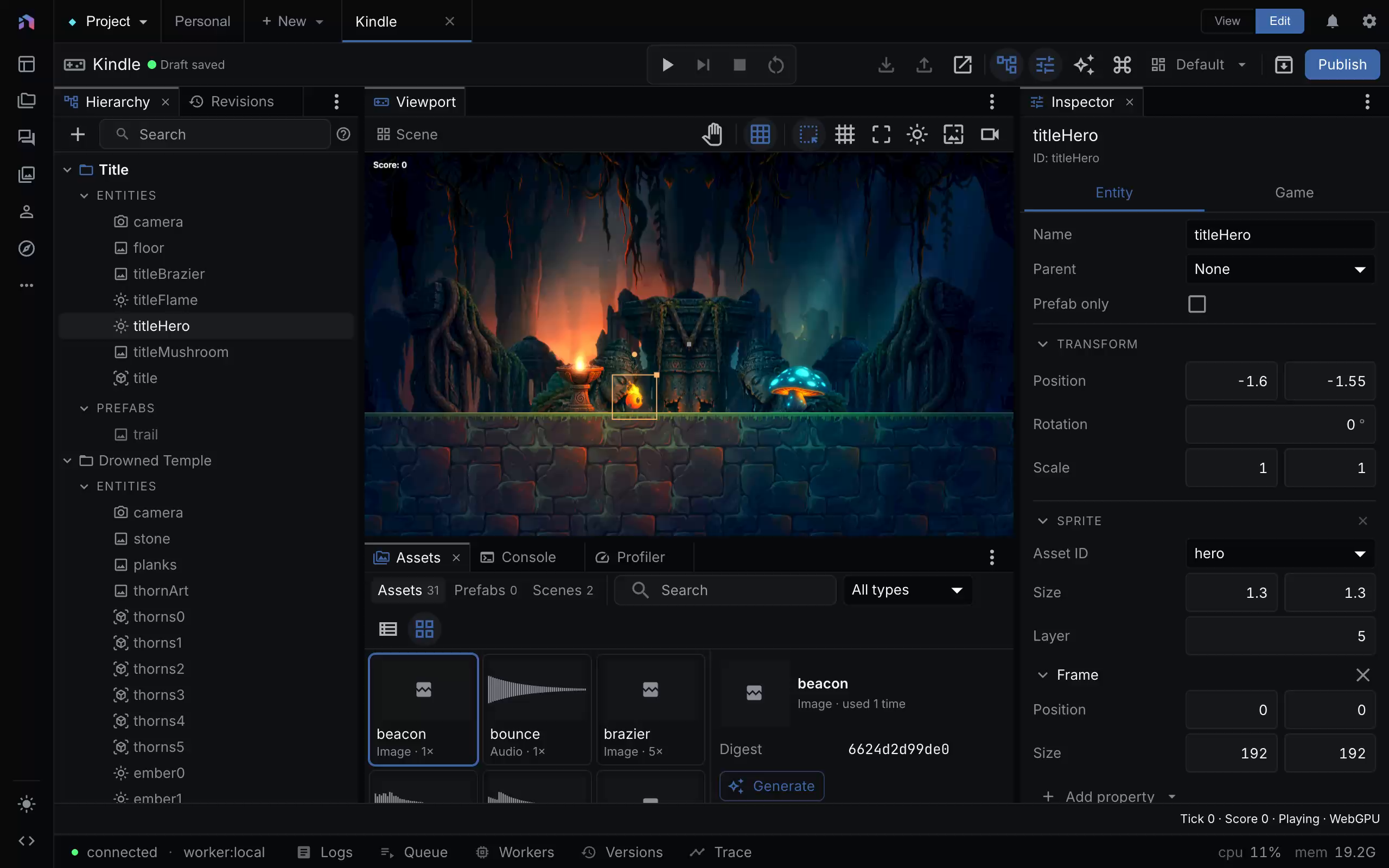
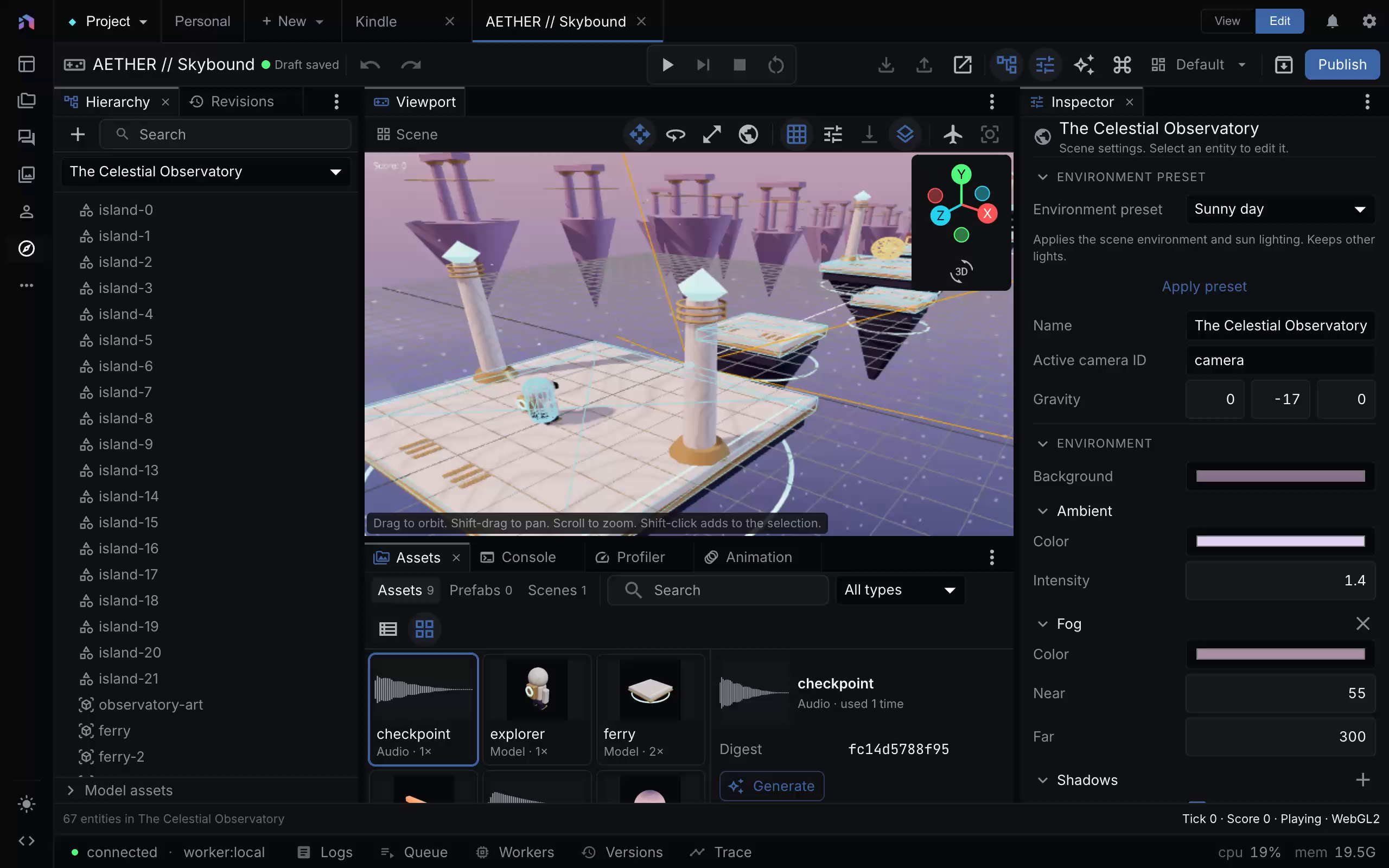
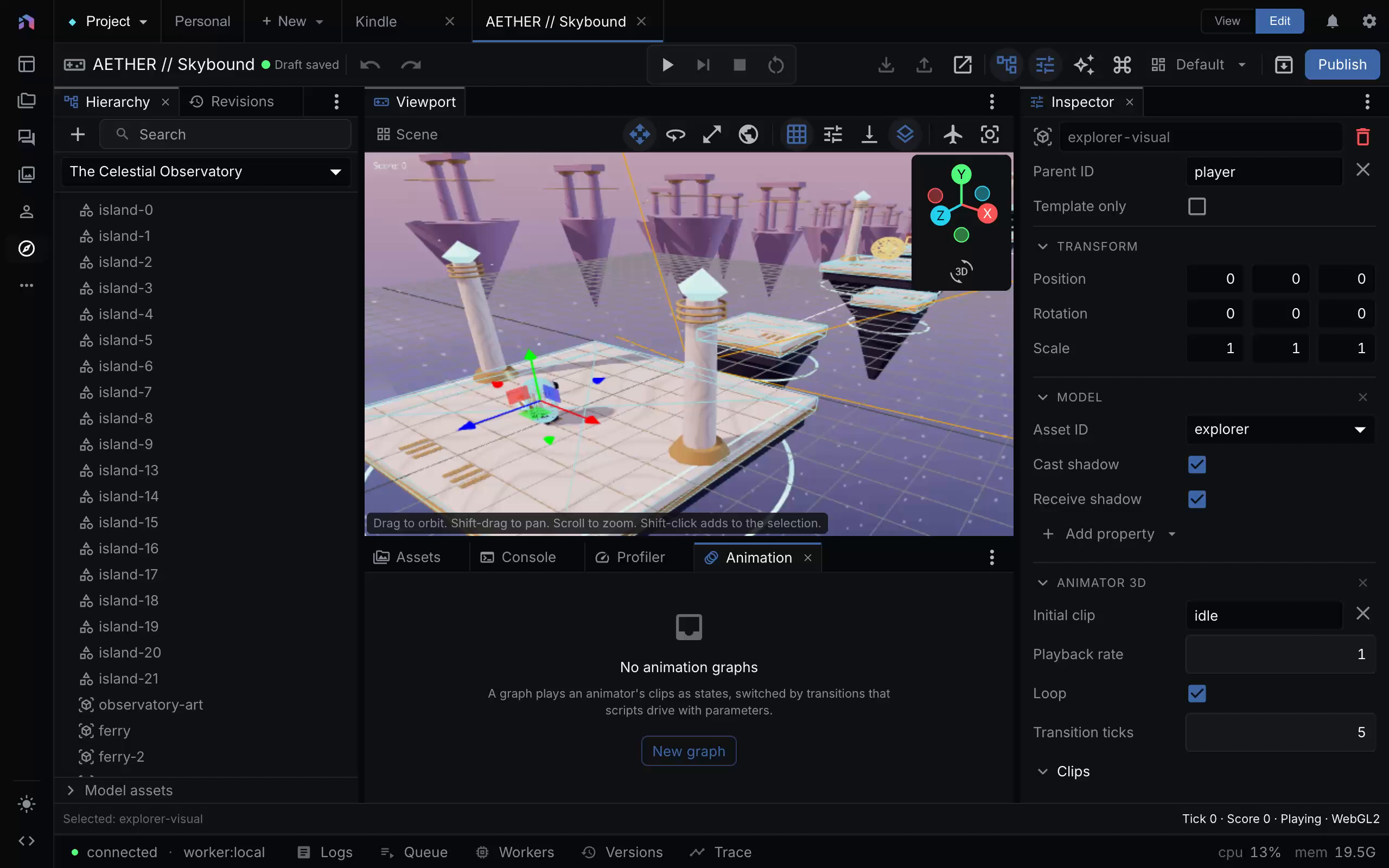
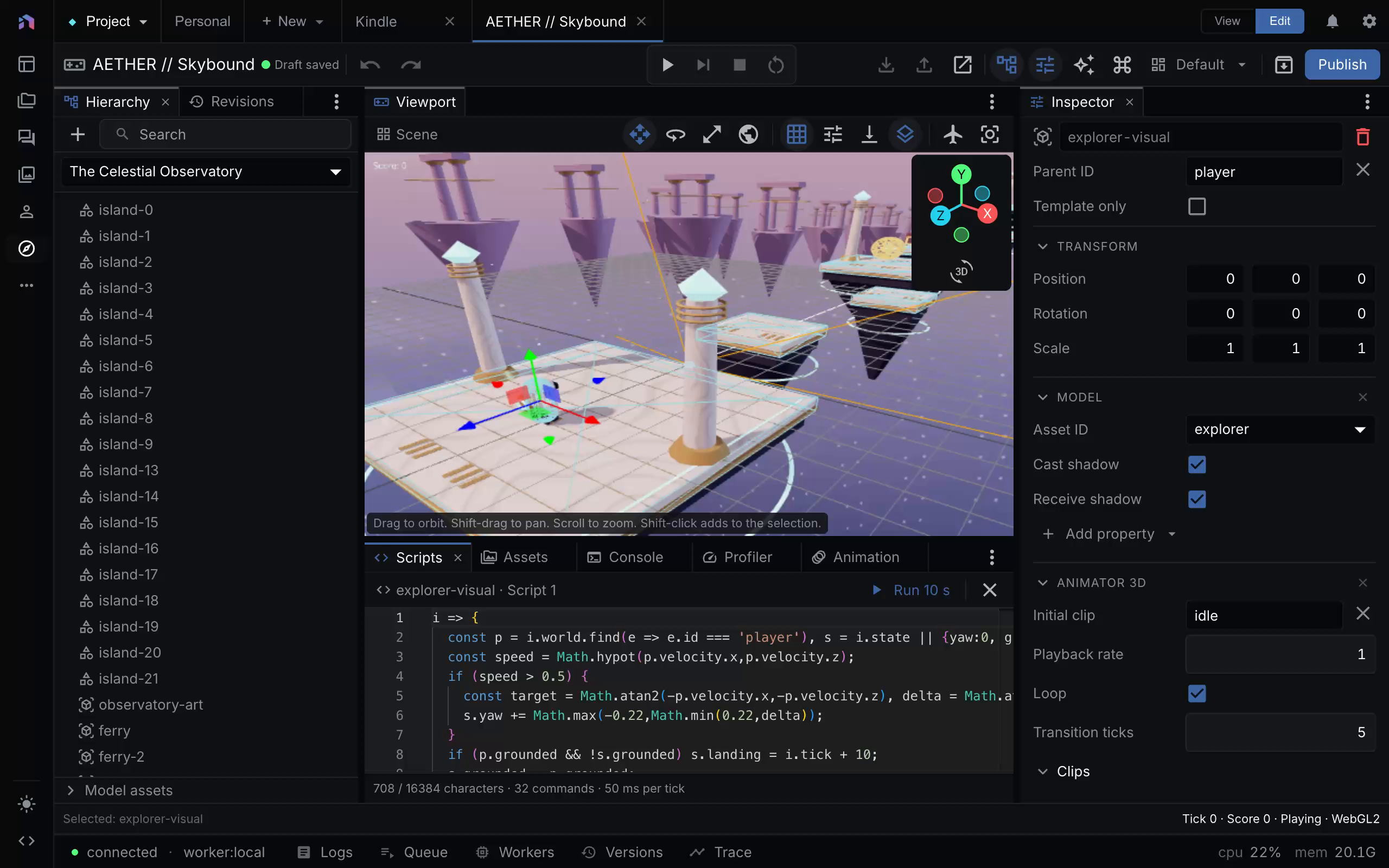
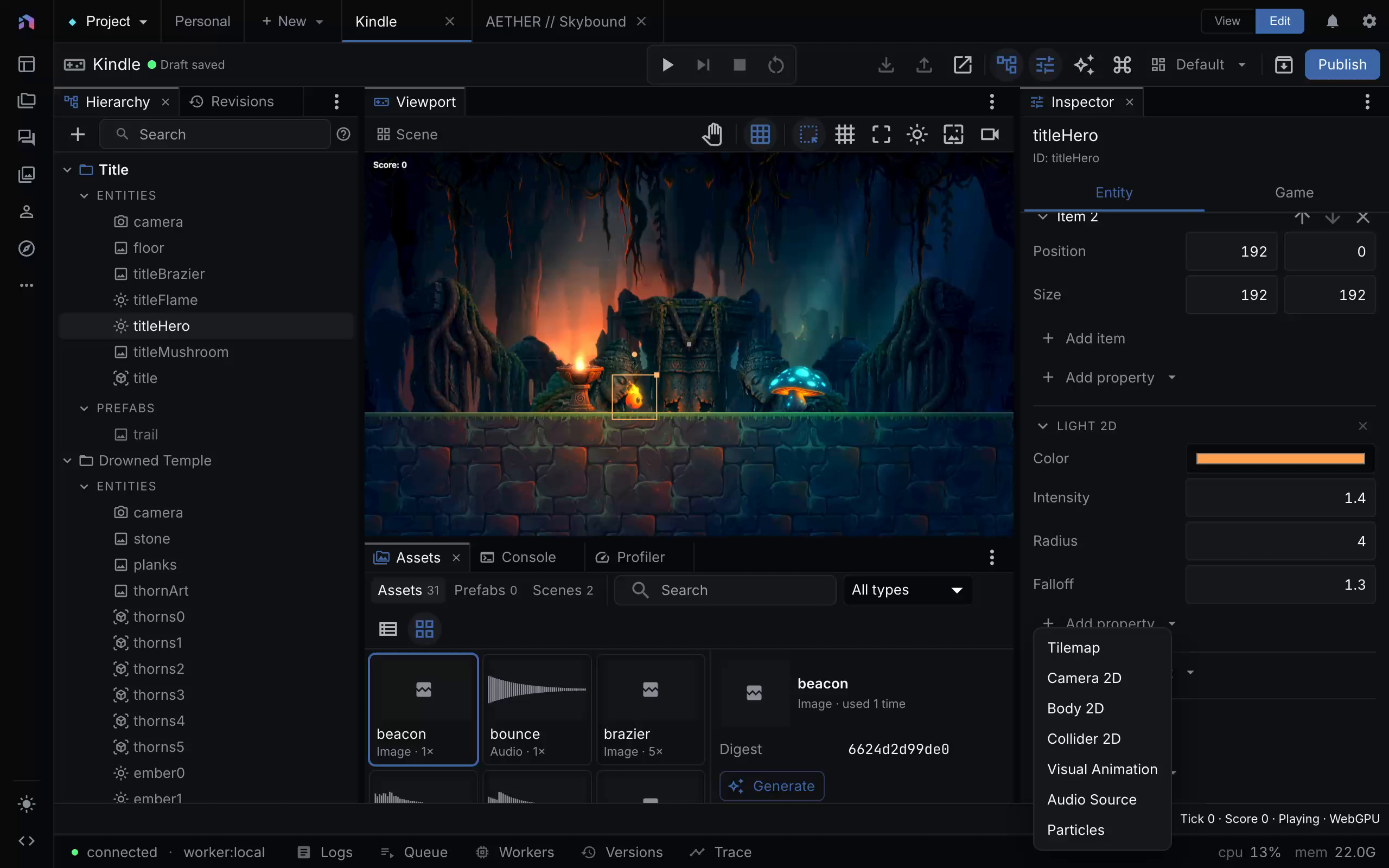
The image record includes each recording’s SHA-256 and capture time alongside the extracted PNG’s hash. These are editor configuration views, not evidence of completed gameplay, audible playback, or performance measurements. The visible editing grid and helpers are not exported game effects.
Earlier editor image
The existing Game Editor screenshot was already present at the same source revision. Its original capture time is not recorded. It shows Kindle with a selected hero, scene tree, inspector, and asset panel. A visible diagnostic says GPU effects are unavailable and the session is using Canvas2D.
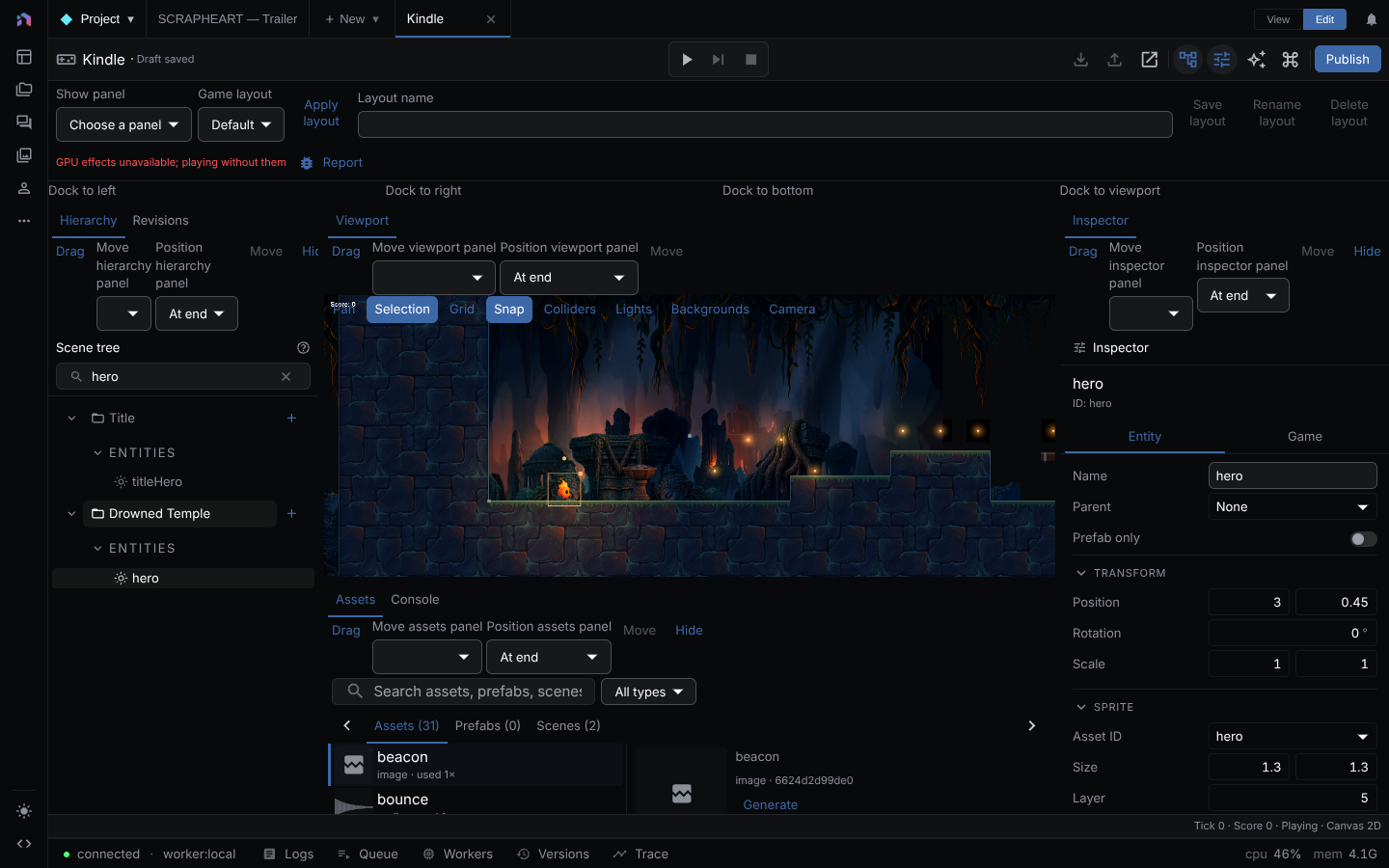
Use that image to understand panel relationships. It is not a claim that every current panel has the same layout, or that GPU effects are active in the pictured editor.
Explanatory figures
The simulation/presentation, asset pipeline, audio routing, and construction flow figures were drawn for this guide. They explain state ownership and operation order. Their labels describe engine concepts, not buttons or screenshots.